
Simple Project Tracking Software for Startups: A Practical Guide
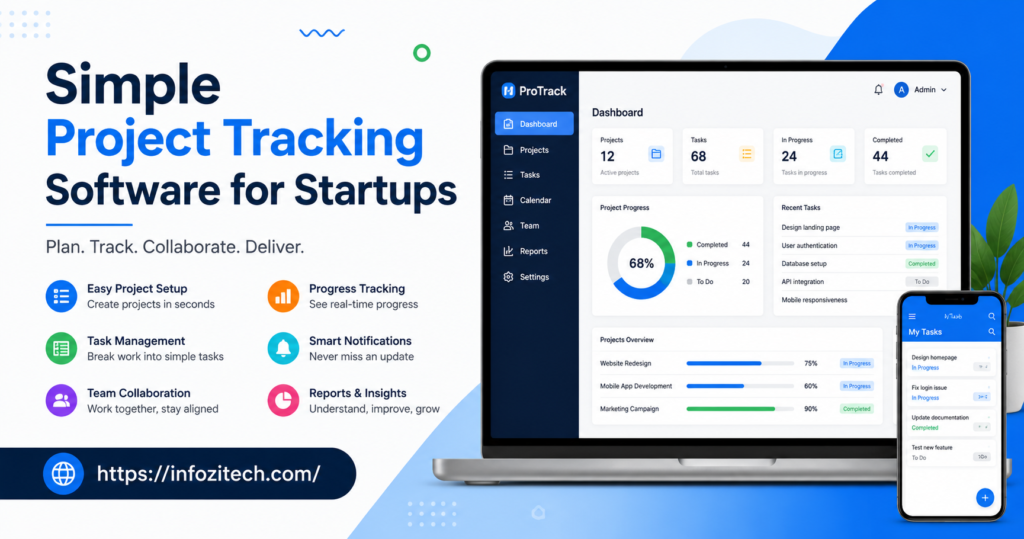
Early on, most startups don’t actually need a system. They just need to remember what has to get done before it slips through the cracks. A few people, a shared Slack channel, maybe a Google Doc titled “TASKS” that someone renames every couple of weeks because it’s gotten completely unmanageable again. Or whether that thing from last Tuesday actually got finished, or just got forgotten in the scroll.
That confusion isn’t a sign the team’s disorganized, by the way. It’s just what happens when the number of moving pieces outpaces whatever informal system was tracking them. A “TASKS” doc built with three people in mind breaks the second a fourth person joins and starts adding their own version of updates, in a slightly different format, buried somewhere in the middle where nobody scrolls.
This is usually the point somebody floats the idea of project tracking software, and then gets immediately nervous, because most of what shows up in a search is built for companies with hundreds of employees and dedicated project managers running the show. That’s not what a startup needs, obviously. So here’s a straightforward look. What simple project tracking software actually does. Why it matters even for a five-person team. .
What Does Project Tracking Software Actually Do?
Strip it down, and it’s just this: one shared, visible place for a team to see what’s being worked on, who’s responsible, and what stage it’s at. That’s the whole function, really. Everything stacked on top of that- timelines, automations, reporting dashboards- exists just to support that one basic job underneath it all.
Picture a small startup building its first product feature, pretty typical scenario. No tracking software, progress lives across scattered Slack messages, a couple half-updated spreadsheets, whatever the engineer happens to remember when someone asks “how’s it going” during standup. Add tracking software, and that same feature shows up as a card or task moving through stages everyone can see, with comments and updates attached directly instead of floating around across five different chat threads nobody can find again.
Worth separating a couple of terms here that blur together constantly in this space.
- Project tracking software focuses on visibility, seeing what’s happening and who owns it, usually through boards or lists.
- Full project management platforms pile on heavier stuff: resource planning, budgeting, complex dependency mapping most startups don’t need yet.
- Task management apps sit even further down the simplicity scale, tracking individual to-dos without much structure around bigger projects at all.
Most startups land somewhere between the first and third option. The mistake a lot of early teams make, and I’ve seen this happen a lot, is jumping straight to the second before they actually need it.
Why Startups Shouldn’t Wait to Adopt This
There’s a pattern with early-stage teams where project tracking gets pushed off because “we’re small enough to just talk about it.” True, for a while. Then a few new hires show up, a couple parallel projects start running at once, and that informal system quietly stops working without anyone really noticing right away, until it’s already a problem.
A few honest reasons to get ahead of this instead of reacting after the fact.
You stop relying on tribal knowledge floating around in people’s heads. When project status lives in a shared tool instead, new hires can actually get up to speed by looking at it, not by interrupting three different people with questions all afternoon.
You catch stalled work sooner, way sooner. A task sitting untouched for two weeks is easy to spot on a board. Buried in some chat thread from three weeks back, it’s easy to forget entirely until a deadline’s already blown right past everyone.
You reduce the cost of context switching. Founders and early employees juggle a dozen things at once, constantly. A shared tracking system means picking a project back up doesn’t require reconstructing where things left off purely from memory.
You build habits that actually scale with you. Startups grow fast, sometimes unpredictably so. A lightweight system in place early means growth doesn’t demand some emergency overhaul of how work gets tracked later, when there’s even less time to do it properly.
None of this needs to be elaborate, honestly- the opposite. The more complicated the tool, the less likely a small, busy team is to keep using it past month one.
Common Types of Simple Project Tracking Software
Vendors invent new terminology constantly, but for a startup it mostly comes down to a handful of practical categories.
Kanban-Style Boards
Visual boards, columns like To Do, In Progress, Done, tasks moving across as work advances. Intuitive almost instantly since it mirrors how people naturally think about progress anyway. Strong first tool for teams that haven’t touched tracking software before.
List-Based Task Trackers
Simple, straightforward lists of tasks, sometimes grouped by project or by person, no visual board layout involved. Works well for teams that would rather scan a checklist than drag cards around all day, and tends to feel less overwhelming for very small teams, especially.
Timeline or Roadmap Tools
These lay tasks and projects out against a calendar, useful once a startup needs to track deadlines and dependencies across a few workstreams running at once. More structure than a basic board, still lighter than a full project management suite though.
All-in-One Workspace Tools
Combine documents, task tracking, and sometimes basic communication into one platform. Convenient for consolidating tools early on, but can get cluttered fast if a team tries using every single feature right out of the gate, which people often do because it’s all right there.
You don’t need to master every category. Figure out which one matches how your team currently thinks and talks about its own work.
How to Choose the Right Tool for Your Startup
This is usually where founders get stuck, since there are dozens of tools all claiming to be “the simplest project management software for startups,” which can’t all be equally true. A more grounded approach cuts through most of that.
Start With Your Actual Team Size and Complexity
A three-person startup with one product has very different needs than a fifteen-person team juggling several client projects at once. Match the tool’s complexity to your current reality, not the size you’re hoping to be in two years, since you can upgrade later; that’s always an option.
Prioritize Speed of Adoption Over Feature Depth
Ask honestly: could someone open this tool and understand what to do within a few minutes, no tutorial video required? If setup needs a dedicated onboarding session for a five-person team, that’s usually a sign the tool is more than you actually need right now.
Check How Well It Handles Change
Startups pivot. Priorities shift weekly sometimes, if not more. Look for something where reorganizing tasks, renaming projects, shifting priorities takes seconds, not a whole restructuring project of its own that eats an afternoon.
Confirm It Fits Into Existing Habits
If the team already communicates mostly through some chat app, look for tracking software that integrates with it directly, so updates don’t require checking yet another tool throughout an already busy day.
Run a Real Sprint Through It Before Committing
Actually use the free trial properly. Track a real, current project through the tool start to finish, not placeholder tasks that don’t mean anything, since that’s the only real way to know if it fits your team’s actual rhythm.
Setting Up Simple Project Tracking Without Losing Momentum
Once you’ve picked a tool, resist mapping out every future project and building some elaborate structure before anyone’s actually used the thing once. Startups move fast, and an overbuilt system goes stale within weeks, sometimes days, honestly.
A steadier setup process looks something like this.
Start with your current, active work only. Whatever the team’s working on right now, not a backlog of every idea that’s ever come up during a brainstorm six months ago.
Keep the structure simple at first, genuinely simple. A handful of clear stages or categories is plenty to start with. Add complexity later, once you actually know what’s missing instead of guessing at it in advance.
Assign clear ownership on every single task. In a fast-moving startup, unclear ownership is usually right where things quietly fall through, every time.
Build the habit of updating status in real time, not saving it all for the end of the week. A tracker only updated during a Friday review loses most of its value as an early warning system, which was kind of the whole point.
Revisit the setup after a few weeks, not immediately. What worked for a five-person team might need tweaking once you’re at ten, so treat the initial setup as a starting point, not something permanent carved in stone.
Mistakes Startups Commonly Make
A few patterns keep showing up when early teams adopt tracking software for the first time.
Choosing a tool built for large, established companies. Usually means paying for complexity a startup doesn’t need yet, plus a steeper learning curve for a team that genuinely doesn’t have time to spare on training right now.
Trying to map the entire roadmap out on day one. Startups change direction often enough that an elaborate initial structure usually needs rebuilding within a month anyway, so why bother upfront?
Letting only the founder use it consistently. If tracking software isn’t part of how the whole team actually works, it stops reflecting reality fast, and decisions start getting made off outdated information nobody flagged.
Ignoring integrations with existing tools. Constantly switching between a chat app and a separate tracker adds friction that adds up quickly across a genuinely busy week.
Never revisiting how the tool’s actually being used. As a startup grows, the tracking system that worked fine at five people often needs a light restructure by fifteen. Skipping that check-in lets small inefficiencies pile up quietly, unnoticed, until they’re not so small anymore.
Bringing It All Together
Simple project tracking software was never about running a startup like some large corporation before it’s ready for that. It’s about giving a small, fast-moving team one shared, visible place to see what’s happening, so nothing depends purely on memory, scattered chat messages, or a spreadsheet nobody quite trusts anymore.
. The goal was never the most feature-packed platform on the market. It’s whatever quietly keeps everyone aligned without becoming its own source of overhead and extra work.
Once that habit takes hold, stalled tasks get noticed sooner, context switching gets easier, and the startup builds a foundation for tracking work that can actually grow alongside it, instead of needing to be torn down and rebuilt from scratch later on.





