
Simple Inventory Software for Small Shops: A No-Fuss Guide
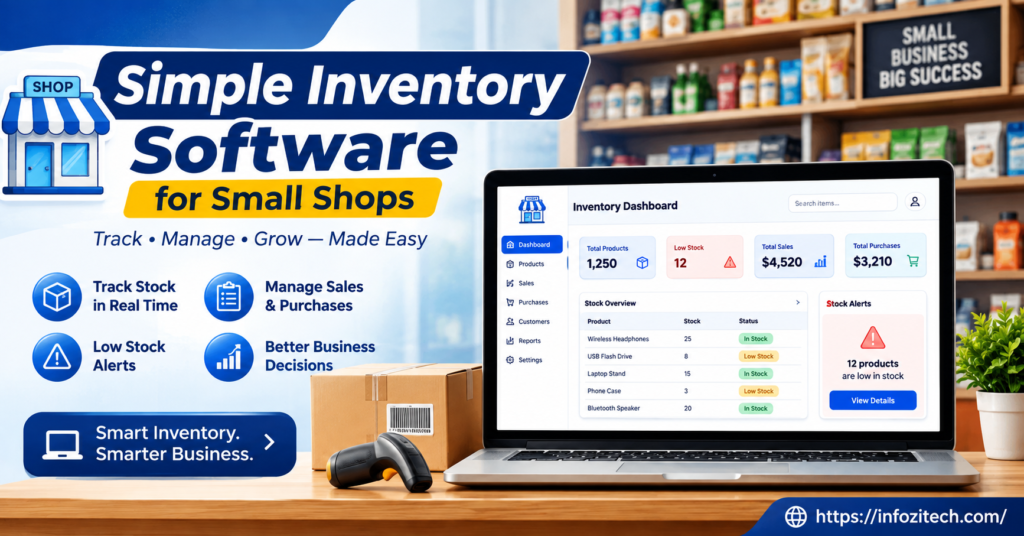
You know that feeling when a customer asks “do you have this in stock?” and you genuinely, honestly, have no idea? I’ve had this happen more times than I’d like to admit. You walk to the back room, dig through a couple of boxes, maybe flip through a notebook that’s still half water-stained from that one time the roof leaked in March, and eventually you either find the thing, or you don’t. Either way, you’ve burned two minutes and a chunk of your own confidence, standing there while the customer waits.
A lot of small shop owners just live there. Not because they don’t care; they clearly do. They’re running an entire business after all. It’s more that inventory tracking always feels like the thing you’ll fix “eventually.” Meanwhile, stock keeps moving. Orders keep showing up. And the gap between what the notebook says and what’s actually sitting on the shelf just keeps stretching wider and wider until nobody trusts the numbers at all.
So here’s a plain guide to closing that gap, without turning your little shop into some over-engineered tech operation you’ll resent. What inventory software does. Why it matters even for a shop this small. How to actually pick something. And how to set it up without eating a whole week of your life doing it.
What Does Inventory Software Actually Do?
Strip it down, and it’s not complicated at all — inventory software keeps a running, accurate count of what you have, where it’s sitting, and how fast it’s moving out the door. That’s the whole job. Barcodes, low-stock alerts, sales reports- all of that is just extra stuff built on top of the one basic function.
Take a small clothing shop as an example. No software, and you’re relying on a physical count now and then- once a month if you’re diligent about it, once a quarter if life gets in the way. In between those counts, you’re basically guessing, and everyone knows it; you just don’t say it out loud. With software running, every sale subtracts from your stock the instant it happens at the register. No guessing. No frantic end-of-month scramble trying to reconstruct what actually left the building.
Worth separating this from a point-of-sale system too, since people lump the two together constantly, and I get why.
- A point-of-sale system handles the transaction — ringing something up, taking the payment, spitting out a receipt.
- Inventory software tracks what you have and what’s moving. Sometimes standalone, sometimes stuffed inside a POS system as one feature among many.
Plenty of small shop tools bundle both together, which honestly is convenient when it works. But if you’re shopping around, don’t assume “inventory software” and “POS software” are automatically the same purchase, because a salesperson will absolutely talk about them like they’re interchangeable when they’re not always.
Why Even a Tiny Shop Needs This
Here’s where owners get it backwards a lot of the time. They think inventory software is for the big operations, warehouses, chains, places juggling hundreds of SKUs across multiple locations. Actually, the smaller your team is, the more you need this, because there’s nobody else around to catch the mistakes you’re too busy to notice.
A few reasons this pays off even in a shop with just one or two people running the whole show.
You stop over-ordering and under-ordering both. Without real numbers in front of you, ordering turns into a gut-feeling exercise, and gut feelings, mine included, are wrong more often than any of us want to admit. Software just shows you what’s actually selling versus what’s been sitting there collecting dust since spring.
You catch shrinkage faster, whether that’s theft, damage, or just plain miscounting somewhere along the line. A gap between what the system says you should have and what’s physically sitting there is worth paying attention to, and without any tracking, that gap can quietly grow for months before it ever gets noticed.
You save real time during the busy stretches. When someone asks about stock, and you glance at a screen instead of hiking to the back room, that’s thirty seconds saved. Multiply that by a hundred conversations a week, and it adds up to something meaningful.
And you get actual data instead of vibes. “I feel like the red ones move faster” becomes a number you can actually check, which matters a lot more when you’re deciding what to reorder or what to mark down before it goes stale on the shelf.
None of this needs to be complicated, by the way. If anything, the fear of complexity is exactly what keeps shop owners from starting at all.
Common Types of Inventory Software for Small Shops
Vendors love dressing this stuff up with buzzwords, but really, for a small shop, it comes down to a handful of practical options.
Spreadsheet-Based Tracking
Not really “software” in the fancy sense, but plenty of shops start here anyway, so it deserves a mention. A well-built spreadsheet can track basic stock manually, and it’s free, flexible, and does whatever you want it to do. The problem is it relies entirely on someone actually remembering to update it every single time something sells. Which is, if we’re being honest, exactly where things tend to fall apart three weeks in.
Standalone Inventory Apps
Built specifically to track stock. Usually with barcode scanning through your phone’s camera, low-stock alerts, and simple reports you can actually read without a manual. This tends to be the easiest starting point for a shop that isn’t ready to rip apart its whole checkout process just to fix inventory.
Point-of-Sale Systems With Built-In Inventory
These handle the sale and the stock count together, in one motion. Ring something up, the number updates automatically, no second step required. Good for shops that would rather run one system instead of two, though switching your entire checkout process is a much bigger commitment than just bolting on a standalone app.
Industry-Specific Inventory Tools
Some categories- florists, bakeries, hardware stores- have inventory software built around exactly how that business runs, sometimes even accounting for perishability or bulk units, weird sizing, that sort of thing. Convenient if your shop happens to fit one of these molds. Less useful if it doesn’t, and you’ll be fighting the software instead of using it.
You don’t have to become an expert on all four. Just figure out which bucket matches whatever’s currently bugging you the most.
How to Pick the Right Tool Without Overthinking It
This is usually where people freeze up completely, mostly because there are a thousand apps out there claiming to be “the easiest inventory tool for small business,” and honestly, they can’t all be telling the truth.
Start With Your Actual Product Count
A shop with thirty products has completely different needs than one with three thousand, obviously. Small and simple inventory, an easy standalone app is probably plenty for you. Once you’re dealing with variants, sizes, colors, bulk units, you’ll want something actually built to handle that without extra manual busywork on your end every time.
Prioritize Ease of Daily Use
Ask yourself, honestly, could you or your one employee update this thing in the middle of a chaotic Saturday afternoon without wanting to throw the tablet across the room? If it takes ten clicks to log one single sale, it’s getting abandoned within a month. Doesn’t matter how pretty the reports look.
Check the Barcode Situation
If you’re using barcodes, or planning to, make sure the software actually scans through a regular phone camera. Not every tool does this well — some still expect you to buy a dedicated scanner, which is an extra cost a lot of small shops would rather just skip entirely if they can.
Look at How It Handles Reordering
Good inventory software tells you when something’s running low, ideally before you’re actually sold out completely. Some tools will even suggest reorder amounts based on past sales patterns. This one feature alone can save you from that awkward “sorry, we’re out of that” conversation, which nobody enjoys having.
Test It During a Real Week, Not a Slow One
Actually use the free trial properly. Run it during a genuinely busy stretch, not some quiet Tuesday afternoon where nothing’s really happening. That’s the only real way to find out if it holds up under actual pressure instead of just looking nice in a sales demo.
Setting Up Inventory Software Without Losing a Week to It
Once you’ve picked something, don’t try to digitize your entire back room in a single sitting. That’s exactly how a simple project turns into an exhausting weekend nobody wants to repeat ever again.
A more realistic setup looks something like this.
Start with your best sellers first. Get your top twenty or so products entered accurately before you worry about anything else. These are the items where an accurate count actually matters the most anyway.
Do a real physical count as you go; don’t just copy old numbers over from whatever system you had before, especially if that system was already wrong. This is your chance to start fresh with numbers you can actually trust.
Assign one person to own the updates. Even in a two-person shop, somebody needs to be the default person keeping the count accurate, at least for the first few weeks while everyone’s getting used to it.
Run it during a real sales day before changing anything. Let it actually get used a bit before deciding it’s missing something or needs tweaking.
Add the rest gradually. There’s no rule saying everything has to live in the system by day one. Slow and accurate beats fast and messy, every time, in my experience anyway.
Mistakes Small Shop Owners Commonly Make
A few patterns keep showing up, over and over, with shops trying this for the first time.
Trying to load the entire inventory at once. Leads to rushed entries, typos, wrong counts, and basically undermines the whole reason you switched systems in the first place.
Skipping the physical count and just trusting old numbers. If the previous system was already wrong, and it usually was a little wrong, you’re just moving that same problem into the new software instead of actually fixing anything.
Ignoring staff training. Even a genuinely simple tool needs a quick walkthrough; otherwise, you end up with inconsistent updates depending entirely on who happens to be working that particular day.
Not checking mobile compatibility. If most of your counting happens out on the floor rather than sitting at a desk, a tool that only really works on a desktop computer is going to slow everybody down constantly.
Forgetting to actually look at the reports. A lot of shops set the whole thing up and then never check the sales data it’s quietly generating, which means they’re paying for insight nobody’s actually using.
Bringing It All Together
Simple inventory software was never about running your small shop like some massive retail chain. It’s about knowing, without walking to the back room and digging through boxes for the third time that day, what you actually have and what’s about to run out on you.
Start with your best sellers, pick something your whole team can use without a headache, and give it a real trial during an actual busy week before deciding it’s the right fit. The goal was never the flashiest system on the market. It’s whatever quietly tells you the truth about your shelves, every single day, without you having to ask twice.
Once that habit sticks, ordering stops being a guessing game, shrinkage gets caught faster, and that dreaded “let me go check” moment becomes something you rarely have to say to a customer again.





