
Cloud Software for Small Business Records: What Owners Should Know
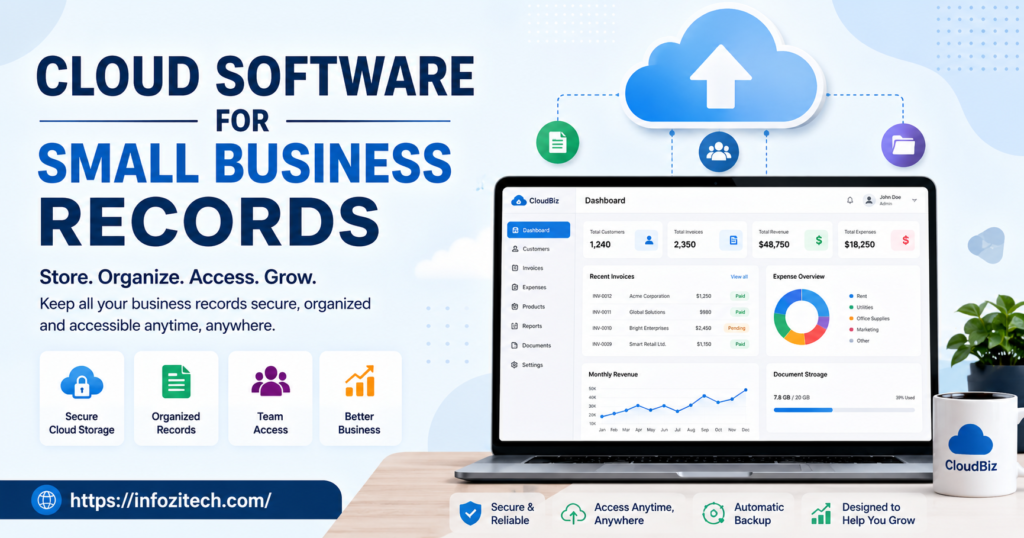
There’s a moment every small business owner hits eventually, and I mean every single one. You need one specific document: an old invoice, a signed agreement, and a receipt from a supplier from three months ago, and you genuinely have no idea where it went. Maybe it’s a blurry photo on somebody’s phone. Maybe, and this happens more than people admit, it just doesn’t exist anymore because the old laptop got replaced last year and nobody actually moved the files over.
None of this is weird or rare. Records pile up the way clutter piles up anywhere, a little at a time, with no real plan behind any of it. You save a file wherever’s convenient in that exact moment, and convenience almost never lines up with anything resembling a system. Eventually the pile’s big enough that just finding a thing becomes its own annoying little job.
Cloud software fixes this drift, not by making record-keeping fun; it’s still paperwork at the end of the day- but by making it something you can actually find, protect, and share without digging through five different places every single time. So here’s a plain walk-through what it does. Who actually needs it. And how to get it running without turning the whole thing into a project that eats your week.
What Cloud Software for Records Actually Means
Simply put, your documents live on remote servers instead of on one physical computer, and you get to them over the internet from whatever device happens to be in your hand. No more betting everything on a single hard drive.
Take a supplier invoice, something totally ordinary. Printed and stuck in a drawer, it exists in one spot, and if that drawer gets lost or water damaged or tossed by accident during a move, that record’s just gone. Saved on a desktop computer only, slightly safer maybe, but a crashed hard drive or a stolen laptop wipes it out just as thoroughly; it doesn’t matter how careful you were. Stored in the cloud, though, that same invoice sits on servers built specifically to stay backed up, and yeah, you could genuinely pull it up on your phone standing in line at the bank if you had to.
A few terms worth sorting out here, since people throw them around loosely and it gets confusing fast.
- Cloud storage is the simple version. A place to save and grab files, basically an online filing cabinet.
- Document management software adds real structure on top: tagging, folders, search, tracking who changed what and when.
- Compliance-focused systems get built for industries with strict retention rules: healthcare, legal work, finance, that sort of thing.
Most small businesses sit comfortably in the first two. The third only matters if your industry has actual legal requirements around how long you keep records and how they’re stored.
Why Waiting on This Usually Backfires
A lot of owners treat this like something to think about “once the business grows a bit.” The funny thing is, smaller businesses are often more exposed to exactly the risks this software fixes, precisely because there’s no backup person, no IT department, nothing standing between one lost laptop and a real problem.
A handful of reasons to deal with this sooner instead of later.
You’re no longer one bad afternoon from disaster. If your tax records and contracts and client files live on a single machine, one spilled drink, one theft, one hardware failure, and years of paperwork can vanish in an instant.
You spend way less time hunting. Decent search functionality means typing a client’s name or a rough date instead of clicking through a dozen folders hoping you remember which one’s correct.
You’re covered against stuff you can’t control at all. Fires, floods, stolen equipment- none of it touches documents living somewhere else entirely, especially with a provider keeping multiple backup locations running.
You skip the version chaos that comes from emailing files back and forth constantly. Two people working off different copies of the same attachment is a recipe for mistakes, and nobody ends up sure which version’s actually the real one.
None of this needs some giant enterprise setup, by the way. Simple tools built for small teams cover most of what an average small business actually needs day to day.
The Main Types of Cloud Software Worth Knowing About
Every provider invents its own terminology, of course, but for a small business it really comes down to a handful of clear groups.
General-Purpose Cloud Storage
Broad, flexible, built for saving and sharing pretty much any file. Usually the easiest starting point since most people have already used something similar in their personal life- phone photos, personal documents, whatever- which flattens the learning curve quite a bit.
Dedicated Document Management Tools
These build in real structure. Folders, tags, permission settings, a history of every change made to a file. Worth looking at once a flat pile of files becomes genuinely hard to navigate, and you need something more deliberate than careful naming alone.
Accounting Software With Storage Built In
More and more bookkeeping platforms let you attach receipts and invoices right to the transaction inside the software itself. Handy if most of what you’re storing is financial, keeps everything connected to the numbers it’s explaining.
Compliance and Industry-Specific Systems
Certain fields need record-keeping software with built-in retention schedules and audit trails, designed around specific regulations they’re bound by. Essential if you’re regulated. Just unnecessary complexity if you’re not.
You don’t need deep expertise in all four. Figure out which one solves the actual gap in how your business handles paperwork right now.
Choosing the Right Software Without Getting Overwhelmed
This is usually where people get stuck, since there’s what feels like a hundred platforms all claiming to be the most secure, the most complete, the easiest one out there. A more grounded approach cuts through most of that noise.
Identify What You’re Mostly Storing
Legal contracts have different needs than daily receipts or client emails, obviously. Pin down your primary record type, and it narrows things fast, pointing you toward general storage, structured document management, or an accounting-integrated tool.
Value Simplicity Over an Impressive Feature List
A platform stacked with advanced permission tiers and automation rules isn’t automatically better than something your whole team picks up in a few minutes flat. Ask whether someone totally unfamiliar could find and upload a file without needing a walkthrough first.
Look Closely at Backup and Security Practices
Not every provider backs things up the same way, some are honestly sloppier than you’d expect. Confirm automatic, regular backups happen, check for basic protections like encryption, since this stuff matters way more long term than a sleek-looking interface.
Make Sure Mobile Access Actually Works Well
If you or your team spend real time away from a desk, job sites, meetings, errands, anything, software that only performs well on desktop is going to create friction constantly. Mobile shouldn’t feel bolted on as an afterthought.
Trial It With Your Real Documents
Skip the demo full of placeholder files. Upload actual contracts and receipts during the trial, search for them the way you would on a normal chaotic day. Tells you way more than any feature comparison chart ever could.
Getting Set Up Without It Becoming a Whole Project
Once you’ve picked something, resist the urge to migrate every document from every year in one exhausting weekend. That approach usually produces a disorganized digital pile instead of the improvement you were actually hoping for.
A steadier setup looks something like this.
Start with your most current and important records, this year’s contracts, active client files, recent tax paperwork. These are what you’ll actually need to grab quickly, so get them in first and organized properly from the start.
Set up a simple folder structure before uploading a single thing. Even something basic, sorted by year and category, saves a lot of frustration compared to just dropping files in with zero plan.
Agree on file naming as a team, early, before habits form the wrong way. Inconsistent naming quietly cancels out a lot of the benefit of switching in the first place.
Bring older records in gradually. No rule says years of paperwork needs scanning and uploading immediately. Do it in batches whenever there’s time.
Put one person in charge of the whole system. Even in a tiny team, someone responsible for structure and answering “where does this go” keeps things from sliding right back into disorder.
Common Mistakes Businesses Make With This Transition
A few issues keep coming up, over and over, when businesses first move records into the cloud.
Uploading everything with no structure at all. Just relocates the mess from a physical cabinet into a digital one, doesn’t actually solve the underlying problem of finding things.
Relying on one single backup with nothing behind it. Cloud storage’s generally reliable, sure, but zero secondary backup is still a real risk, especially for critical financial or legal stuff.
Overlooking permission settings entirely. Not everyone needs access to every file, and giving blanket access to sensitive records is a common slip that causes real problems down the road.
Skipping training on search and filtering. Software only helps as much as people actually know how to use it, and a short walkthrough saves a surprising amount of frustration later.
Never cleaning out what’s stored. Old, irrelevant files pile up the same way physical clutter does. Reviewing and archiving periodically keeps things genuinely useful instead of turning into its own mess.
Bringing It All Together
Cloud software for small business records isn’t about chasing some trendy digital bandwagon. It’s about making sure contracts, receipts, and client files exist somewhere safe, searchable, reachable from more than one fragile device.
Start with your most important documents, pick something your whole team can actually navigate, build a simple structure before anything gets uploaded. The goal was never the platform with the longest feature list. It’s whatever quietly keeps everything organized and ready right when you need it.
Once that’s running, the frantic twenty-minute hunt for an old invoice just stops happening. A lost or stolen laptop stops meaning lost records. And the business runs with a kind of steadiness that’s easy to underrate until you’ve actually got it.





