
Secure Public WiFi Travel Tips: What I Wish Someone Told Me Before My Card Got Skimmed
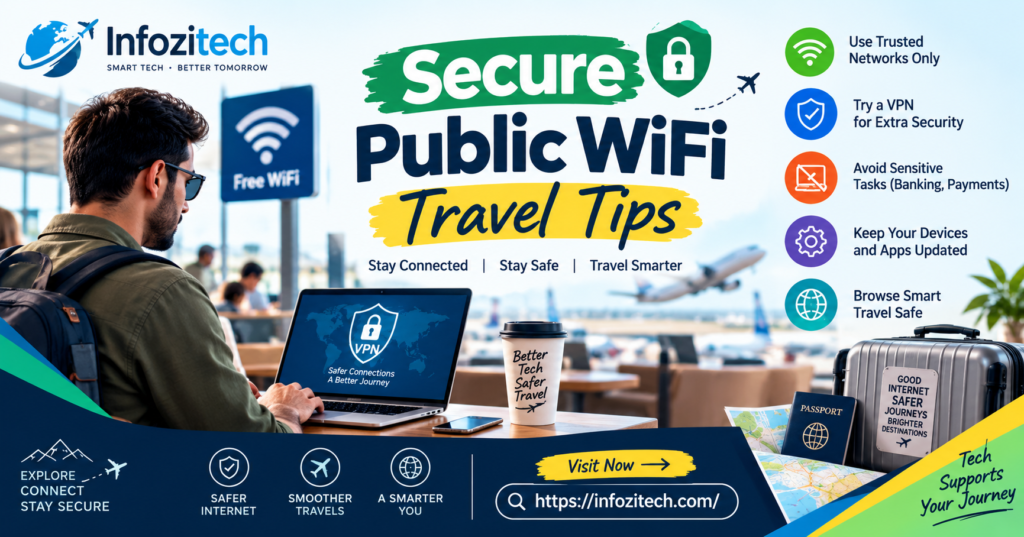
I logged into my bank account from an airport lounge in Lisbon once, just to check if a refund had come through; nothing dramatic. I never proved it was that specific wifi network. Could’ve been something else. But the timing was too close for comfort, and it changed how I use public networks permanently, so here we are.
This isn’t a scare piece. Public wifi isn’t secretly crawling with hackers waiting just for you specifically; that’s not really how it works most of the time. But it is genuinely less safe than your home network, and a few small habits make a real difference. Let’s get into it.
Why Public WiFi Is Actually Different From Your Home Network
At home, you control the router, you (hopefully) set a real password, and nobody random is jumping on and off that connection every ten minutes. Airport wifi, hotel wifi, the cafe down the street — none of that applies.
That openness is exactly what makes it convenient and exactly what makes it a little risky. Doesn’t mean don’t use it. Means use it differently than you’d use your own network at home.
The Specific Ways Public Networks Get Exploited
There are a handful of actual techniques worth knowing, not because you need to become a cybersecurity expert on your vacation, just so the precautions later in this article make sense.
Man-in-the-middle attacks are the big one — someone positions themselves between your device and the network, intercepting data as it passes through. Sounds complicated, and technically it is, but the tools to do this are honestly not that hard to get anymore. Then there’s the fake hotspot problem, where someone sets up a network called “Airport Free WiFi” or “Hotel Guest” that looks identical to the real one, except it’s theirs, and everything you send goes straight to them.
Before You Even Leave Home
A surprising amount of your security abroad gets decided before you ever board a plane.
Update Everything, Seriously
Phone, laptop, apps — all of it. Software updates patch security holes constantly, and traveling with outdated software is like leaving a window cracked open and hoping nobody notices. Takes ten minutes at home. Takes forever on hotel wifi at 11 pm when you’re exhausted and just want to sleep.
Get a VPN Set Up and Tested
This is probably the single most useful thing you can do here, and I’ll get into VPNs more in a minute, but the setup part matters — install it, log in, test that it actually connects, before you’re relying on it in some unfamiliar country with limited data.
Turn On Two-Factor Authentication Everywhere You Can
Email, banking, social media, cloud storage — anything sensitive. If someone does manage to grab your password somehow, two-factor is usually what stops them from actually getting in. Takes a few minutes to set up for each account and it’s genuinely one of the highest-value security habits that exists, travel or not.
Write Down or Screenshot Your Backup Codes
Two-factor is great until you lose your phone, which is the device most of your codes get sent to. Have backup codes saved somewhere else — a password manager, a printed copy tucked in your bag, whatever works for you.
What a VPN Actually Does (and Whether You Really Need One)
Short version — a VPN encrypts your internet traffic and routes it through a server somewhere else, so even if someone’s snooping on the same wifi network, what they’d see is scrambled nonsense instead of your actual data. It also hides your traffic from the network operator itself, which matters more in some countries than others.
Do You Actually Need One
If you’re doing any banking, checking email, logging into work accounts, or handling anything remotely sensitive while traveling — yes, honestly, just get one. If you’re purely browsing news sites and looking at maps, the risk is lower, but a VPN doesn’t really cost you anything except a slight speed hit, so there’s not much reason to skip it.
Picking One Without Overthinking It
Look for a no-logs policy, meaning the VPN provider itself isn’t keeping records of what you do. Check that it works on all your devices, not just your laptop. And test the speed before your trip, because some free VPNs are painfully slow, to the point where you’ll just stop using it out of frustration, which defeats the entire purpose.
Free VPNs Are Usually a Trap, Not a Deal
A lot of free VPN services make their money by selling your browsing data, which is sort of the exact problem you were trying to avoid in the first place. Paid VPNs are genuinely cheap, often less than the cost of one airport meal per month, so this isn’t really the place to cut corners.
Actually Using Public WiFi Once You’re There
Okay, so you’re at the airport, the hotel, wherever, and you need to connect. Here’s what actually matters in the moment.
Confirm the Network Name With Staff
Don’t just tap the wifi network that looks right. Ask the barista, the hotel desk, whoever’s around, what the actual network name is. This takes ten seconds, and it’s the single easiest way to avoid connecting to a fake hotspot someone set up to look legitimate.
Turn Off Auto-Connect
Most phones will automatically hop onto any previously used or open network without asking you first. Turn this off in your settings before you travel. You want to choose your connection every time, not have your phone silently decide for you.
Avoid Sensitive Logins Without a VPN Running
If your VPN isn’t connected for some reason, just — wait. Check your email later. Do your banking from your hotel room on a wired connection if one exists, or just hold off until you’re on a network you trust more.
Look for HTTPS, Always
The little padlock icon in your browser matters. If a site doesn’t have it, meaning it’s HTTP instead of HTTPS, don’t enter any passwords or payment details there, public wifi or not, honestly, but especially on public wifi.
Turn Off File Sharing and AirDrop
Your device might be broadcasting itself to everyone else on the network without you realizing. Turn off file sharing, AirDrop, network discovery- all of it- before you connect to anything public. Takes thirty seconds in settings.
Protecting Your Actual Devices, Not Just Your Connection
Security isn’t only about the network. The device itself matters just as much.
Use a Strong Lock Screen
Sounds obvious, but a lot of people travel with a simple four-digit pin or no lock at all. Use a real passcode, or biometric if your device supports it well. If your phone or laptop gets physically grabbed, this is what stands between a thief and your entire digital life.
Keep Your Devices Encrypted
Most modern phones and laptops encrypt data by default now, but it’s worth actually checking rather than assuming. If a device is lost or stolen, encryption is what keeps whoever has it from just pulling your files off the storage directly.
Don’t Leave Devices Charging Unattended
Public charging stations, the USB ones specifically, can be compromised in a way people call “juice jacking,” where the port itself is rigged to pull data while charging your phone. Not hugely common, but cheap to avoid — carry your own charging brick and plug into an actual wall outlet instead.
Log Out of Accounts You’re Not Actively Using
If you’re on a shared or borrowed device, log out properly rather than just closing the tab. And on your own devices, consider logging out of accounts you rarely use while traveling, just so there’s less exposed if something does go wrong.
Common Mistakes That Undo All of This
A few habits quietly cancel out everything above, so worth calling out specifically.
Connecting to any open network without checking the name first is probably the single biggest one — it takes ten seconds to ask and most people just don’t bother. Skipping the VPN “just this once” for a quick email check is another, and it’s exactly during those “just this once” moments that problems tend to happen, ironically. Using the same password across your bank, your email, and random travel booking sites means one leak anywhere becomes a leak everywhere, which a password manager fixes pretty easily if you actually use one. And leaving location services and Bluetooth on constantly broadcasts your presence to anyone scanning nearby, when there’s really no reason to have that running unless you’re actively using it.
Final Thoughts
None of this means public wifi is some minefield you should avoid entirely — that’s not realistic and honestly not necessary. It just means treating it a little differently than your home network, because it is different, whether or not it feels that way while you’re checking your email at a cafe table. A VPN, a few settings changed before you leave, and a bit of basic caution about what you log into and where — that’s really most of it. Takes maybe half an hour to set up properly, and it’s half an hour that saves you from finding weird charges on your statement two days after a trip you were actually enjoying.









1 thought on “Secure Public WiFi Travel Tips: What I Wish Someone Told Me Before My Card Got Skimmed”