
Business Traveler Digital Checklist: Everything You Need Before You Fly
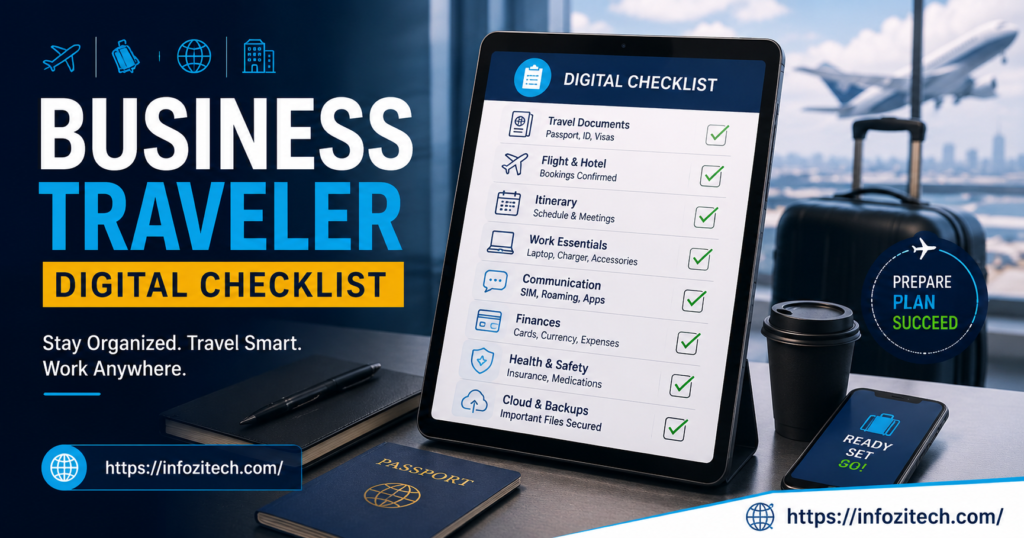
I once sat in a Frankfurt airport lounge at 5 a.m. with a dead laptop, a client call in forty minutes, and no charger. Not my proudest moment. That whole trip fell apart because of one cable I forgot to pack, and honestly, it’s the kind of thing that happens to almost everyone who travels for work more than once or twice a year.
The old way of doing this — a printed itinerary, a boarding pass folded into a jacket pocket, hoping the hotel has a business center — is basically gone now. Most of what keeps a work trip running smoothly lives on your phone or in some cloud folder you set up months ago and forgot about, which is fine, until it isn’t set up right and you’re standing at a gate trying to remember your loyalty number while thirty people line up behind you.
So here’s the thing I’ve landed on after a lot of trial and error, mostly error: build the checklist once, actually use it every time, and stop treating travel prep like something you figure out fresh each trip.
Why Bother With a Digital Checklist at All
Trips are shorter now. A lot of people fly out, do the meeting, fly home the same day — no buffer, no room to fix a mistake once you’re airborne. And a mistake with a document or a device isn’t just annoying anymore; it can actually cost something. A missed file. A locked account. Sensitive data sitting exposed on some airport Wi-Fi network because nobody thought twice about it.
A checklist fixes the process part of this. It doesn’t fix everything — flights still get delayed, hotels still lose reservations — but it takes the stuff that’s actually in your control. It makes it automatic instead of something you’re guessing at while half-asleep in a taxi.
Who Actually Needs This
Doesn’t matter if you’re flying every week for sales calls or you’ve got one big trip abroad coming up that you’re nervous about. The underlying stuff — staying connected, keeping your data safe, not losing track of documents — that part doesn’t change much whether you’re a rookie or someone who’s done this two hundred times.
Before You Even Book Anything
People skip this part. I skipped it for years. But a little setup before you buy the ticket saves a genuinely absurd amount of time later.
Save a Travel Profile Somewhere
Airlines, hotel chains, car rental sites — most of them let you save your passport info, seat preference, payment details, all of it, once. Do it. It’s tedious for fifteen minutes and then every booking after that takes about ninety seconds instead of fifteen. Also cuts down on typos in your passport number, which, trust me, is a headache you do not want at a check-in counter.
Check Entry Requirements Before You Assume
Visa rules and electronic travel authorizations change more often than people expect, and a lot of countries now handle this entirely online. Look it up early. Some of these approvals need to be printed or saved as a PDF you can pull up without signal, and processing isn’t always instant.
Actually Log Into Your Company’s Travel Tool
If your company runs bookings through some internal platform — and most do at this point — check it before you’re up against a deadline. Spending limits, approved vendors, pre-trip sign-offs. Better to know now than to be chasing an approval email the night before you fly, which I have absolutely done and do not recommend.
The Apps That Actually Matter
Loading the right stuff onto your phone is probably the single biggest upgrade you can make here. Not flashy, just useful.
Something to Manage Your Itinerary
An app that pulls your flight and hotel confirmations straight out of your inbox and puts them on one timeline. Real-time gate changes, delay alerts, that kind of thing. Beats digging through old emails while a gate agent is calling your name.
The Airline’s Own App, Every Time
Even for a short one-leg trip, download it. Mobile boarding pass, baggage tracking, and if your flight gets cancelled, rebooking through the app is usually faster than the line at the counter — sometimes by a lot.
Expense Tracking, Because Paper Receipts Fade
Snap a photo the second you get a receipt. Apps that scan and sort them automatically save real hours at the end of the month, and you won’t lose a reimbursement because a receipt sat in your wallet until the ink disappeared.
Translation and Currency, Even If You Think You Won’t Need Them
You will. Even in cities where English is common, a translation app helps with menus, signage, and contract fine print. Pair it with a currency converter so you’re not just guessing what something actually costs after the exchange rate.
Staying Connected Without Getting Stranded
Being unreachable during a work trip is one of the worst feelings, and it’s almost always preventable.
eSIMs Solve a Problem People Didn’t Used to Have a Good Answer For
Buy and activate a local data plan through an app before your plane even lands. No hunting for a SIM kiosk, no absurd roaming charges showing up on your bill three weeks later.
Have a Backup for the Backup
Hotel Wi-Fi is often crowded; sometimes it just doesn’t work well enough for a video call. A portable hotspot, or knowing how to tether off your phone, saves you when the venue’s network can’t keep up — and it will not keep up, eventually, on some trip.
A VPN, No Exceptions
This one isn’t really optional anymore. Public Wi-Fi is public Wi-Fi, and a VPN keeps your connection private while also letting you reach internal company systems that sometimes flag or block logins from unfamiliar countries.
Keeping Devices and Data Safe
Business travelers get targeted more than people realize, mostly because laptops full of company information move through airports and hotel lobbies constantly.
Turn On Two-Factor Everywhere
Email, banking, work accounts — all of it. Use an authenticator app instead of SMS codes if you can, because texts don’t always come through reliably once you’re on a foreign carrier.
Encrypt the Laptop, Lock the Phone
Make sure the hard drive is encrypted and both devices need a passcode or your fingerprint to open. If something gets lost or stolen, this is the difference between a bad afternoon and an actual crisis.
Carry a Battery Pack. Just Do It.
And a spare cable. A dead phone at the wrong moment means missing a driver, a boarding call, an urgent message — small thing, big consequences.
Be Careful What You Do on Hotel Wi-Fi
Don’t log into anything sensitive on an unsecured network unless you’re routed through a VPN. And turn off auto-connect on your devices, because they’ll happily join a spoofed network without asking you first.
Getting Your Documents Sorted
Paper still has its uses, sure, but the safest copy of anything important is the one you can pull up from any browser, anywhere.
Back Everything Up to the Cloud
Passport, ID, insurance info, client files — encrypted folder, done. If your bag disappears or a laptop dies, you’re not starting from zero.
Download Things Before You Lose Signal
Not every flight has Wi-Fi. Not every meeting room has a strong connection. Grab your documents and boarding passes for offline access before you leave, so a dead zone doesn’t turn into a real problem.
Digital Signatures Save You From Waiting Until You’re Home
Contracts, approvals, client agreements — sign them from wherever you are instead of letting them sit until you’re back at your desk three days later.
Health, Safety, and Just Being Reachable
Share Your Location With Someone You Trust
Doesn’t cost anything, takes thirty seconds to set up, and it matters more on longer or less familiar trips than people give it credit for.
Update Your Work Communication Apps Before You Leave
Not after you land. Nothing worse than fighting a forced app update over hotel Wi-Fi five minutes before an important call.
Keep Insurance Info Somewhere You Can Actually Find It
Digital copy of your travel insurance, saved and accessible. A lot of insurers now let you file claims or find in-network care right from an app, which is genuinely useful when you’re in a country you don’t know well.
What to Actually Check the Night Before
- Boarding passes and confirmations downloaded, not just bookmarked
- Everything charged, backup battery packed
- VPN and authenticator apps tested, not just installed
- Documents backed up
- Company travel app checked one more time for changes
- eSIM or roaming plan turned on
- Location sharing switched on for the trip
Final Thoughts
None of this is complicated, honestly. It’s just a lot of small habits that add up to not having a disaster moment in an airport at 5 a.m. as I did in Frankfurt. Once you’ve run through this a handful of times, it stops being a checklist you think about and just becomes how you travel — which is really the whole point. Less scrambling, more actually being present for the meeting you flew there for in the first place.









1 thought on “Business Traveler Digital Checklist: Everything You Need Before You Fly”