
Digital Nomad Security Essentials: Staying Safe While Working From Anywhere
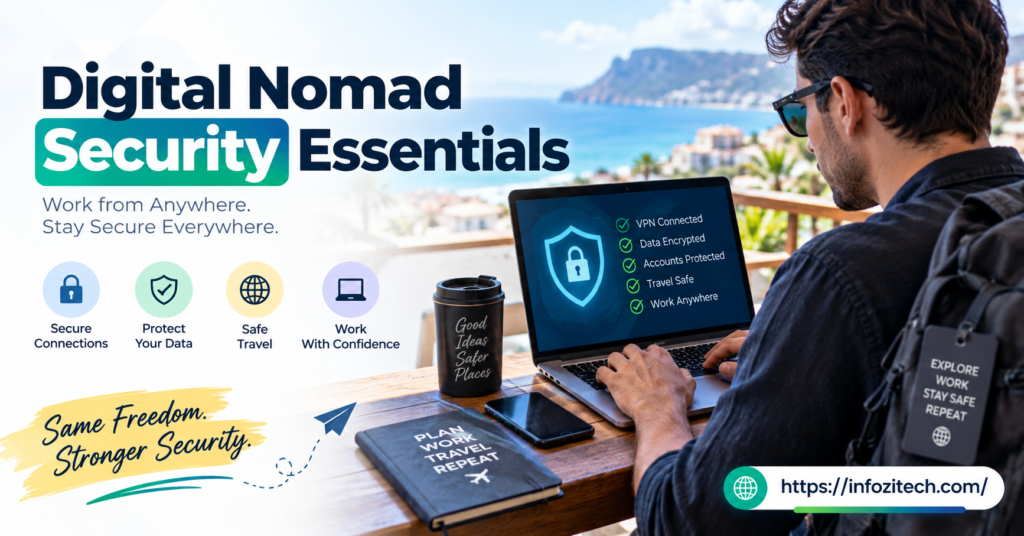
That was the wake-up call that got me actually taking security seriously instead of just assuming it’d be fine because it always had been.
That’s kind of the thing with digital nomad life, isn’t it? You’re working off wifi you don’t control, in countries where you don’t know the local scam patterns, carrying every device that matters to your income in one bag, all the time. Most people don’t think about the risk until something happens. Then they think about it a lot.
This isn’t a scare piece. It’s just the stuff I wish someone had actually sat me down and explained before I started doing this full-time, instead of me learning it the expensive way.
Why Digital Nomads Are Bigger Security Targets Than They Realize
There’s a temptation to think “I’m just some guy with a laptop, who cares.” But add it up. You’re on unsecured networks constantly. You’re carrying gear that’s worth real money to a thief and worth a lot more than that to you personally. You’re often not fluent in the local language, which makes you an easier mark for certain scams.
None of that makes nomads special targets exactly, but it does stack the odds differently than someone working from a locked office building at home.
The Physical Risk Nobody Talks About Enough
People obsess over VPNs and passwords, which, fine, fair, we’ll get there. But the boring physical stuff trips people up just as often. Bag left unattended. Laptop left charging in a hostel common room “just for a second.” Phone face-up on a restaurant table in a city known for grab-and-run theft on scooters. I’ve seen all three happen to people I know personally, not just heard about it secondhand.
The Digital Risk That’s Easy to Underestimate
Then there’s the stuff you can’t see happening. A fake hotspot in an airport named something like “Airport_Free_WiFi” that’s actually somebody’s laptop sitting three gates down. Logging into your bank on a network you have zero visibility into. This is the risk that doesn’t announce itself, which somehow makes it worse.
Locking Down Your Devices Before You Even Leave Home
Most of the actual security work should happen before you’re on a plane, not scrambling to figure it out from a hostel in Chiang Mai with bad wifi and jet lag.
Full-Disk Encryption Is Non-Negotiable
Full-disk encryption means even if the hardware walks off, the data inside is basically useless without your login credentials. Both major operating systems have this built in now; it’s usually just a setting you turn on, and there’s honestly no good excuse not to have it enabled.
Strong, Unique Passwords and a Password Manager
I know, everyone says this; it’s the most repeated advice in the entire category. A password manager fixes this in about twenty minutes of setup, and then you basically never think about it again.
Two-Factor Authentication Everywhere It’s Offered
This one extra step blocks the overwhelming majority of account takeover attempts, even if your password somehow does leak. Then banking. Then cloud storage. Work outward from whatever account, if lost, would do the most damage.
Back Up Before You Board the Plane
Not after something goes wrong — before. Cloud backup, an external drive left somewhere safe, whatever system works for you, just have one. That laptop theft in Lisbon I mentioned stung a lot less than it could have because most of my work files were already synced somewhere else.
Staying Safe on Public and Hotel Wifi
This is probably where most of the actual risk lives day to day, more than anything dramatic like theft.
Use a VPN, and Actually Use It Every Time
A VPN encrypts your traffic so that even on a sketchy public network, what you’re doing is scrambled to anyone else on that same connection. This matters most in cafes, airports, hostels, anywhere the network isn’t yours and you don’t know who set it up or who else is on it.
Avoid Sensitive Logins on Networks You Don’t Trust
Banking, tax filing, anything with serious financial stakes — save that for a network you actually trust, or at minimum do it through a VPN on cellular data instead of open wifi. It’s a small habit that closes off a big chunk of risk for basically no effort.
Double-Check the Network Name Before You Connect
Fake hotspots mimicking real ones are a known trick in busy travel hubs. Ask staff directly what the actual network name is instead of just picking whatever looks close enough from the list. Takes ten seconds, saves a real headache.
Protecting Your Money While Traveling
Financial security deserves its own section because the stakes are different — this isn’t just inconvenience; this is your ability to actually keep functioning.
Use a Dedicated Travel Bank Account
A lot of nomads keep a separate account with a limited balance for daily spending, keeping the bulk of savings somewhere else entirely.
Notify Your Bank Before You Travel, or Just Use One That Doesn’t Care
Some banks flag foreign transactions as suspicious and freeze the card at the worst possible moment, usually right when you’re trying to pay for a hostel at midnight with no backup card. A quick heads-up to the bank beforehand avoids this. Or just switch to one of the newer travel-focused banks that doesn’t blink at foreign spending in the first place — a lot of nomads end up doing this eventually anyway.
Carry a Backup Card, Stored Separately From the First
Not in the same wallet, not in the same bag pocket even. If one gets lost or stolen, you’re not stranded with zero access to money while you sort it out from some foreign consulate’s phone line.
Physical Security Habits That Actually Matter
Never Leave Devices Unattended, Even for “Just a Second”
This sounds obvious written down, and yet it’s exactly how most laptop theft happens — not dramatic break-ins, just someone stepping away from a table for ninety seconds. If you need to use the bathroom in a cafe, pack the laptop up. Every time.
Use a Bag That Doesn’t Scream “Expensive Electronics Inside”
Doesn’t need to be paranoid about it, but a nondescript backpack draws a lot less attention than something branded and obviously stuffed with tech. Small thing, adds up over time.
Be Careful With Public Charging Stations
There’s a real thing called juice jacking, where a compromised USB charging port can potentially pull data off a connected device. Not the most common threat out there, but it’s easy to avoid — carry your own charger and plug into an actual wall outlet instead of a random public USB port, or use a data-blocker adapter if you’re going to use public ports regardless.
Protecting Your Accounts and Identity Long-Term
Keep Copies of Important Documents Somewhere Digital and Secure
This alone saves an enormous amount of stress if something does go wrong at a border or a police station in a country where you don’t speak the language well.
Watch for Phishing Aimed Specifically at Travelers
Fake booking confirmation emails, fake “your account has been flagged” messages timed suspiciously close to when you actually crossed a border — these are more targeted and more convincing than the generic spam most people reflexively filter out. Slow down before clicking anything urgent-sounding, especially right after you’ve actually traveled somewhere new.
Limit What You Share About Your Location in Real Time
Posting “just landed, exploring Bangkok for the next two weeks” the moment you land tells anyone watching exactly when your home is sitting empty, or exactly where to find you right now. Post the highlights later, once you’ve already moved on, instead of broadcasting live.
Building Security Into Your Daily Routine
None of this works as a one-time setup you do once and forget about forever. It has to become a habit, the same way locking your front door becomes automatic, and you stop even thinking about it.
Check your accounts periodically for anything that looks off. Keep your software updated instead of clicking “remind me later” for the fortieth time. Reassess your setup every few months as you move between countries with different risk levels — some places are genuinely lower-risk than others, and it’s fine to relax slightly in those and tighten back up in sketchier ones.
Final Thoughts
The Lisbon thing could’ve been a lot worse than it was, honestly. I got lucky that most of what mattered was backed up somewhere else already. But it’s the reason I actually sat down and built real habits around this instead of winging it and hoping nothing bad would happen, the way I basically had been doing for the first year or so.
None of this stuff is complicated on its own. A VPN. A password manager. Backups that actually run automatically instead of “whenever I remember.” Not leaving your bag unattended for ninety seconds because you really wanted a second coffee. It’s not dramatic; it’s just consistent, boring habit-building — and that’s honestly the whole point. The nomads who avoid the worst of this stuff aren’t the ones who are paranoid about everything. They’re just the ones who built a few solid habits early and stuck with them, everywhere they went after that.







2 thoughts on “Digital Nomad Security Essentials: Staying Safe While Working From Anywhere”