Travel Data Backup Strategy: What Actually Works When Things Go Wrong
Taxi in Bangkok. My friend gets out, door shuts, car’s already pulling into traffic before he realizes the laptop bag is still on the seat. Three years of client work in there. Slide decks, contracts, a whole folder of stuff he’d been meaning to organize “eventually.” Gone. He hadn’t backed up in something like four months, kept meaning to, never did — you know how that goes, or maybe you don’t; maybe you’re the person who actually does this stuff on schedule, but most people aren’t.
That story’s the reason I stopped being lazy about my own backups. Took someone else losing everything for me to actually fix it, which is a little embarrassing to admit, but there it is.
Data loss isn’t some abstract security-newsletter scenario when you’re traveling. It’s Tuesday. Bags get stolen, laptops get dropped on bathroom tile that’s somehow always more slippery than it looks, phones slide out of a jacket pocket on a train, and nobody notices until three stops later. And the device itself is never really the loss. It’s whatever was on it.
This isn’t going to be some abstract “best practices” list. It’s what I’d actually say to someone the night before a trip, if they asked.
Why Travel Makes This So Much Worse
At home, your laptop mostly just sits there. Desk, couch, maybe the occasional near-miss when the cat walks across the keyboard. On the road it’s a different animal entirely — overhead bins, back seats, security trays, cafe tables where you set it down for two minutes to grab a coffee and then somehow forget it exists for ten.
Throw in unfamiliar Wi-Fi networks, jet lag, the general fog of being somewhere new, and yeah. The odds go up. Not because you’re careless exactly, just because there’s more happening and less of your normal environment to catch you when something slips.
The Losses Nobody Plans For
Theft’s the obvious one; everyone thinks about that. But honestly, a lot of the damage I’ve seen has nothing to do with a thief — a spilled drink on a keyboard, a hard drive that just gives out after one too many bumpy taxi rides, a phone that gets crushed at the bottom of a bag under a laptop and two water bottles. No villain required. Just bad luck and nothing backed up.
The Actual Idea Behind Backup, Stripped Down
Your data needs to exist in more than one place. More than one format too, ideally. So no single bad afternoon can take it all out at once. That’s genuinely the whole concept — everything else in this article is just logistics around making that happen without eating your entire evening before a flight.
The Rule People Keep Repeating (For Good Reason)
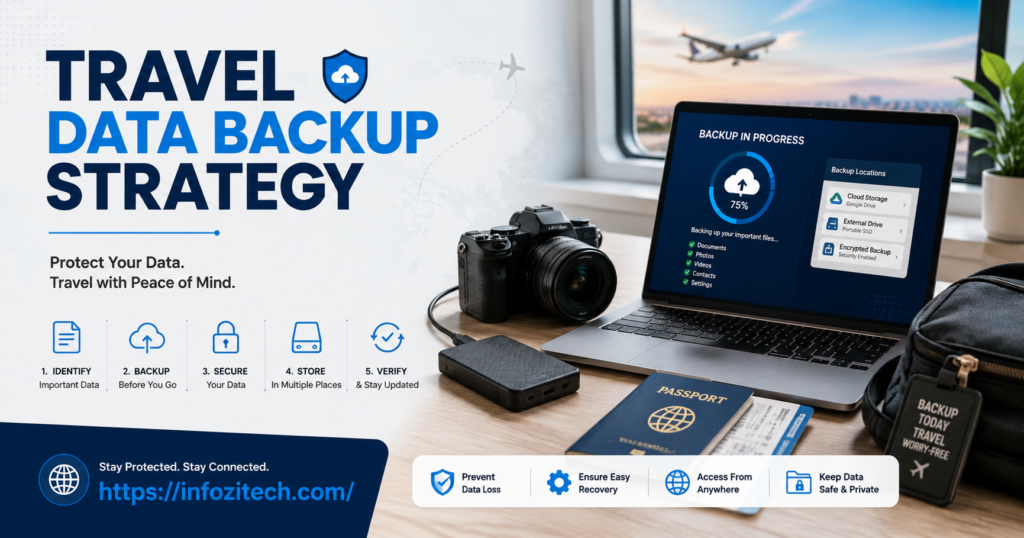
Three copies. Two different kinds of storage. One copy physically somewhere else entirely. Sounds like a project. It’s not, really — a laptop, a cloud account, and a small drive in your bag already gets you most of the way there.
Cloud Backup Is the Backbone, Full Stop
If this whole article boils down to one thing, it’s this section.
Automatic. Not “When I Remember.”
Set it to sync in the background. Don’t make it a Sunday chore you do “if you have time,” because you won’t, not every week, and the one week you skip is somehow always the week something goes wrong. That’s just how it works out, annoyingly.
Know What Your Tool Actually Backs Up
This trips people up constantly. Some services only sync one specific folder — and if half your files live somewhere else on the drive because you saved them there without thinking, they’re not protected. Doesn’t matter how confident you feel about “having cloud backup” if it’s only covering a third of what actually matters.
One Provider Isn’t Enough
I know, sounds like overkill. But accounts get locked for no clear reason sometimes, sync errors happen more than anyone admits publicly, outages occur at the worst possible moments. Duplicating your most critical stuff across two services costs almost nothing. Skipping it costs everything if the one provider you trusted has a bad day.
Offline Backup — Because Wi-Fi Isn’t Always There
The cloud’s the backbone, but it’s not bulletproof, especially somewhere with internet that barely functions.
A Small Encrypted Drive, Genuinely Pocket-Sized Now
Update it before you leave. If it’s a longer trip and you’re generating new work along the way, update it again partway through. Takes ten minutes, saves you from relying entirely on a signal that might not exist where you’re headed.
USB Drives for the Handful of Files That Actually Matter
Not a full solution. Just the one contract, the presentation for tomorrow, whatever single file would genuinely ruin your week if it disappeared. Keep a copy on something small and dumb and offline.
Keep the Backup Physically Away From the Device
This one people mess up constantly — drive sitting in the same bag as the laptop; someone grabs the bag, congratulations, you backed up nothing useful. Different bag. Different pocket at absolute minimum.
Locking Things Down Before Anything Gets Lost
Backup’s half of it. The other half — and this matters just as much, maybe more — is making sure that if a device does vanish, whoever ends up with it can’t do anything with what’s inside.
Encrypt the Whole Drive, Not Just “the Important Folder”
Full-disk encryption on the laptop. Passcode and biometric lock on the phone. Doesn’t stop the theft. Turns the stolen device into an expensive brick instead of a folder of someone’s financial records, which is really the point.
Set Up Remote Wipe Before You Leave, Not After
I cannot stress this enough. Set it up now, while nothing’s wrong, so it’s ready if something ever is. Most phones support this. A lot of laptops do too. Knowing you can trigger it from another device takes an enormous amount of panic out of an already bad moment.
Two-Factor on Everything That Matters
Password-only accounts are one stolen device away from a very bad week. Two-factor’s mildly annoying for about five seconds and then it just sits there quietly doing its job.
Making This a Habit, Not a One-Off Task
Test the Backup at Home, Not Mid-Trip
Worst possible time to discover your sync’s been broken for two weeks is when you’re already three flights deep, and something’s just gone missing. Test it in a calm moment where you can actually troubleshoot.
Check In Halfway Through Longer Trips
If you’re gone a while and making new files the whole time, don’t just trust the backup you did before you left the house. A quick check midway catches problems while there’s still time to do something about it.
Photos and Voice Memos Count Too
People back up documents like it’s a religion and then completely ignore the photo of a whiteboard sketch from a brainstorm, or the voice memo recorded right after a client call in the elevator. That stuff matters. It’s usually not covered by whatever backup routine you built for “work files,” specifically.
If You Actually Lose a Device
First — Figure Out What’s Actually Not Backed Up
Sometimes the panic is bigger than the actual damage. If sync was working the way it should’ve been, you might be losing almost nothing. Check before you spiral.
Trigger Remote Wipe
This is the whole reason you set it up earlier. Do it. A wiped device is just gone, security-wise, and that’s a massive relief compared to wondering for the next month whether a stranger’s going through your email.
Change Passwords Anyway
Even if the drive’s encrypted. Even if you’re pretty sure it’s fine. Change anything sensitive that was reachable from that device — email first, financial accounts right after.
Tell IT. Immediately, Not Eventually.
Don’t sit on it hoping it resolves itself. Companies would genuinely rather know right away and help lock things down than find out three weeks later that a laptop went missing in another country.
Pre-Trip Backup Checklist
- Cloud sync actually confirmed, not just assumed
- Encrypted external drive updated with recent files
- Full-disk encryption on, laptop locked down
- Remote wipe tested — not just enabled, tested
- Two-factor turned on for key accounts
- Critical files duplicated to a second cloud provider
- Backup drive packed in a different bag than the laptop
Final Thoughts
He never got the laptop back. The hardware wasn’t really the loss anyway — it was everything on it that hadn’t been saved anywhere else. He pieced some of it back together from old emails and half-remembered conversations, but a chunk of it was just gone, permanently, and there was nothing to be done about that after the fact.
That’s exactly the kind of thing a decent backup setup prevents. Doesn’t need to be elaborate. Just needs to actually run, quietly, in the background, so that whatever else falls apart on a trip — and something usually does — your work isn’t the thing you’re left mourning in an airport lounge at midnight.