AI Tools for Small Business Owners in 2026: What Actually Works
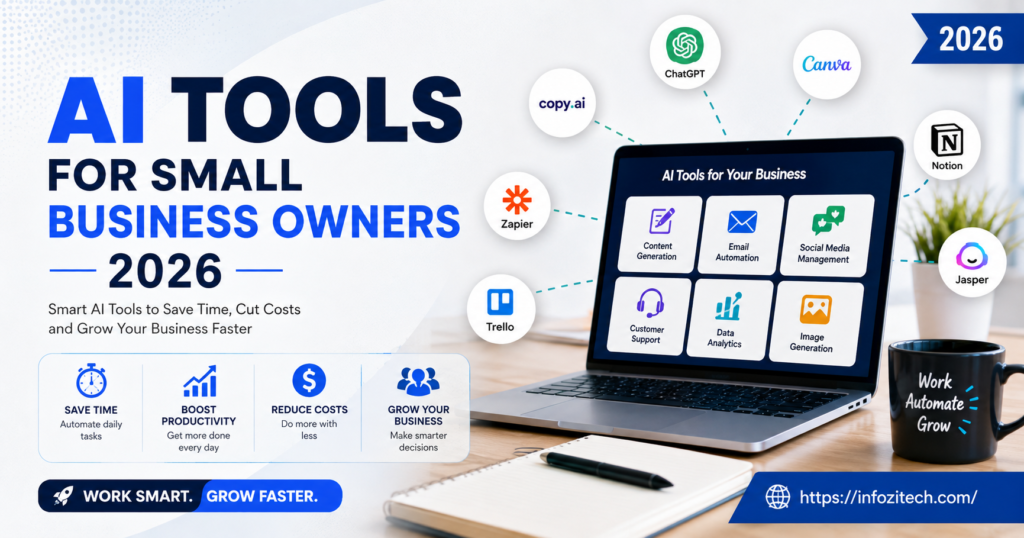
A friend of mine runs a four-person landscaping business outside Austin. Last spring she was answering customer texts at 11pm, doing invoices on Sunday, and still somehow losing track of which clients had paid. She asked me, half joking, whether she needed to hire a virtual assistant or just give up sleep entirely. The answer, it turned out, was neither. She spent about forty dollars a month on two tools and got most of her evenings back. That’s basically the whole story of AI for small business right now, minus the sales pitch.
Because here’s the thing nobody tells you upfront: the tools aren’t the hard part anymore. Setting one up takes maybe twenty minutes. The hard part is figuring out which two or three actually matter for your specific mess, instead of signing up for twelve free trials and letting all of them expire unused, which, if I’m honest, is what most of us actually do.
This isn’t a top-25 listicle. It’s more like — okay, here’s what’s actually worth your attention in 2026, organized around the problems that eat your week, not around which company paid for the best marketing copy.
Why This Actually Matters Now, Not Just As A Trend
A couple years back AI tools for business felt like enterprise stuff. Complicated dashboards. Sales calls with an “account executive” before you could even see pricing. That’s mostly gone. Most of what’s useful now costs less than a single part-time shift per week, and a decent chunk of it is free if you don’t mind hitting usage limits.
Three things pushed this along, and I don’t think it’s complicated:
Labor got expensive and hard to find, especially for the kind of small, unpredictable tasks that don’t justify a full hire. Customers got impatient — they expect an answer at 9pm on a Saturday even from a business with one employee, which is unreasonable but also just how it is now. And the software itself stopped requiring a computer science degree to configure. You talk to it in plain sentences and it mostly does what you meant.
None of that means AI replaces you, or your judgment, or the weird instinct you have about which customer is about to churn. It just means the boring 40% of your week — the part where you’re retyping the same three sentences into an email for the fifth time today — can get handed off.
Figure Out Where Your Time Actually Leaks
Before you download anything: track a week. Not vaguely, actually write it down. Owners tend to say “I need help with marketing,” when really the problem is they answer the same four customer questions eleven times a day and it’s driving them a little insane. Match the tool to that specific leak. Don’t buy the category, buy the fix.
Writing and Talking to People, Without Losing Your Whole Morning
Writing eats more unpaid hours than almost anything else a small business owner does. Emails, product blurbs, the caption for that Instagram post you’ve been meaning to write since Tuesday. This is also, not coincidentally, where AI got good fastest.
The General Assistant You Just Talk To
ChatGPT and Claude are where most people start, and honestly that’s fine — they’re flexible enough to draft an email, chew through a long lease agreement, name a product, or explain why a spreadsheet formula is throwing an error, all in one sitting. Claude in particular has pushed into small-business territory lately, with features built for reading long contracts or reports carefully instead of skimming them, which matters more than it sounds like when you’re the one who has to sign the thing.
The catch, and it’s a real one: these tools are only as good as the twenty minutes you spend teaching them your voice. Skip that step and you’ll get generic mush back. Do it once and it sticks.
The Quiet Background Editor
Grammarly-type tools just sit there catching typos before they go out. Sounds minor. It isn’t — a sloppy, typo-riddled email to a client reads as unprofessional even when the actual content is fine, and there’s no getting that first impression back. The newer versions also flag tone now, so you find out before you hit send that your “quick clarification” reads as mildly furious.
Bulk Copy When You Need Volume
If you’re churning out product pages or ad variations by the dozen, a dedicated copywriting tool will out-produce a general assistant. Not necessarily better writing. Just faster at the boring multiplication of the same idea into ten slightly different versions.
Customer Service When You Don’t Have a Support Team
For a lot of small businesses this is the single biggest time sink, full stop.
Chat and Tickets
Modern support tools handle a real chunk of incoming questions on their own — order status, hours, return policy, that sort of thing — by learning from whatever help documentation you already have lying around. Setup is mostly just feeding it good source material.
Don’t expect it to handle everything, though. Set it up for the repetitive 60 or 70 percent and route anything emotional, weird, or high-dollar straight to a person. Customers can tell when a bot is pretending to be human during an actual complaint, and it goes badly every single time.
Phones
Voice AI is genuinely good enough now to answer calls after hours, take a message, book a simple appointment. For a salon, a repair shop, a clinic — anything where a missed call is a missed sale — this alone can pull back bookings that used to just vanish into voicemail nobody called back.
Social Media, Reviews, the Stuff That Never Ends
Five platforms, endless comments, a one-star review that ruined your Tuesday. AI-assisted social tools draft replies, flag the urgent stuff, and suggest templates for the predictable review categories. You still write the reply to the angry one yourself. You should.
Marketing and Sales, Doing It Without a Marketing Team
Design tools with AI baked in have made this less painful for people who, like me, cannot draw a straight line. Generate a graphic, resize it for six platforms, pull the brand colors automatically — work that used to mean either hiring a designer or losing an afternoon to old software that hated you personally.
Email platforms will now suggest subject lines based on what’s worked for similar audiences and draft a full campaign from a two-sentence brief. For one person running marketing solo, that closes a real gap.
And CRMs — this is the one I’d actually push people toward first if I had to pick just one, because it touches revenue directly, not just time. A CRM with decent AI features flags which leads are worth calling, drafts the follow-up email, reminds you when a deal’s gone quiet. Small businesses lose sales constantly just from forgetting to follow up, not from a bad pitch. Fixing that is worth more than almost anything else on this list.
Analytics tools have also gotten less intimidating. Instead of a dashboard full of numbers nobody has time to interpret, you can just ask “which product had the best margin last month” in plain English and get an answer with the chart attached. Small thing. Makes a difference if you’ve been ignoring your own numbers out of dread.
The Boring Operational Stuff That Actually Saves You
Bookkeeping software now categorizes transactions on its own, flags the weird expense, and writes you a plain summary of cash flow. It won’t do your tax strategy — get an actual accountant for that — but it kills a lot of the manual data entry that used to eat a weekend every month.
Meeting assistants that transcribe and pull out action items have become common enough that not having one starts to feel a little behind. Fewer forgotten promises, less time writing recap emails nobody reads anyway.
Hiring tools help even a three-person team screen resumes and draft job posts without a dedicated HR person, which matters the one time a year you actually need to hire someone.
And automation platforms — Zapier and its competitors — connect the apps you already use so a new order automatically updates the spreadsheet and pings fulfillment. These existed before AI. What’s changed is you can now describe what you want in a sentence and it builds the automation, instead of you wiring together six steps by hand and getting one of them wrong.
How to Pick Without Losing Your Mind
There are hundreds of these things now. It’s genuinely overwhelming, and the spreadsheet-comparison approach mostly just delays you doing anything at all.
Start with the one problem that’s actually costing you the most time or stress. Not five problems. One. Usually it’s customer replies, or content, or the books. Fix that first.
Test it for two real weeks, not two days. Everything worth using has a free trial, and two days tells you nothing except whether the onboarding email was annoying.
Watch the total spend, not each subscription in isolation. Twenty bucks here, fifteen there — it adds up fast once you’ve got five of these running, and some of them become habit rather than actual help. Check in on the whole stack every few months and cut what’s dead weight.
Keep a human somewhere in the loop wherever the AI touches a customer directly. This is the part people skip when they’re excited about a new tool, and it’s the difference between AI that makes your business feel more responsive and AI that makes it feel like nobody’s actually home.
Where This Goes Next
The direction seems pretty clear, at least from where I’m sitting: fewer standalone apps, more AI quietly built into stuff you already use — your inbox, your accounting software, your point-of-sale system. Less hunting for “an AI tool,” more just noticing that the software you already pay for got smarter without you asking.
For small business owners that’s good news, mostly. The learning curve keeps shrinking. The tools that stick around will be the ones that save time without demanding your attention every five minutes, not the ones with the flashiest launch video. My landscaper friend, for what it’s worth, still doesn’t think of herself as someone who “uses AI.” She just thinks of herself as someone who finally gets her Sundays back. That’s probably the right way to think about it.