
Team Knowledge Base for Small Companies: Why You Need One Before You Think You Do
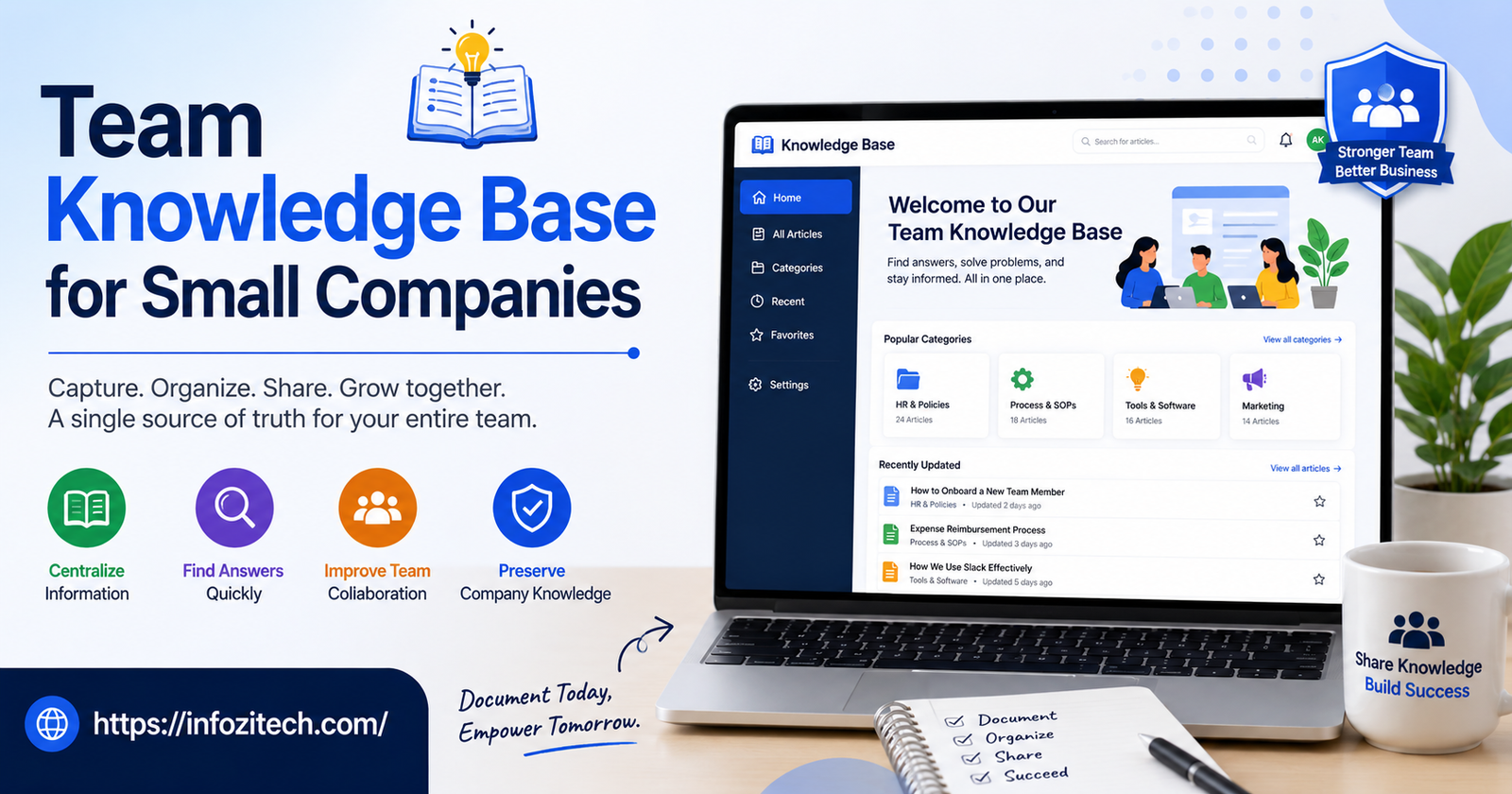
A friend of mine runs an eight-person agency. Told me the thing that actually pushed her to build a knowledge base wasn’t some strategic planning session or a consultant’s advice. Her ops person went on vacation for two weeks, and nobody else knew how to run payroll. Not “struggled a bit” — genuinely didn’t know where to even begin. She spent an entire evening on hold with the payroll provider’s support line, instead of having dinner with her family like a normal Tuesday, because the one document explaining that process lived entirely inside her ops person’s head. Nowhere else.
That’s honestly how most small companies end up building one of these. Not because somebody read an article about best practices and decided today was the day. Because something broke, or nearly broke, and everyone suddenly realized how much of the company only existed as tribal knowledge floating around in two or three people’s heads.
Worth getting ahead of that if you can, obviously. This one’s about why small teams need a knowledge base earlier than most of them think they do, what actually belongs in it, which tools make sense at this scale versus which ones are total overkill, and how to keep the thing alive instead of watching it quietly rot into a graveyard of outdated docs within six months.
Why Small Companies Underestimate the Need
There’s this pretty common assumption floating around small teams. Something like — we’re small enough, everyone just knows what’s going on anyway. True for a while. Then it stops being true. Usually right around the moment it matters most, which is annoying but also kind of predictable if you think about it.
“We’re Small, We Just Talk” Only Works Until It Doesn’t
At five people, sure, most stuff gets sorted out by walking over to someone’s desk or firing off a quick message. Nobody’s writing anything down because, well, nobody needs to. The information’s right there, one Slack message away. But that same casualness means when someone’s out sick, or leaves for a new job, or a new hire starts on a random Monday with basically nothing to go on — there’s no fallback. The knowledge lived in conversations. Conversations don’t stick around. They just evaporate.
Repeated Questions Eat More Time Than People Notice
No place to point people, so the same questions get asked over and over and over. How do I request time off? What’s our onboarding process for a new client? Where’s that proposal template again? Each answer, sure, takes two minutes to type out. Fine on its own. Multiply that across every new hire, every recurring question, every single month — it adds up to real hours somebody’s spending re-explaining stuff that got explained five or six times already.
Growth Makes the Gaps Impossible to Ignore
Company hires its sixth person, tenth, fifteenth — usually hits a wall right around here. What worked fine as tribal knowledge at five people just doesn’t scale up. New hires take longer to ramp. Mistakes happen because nobody told them a step even existed. And the people who’ve been around longest, they become permanent bottlenecks, because they’re the only ones who actually remember how anything works under the hood.
What Actually Belongs in a Small Company Knowledge Base
Doesn’t need to be exhaustive day one. Actually shouldn’t be, honestly — trying to document everything literally at once is exactly how these projects stall out before they ever really start. Better to just focus on whatever gets asked about most, or goes wrong most.
Onboarding and Role-Specific Guides
New hire checklists. Tool access instructions. Who to actually go to for what. Usually the single highest-value stuff to get written down first, since it directly cuts ramp-up time and takes some pressure off whoever’s currently stuck manually training every single new person by hand.
Standard Operating Procedures
The repeatable stuff. These are exactly the processes that, if only one person understands them, turn into a real liability the second that person’s unavailable — vacation, sick day, quitting, doesn’t matter.
Company Policies and Basics
Time off requests, expense reporting, remote work expectations, whatever HR-adjacent stuff exists even at this small a scale. Doesn’t need to read like a legal document. Just needs to be written down somewhere findable, instead of buried in an email from eighteen months back that nobody can locate anymore, not even the person who sent it.
Tools and Systems Documentation
Which tools the company actually uses, what each one’s for, who’s got admin access, how someone requests a new account. Small companies accumulate way more software than people expect — and without some running list, nobody’s really sure what’s even still in use.
Client or Project-Specific Context
Especially matters for agencies and service businesses. Key contacts, preferences, past decisions, whatever saves someone from having to ask “wait, why do we do it this way for this particular client” for the fifth time this quarter.
Choosing the Right Tool for a Small Team
This is where a lot of small companies overcomplicate things, honestly, reaching for tools built for companies five or ten times their actual size. Worth resisting that pull.
Skip the Enterprise Tools Early On
Big, feature-heavy knowledge platforms built for large orgs tend to drag in permission structures, approval workflows, layers of complexity a ten-person team doesn’t need and, frankly, can’t maintain even if they wanted to. All that overhead just becomes friction. Friction discourages people from writing anything down in the first place, which kind of defeats the whole point.
Look for Something Fast to Write In
Matters less which tool, more whether people will actually use it day to day. If creating or editing a page takes more than a minute or two of fiddling with formatting, most people just won’t bother. They’ll go back to answering questions in Slack instead, same as before, and the knowledge base becomes decoration.
Search Has to Actually Work
A knowledge base only helps if people can find what they need in under thirty seconds. Clunky search, or some tool that buries pages three folders deep under a confusing structure, quietly kills adoption even when the actual content underneath is genuinely good.
Integration With Tools You Already Use
Something that connects to Slack, or embeds right into your project management tool, gets used way more than a knowledge base living off in its own separate corner that people have to remember exists and go check on purpose. Less friction between where people already are and where the answers live — that’s really the whole game.
Getting the First Version Off the Ground
Gap between “we should build a knowledge base” and actually having one — that’s usually where these projects quietly die. A few things help close it.
Start With What People Ask Most
Instead of trying to document everything at once, spend a week just paying attention. What questions keep coming up in Slack, in person, wherever. Those are your first ten articles, right there. Gets something useful live fast instead of stalling out planning some perfect ideal structure that never actually gets built, not really, not ever.
Assign Ownership, Even Loosely
Someone needs to own the fact that this thing exists at all. Not necessarily writing every single article personally — just making sure it doesn’t quietly rot away unnoticed. No owner, and the whole project tends to get built with a burst of initial enthusiasm, then slowly abandoned the second everyone gets busy with actual client work again.
Make Writing Docs Part of the Actual Workflow
Build documentation into habits people already have, instead of treating it like some separate task nobody’s got time for. Someone wraps up a project, solves a genuinely tricky problem — a quick “hey, should this go in the knowledge base” question, asked as just a normal part of finishing up, does more than any big formal documentation push ever will.
Keep the Bar Low for a First Draft
A rough, kind of messy article that actually exists beats a perfect one that never gets written, every single time. Encourage people to jot down quick, imperfect notes and clean them up later if needed — rather than treating every article like it has to be publication-ready before it’s even worth posting.
Keeping It Alive Instead of Letting It Rot
Building the thing, that’s genuinely the easy part. Keeping it accurate, keeping it actually used months down the line — that’s where most of these efforts quietly fall apart.
Schedule Regular Reviews
Outdated docs are arguably worse than no docs at all, because people follow bad instructions without realizing it, until something goes wrong somewhere downstream. A quarterly pass where someone checks the most-viewed articles for accuracy catches this before it turns into a real problem.
Flag Stale Content Instead of Deleting It Silently
Article hasn’t been touched in six months, a year — flag it for review instead of just leaving it sitting there looking current when maybe it isn’t anymore. A simple “last reviewed” date on each page goes a surprisingly long way toward keeping trust in the whole system.
Make Updating Docs Someone’s Job During Offboarding
Someone leaves the company, part of offboarding should genuinely include reviewing and updating whatever docs they personally owned. Otherwise the knowledge base ages out right alongside the person who understood it best, and nobody even notices until the next time someone actually needs that specific piece of information.
Celebrate Contributions, Even Small Ones
A quick shoutout when someone writes a genuinely useful article — goes further than people expect toward building a real documentation habit across the whole team. Signals this actually matters. Not some background chore nobody’s watching or cares about.
Final Thoughts
A knowledge base isn’t really about polished documentation for its own sake, not at its core. It’s about not being one vacation, one resignation, one random sick day away from a real problem — because the only person who knew how something worked wasn’t around to answer the question when it mattered. Small companies tend to put this off until something forces the issue. Which is, kind of ironically, exactly the wrong time to be figuring any of it out from scratch.
Start small. Document what people actually ask about most. Pick a tool fast enough that people will genuinely use it instead of routing around it. Give someone real ownership over keeping the thing alive, and build regular review into the process instead of just hoping it stays accurate on its own, because it won’t. None of this has to be complicated. It just has to exist, be findable, and stay roughly current — and if it manages all three, it quietly saves a small company a lot more time and stress than anyone really expects going in.






2 thoughts on “Team Knowledge Base for Small Companies: Why You Need One Before You Think You Do”