
AI Client Onboarding Software for Freelancers: A Complete 2026 Guide
I lost a client once. Not because of bad work. Because I forgot to send the contract for four days and by the time I did, she’d already booked someone else. Four days. That’s it. I still think about that sometimes when I’m setting up a new project.
So here’s the thing nobody tells you when you start freelancing: landing the client is the easy part, weirdly. The hard part is everything that happens in the week after they say yes. The forms. The contract. The “wait, did I already ask them for their logo files or was that a different client?” That mess is where a lot of us bleed hours and, occasionally, lose clients entirely, as I did.
Which brings me to AI client onboarding software. I was skeptical of it for a long time, honestly, because half the “AI tools for freelancers” content online is just people trying to sell you something. But once I actually dug into what these tools do, it clicked. This isn’t about replacing the human part of client work. It’s about making sure the boring repetitive part doesn’t fall through the cracks when you’re busy, tired, or juggling four projects at once.
Let’s get into it.
What Is AI Client Onboarding Software, Anyway
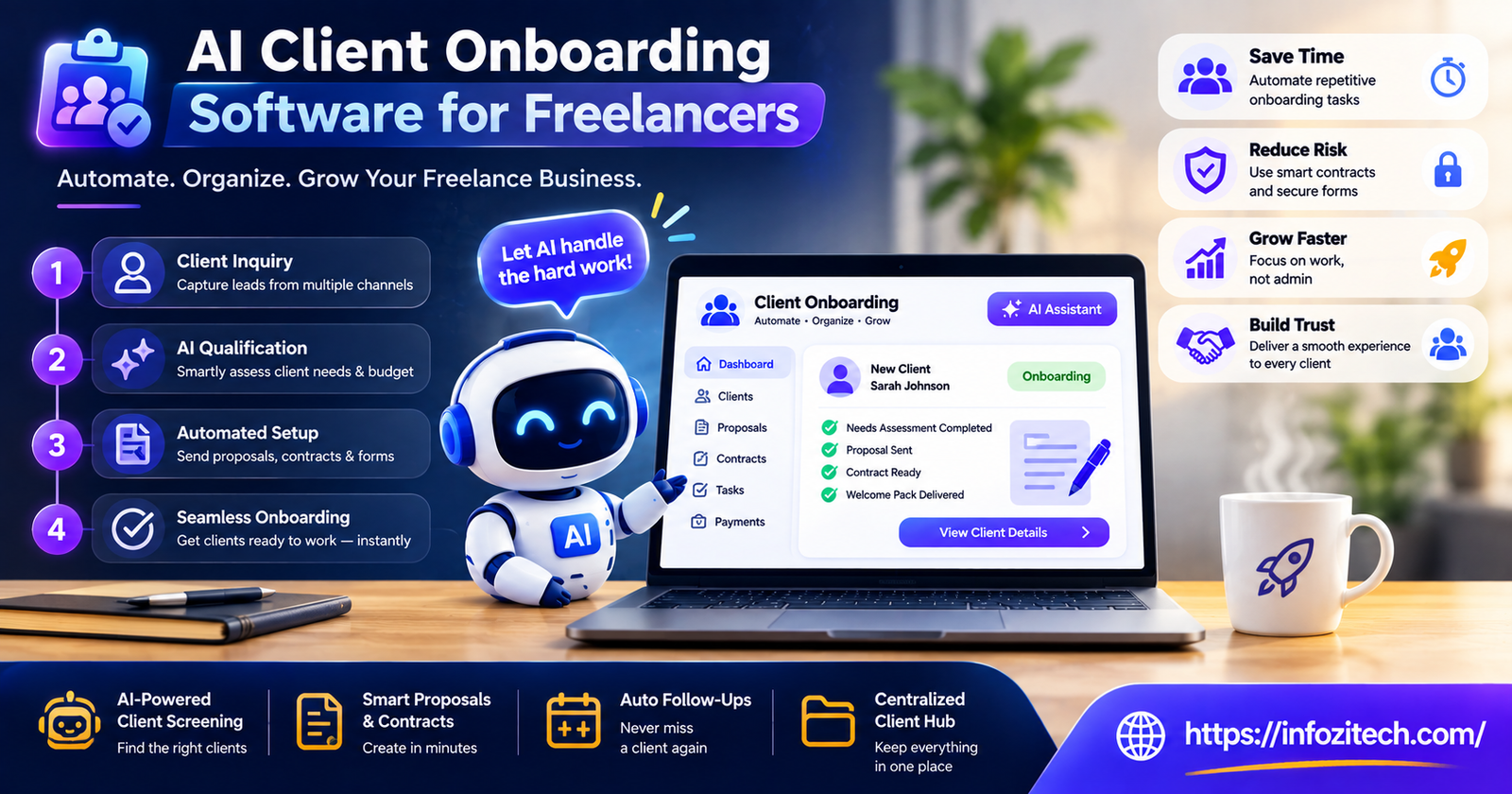
Okay, simple version. It’s software that automates the stuff that happens between “client agrees to work with you” and “client is actually set up and ready to go.” Welcome messages. Contracts. Intake forms. Scheduling. Invoices. All of it, in one flow, instead of you manually doing each step and hoping you don’t skip one.
Where does AI actually come into it, though? Because a lot of “AI” labeling these days is marketing fluff. In the genuinely useful tools, AI shows up in a handful of specific spots:
Writing the first draft of a welcome sequence based on what kind of project it is. Reading through a client’s intake answers and flagging anything missing before you even see it. Drafting contract language from a rough scope description you type in. Turning a messy call transcript into an actual usable brief. And sometimes, predicting when a client’s about to go quiet on you mid-onboarding and nudging them automatically so you don’t have to be the one chasing.
None of that replaces you actually talking to your client like a person. It just handles the part where you’d otherwise be copy-pasting from an old email at 11 pm.
Why Onboarding Matters More Than People Assume
Most freelancers treat onboarding like it’s just the paperwork before the “real” project starts. I used to think that too. But your client’s first impression of you as a professional doesn’t come from your portfolio. It comes from how the first week goes.
Rough onboarding feels like: contracts sent twice because the date was wrong the first time, a client who genuinely doesn’t know what you need from them, payment terms that got mentioned once in a call and never actually written down anywhere. Smooth onboarding feels like the opposite of all that. The client relaxes. You haven’t even started the work yet, and they already trust you.
Why Freelancers Are Actually Switching to This
Freelancing means you’re the whole company. Sales, accounting, project management, and also, somehow, the person who has to remember to send the Dropbox link. Onboarding sits right at the intersection of “admin” and “first impression,” which is exactly why it’s the thing that gets half-done when life gets busy.
Time. Just, time.
Doing onboarding by hand, chasing a signature, writing a custom welcome note, setting up folders, sending payment links- it eats one to three hours per client easily. I timed myself once out of curiosity. Almost two hours for a client I’d onboarded before, using basically the same steps I always use. Multiply that across a year of new clients, and you’ve lost actual weeks to admin that a system could’ve handled.
Consistency, or the lack of it
When onboarding lives in your head, or scattered across old Gmail drafts, it’s inconsistent by definition. Good week, the client gets a polished welcome packet. Bad week, deadline week, sick week, they get two rushed sentences and a Calendly link. AI onboarding tools flatten that out. Every client gets roughly the same solid experience regardless of how your week’s actually going, which honestly takes pressure off you too.
First impressions, which clients absolutely notice
Clients paying real money notice professionalism early, even if they can’t articulate exactly why. A tidy welcome, a contract they can sign in two minutes on their phone, clear next steps- that tells them they picked right. “Let me dig up that PDF, one sec” in week one tells them something else, even when your actual work ends up being great.
The Features That Actually Matter
Not every tool calling itself “AI onboarding software” does much with AI at all. And not every freelancer needs the same set of features, so don’t just grab whatever’s trending.
Smart intake forms
Skip the generic ten-question form. Better tools adjust the questions depending on the project. A branding client shouldn’t get asked the same stuff as a web dev client. Some let you build this manually, some generate it from a short description you type. Either works, but static one-size-fits-all forms are kind of a red flag.
Contracts and e-signatures
This one’s the biggest time-saver, in my experience. Clients should be able to review and sign right in the flow, ideally with some AI help drafting or tweaking the language based on the scope you enter, so you’re not starting from a blank template every single time like it’s your first client ever.
Welcome sequences that run themselves
A short set of messages walking the client through what’s next, what you need, when to expect updates. Set it up once. It should just run after that, no reminders to yourself needed.
Payment stuff built in
Onboarding and getting paid are basically the same conversation, so the software should let clients pay a deposit or set up billing as part of the same flow. Not a separate app you have to remember exists.
One place for everything
Intake answers, signed docs, message history, all in one dashboard. Doesn’t matter much if you’ve got two clients. Matters a lot once you’ve got fifteen and you’re trying to remember which one still owes you a logo file.
AI summaries and nudges
Some tools will turn a discovery call recording into a clean brief automatically. Some will notice a client hasn’t touched their intake form in three days and follow up for you. Small features. Save you from sending that slightly awkward “just checking in!” message yourself for the hundredth time.
What This Looks Like In an Actual Week
Let me make this concrete instead of abstract. Say a freelance copywriter, we’ll call her Maya, signs a new client on a Tuesday afternoon.
No automation: she sends the contract manually that night. Waits a day, maybe two, for it to come back signed. Sends a separate intake questionnaire. Chases brand guidelines because the client forgot to attach them. Schedules the kickoff call over three back-and-forth emails, because apparently nobody just picks a time anymore. Sends the invoice once everything’s finally sorted, probably the following Monday. Realistically, the client isn’t fully onboarded until the second week.
With onboarding software running: the second the client says yes, they get a branded welcome with the contract attached. They sign it on their phone waiting in line for coffee, whatever. An intake form pops up automatically, already tailored to a copywriting project. A scheduling link goes out. A deposit invoice too, same flow. By Wednesday morning, before Maya’s even had her second coffee, it’s done. She didn’t send a single one of those messages herself.
That’s the actual point of all this. Not replacing the relationship. Making sure the repeatable, easy-to-forget parts happen reliably, fast, without needing Maya to be perfectly on top of things every single week of the year, because nobody is, not really.
The Concerns People Actually Bring Up
“Won’t this feel cold to my clients?”
Fair worry, I had it too. But most of these tools let you customize tone, voice, branding, all of it. Clients generally don’t clock the automation when it feels smooth. They clock it when something feels broken, generic, off-brand. The goal is automating the process, not flattening your personality out of it.
“Is it worth paying for if I’m solo?”
Depends how many clients you bring on. Pricing ranges from free tiers to something like the cost of a decent dinner out per month. Rough math: if it saves you two hours per client, and you value your time at any reasonable rate, it pays for itself after one, maybe two clients a month. If you’re onboarding one client a year, though, honestly, don’t bother, a template folder will do fine.
“What if my client volume is low?”
Then a full subscription’s probably overkill, like I just said. These tools make the most sense if you’re bringing clients on regularly, or running retainers, or just tired of reinventing the onboarding wheel every single time someone new signs on.
Picking the Right One for You
Don’t start with a feature checklist. Start with whatever’s actually your bottleneck right now. Contracts your weak spot? Prioritize e-signature and drafting features. Bad at following up? Look for automated reminders. Drowning in scattered client notes across four apps? Prioritize the dashboard.
Also, test the free trial on a real upcoming client, not fake dummy data. I made this mistake early on, tested a tool with made-up info, thought it was great, then hit real friction the first time an actual client used it because the contract wording didn’t match how I actually phrase my terms. Real clients reveal the small stuff that dummy accounts never do.
And check integrations. Calendar, payment processor, whatever project board you already use. A tool that lives on its own little island, disconnected from everything else you touch daily, usually just creates more admin than it removes, which kind of defeats the whole point.
Final Thoughts
Onboarding isn’t the fun part of freelancing. Nobody’s dreaming about intake forms. But it’s the part your clients quietly judge you on before they’ve seen a single piece of actual work from you. AI client onboarding software doesn’t replace the trust-building or the quality of what you deliver, it just clears the admin out of the way so you can spend your actual energy on the work that pays your rent.
If you’ve ever sent the wrong contract to a client, or lost someone the way I did over four forgotten days, it might be worth trying one of these tools on the next client who says yes. See how different week one feels. For both of you.






2 thoughts on “AI Client Onboarding Software for Freelancers: A Complete 2026 Guide”