
Small Business Software Stack for Solo Founders
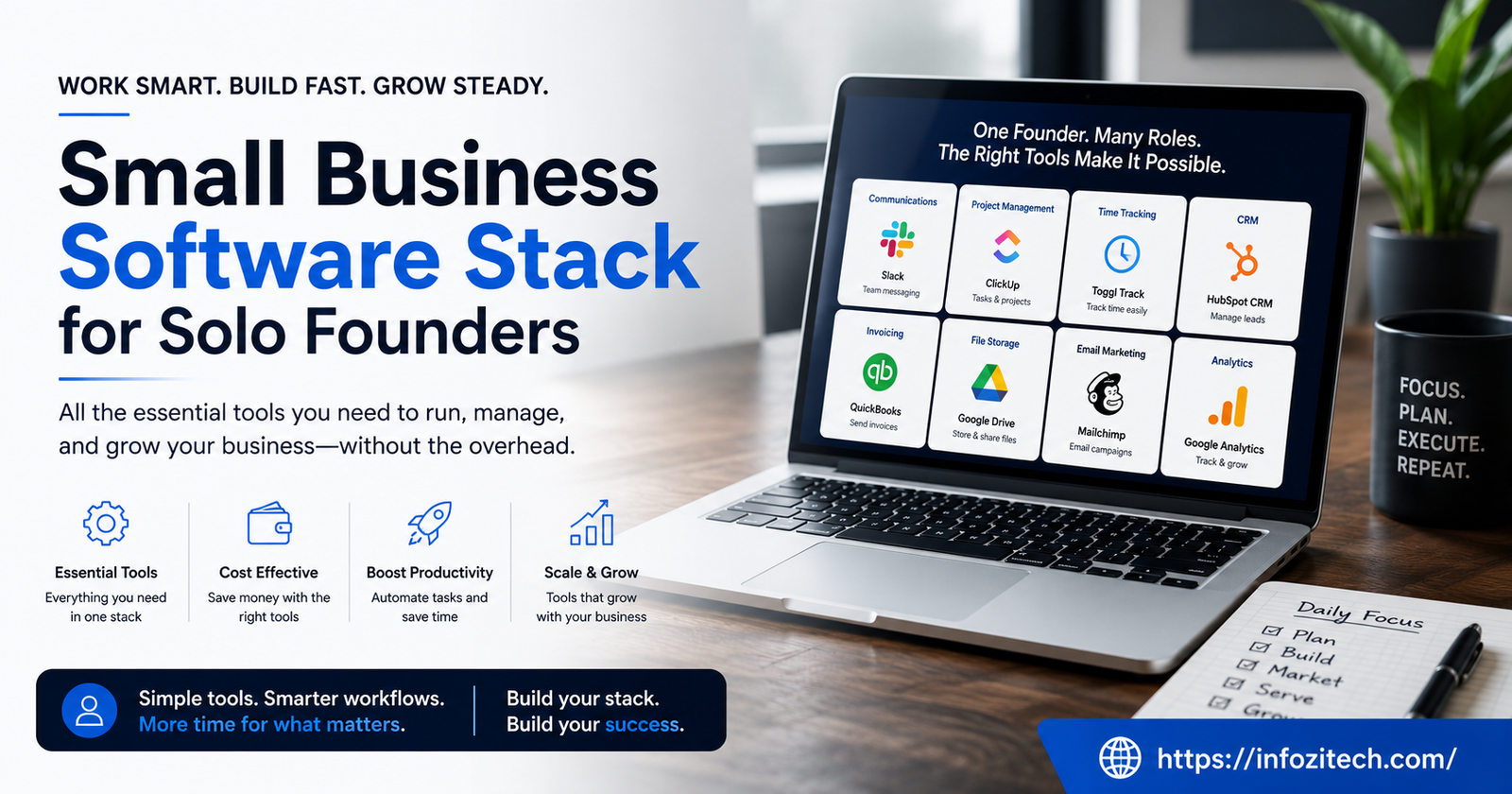
I signed up for a project management tool once, spent an entire Saturday setting up boards, labels, and color-coded tags for a business that had exactly one employee: me—and never opened it again after week two. That’s the trap. Running a business alone means you’re the accountant, the marketer, the support desk, and the person who forgets the domain renewal until you get the panicked email that your site’s about to disappear. There’s no IT guy. There’s no ops team quietly fixing the thing that broke overnight. Just you, a laptop, way too many browser tabs, and a decision to make about which software actually earns a spot in your day.
That decision matters more for a solo founder than it does at a company with fifty employees, honestly. If you get it wrong, you’ll end up spending your evenings copying numbers from one app into another instead of talking to a customer. Get it right, though, and one person can run something that genuinely feels organized. Feels like a real business, not a hobby held together with sticky notes.
So here’s what actually belongs in that stack. Not a “top 47 apps for entrepreneurs” listicle — just the stuff that earns its keep, and some honest thoughts on how to avoid drowning in subscriptions you forgot you were paying for.
Why Solo Founders Can’t Just Copy the Big-Company Playbook
Most software gets built for teams. Seat pricing, approval chains, permission levels, that whole apparatus — none of it helps a single person. You don’t need to assign a task to someone else because there is no someone else. What you need is speed. Low cost. Tools that actually talk to one another without you paying a developer to wire them together.
And there’s a trap worth naming honestly, because I fell into it and I’d bet you will too if nobody warns you: tool hoarding. You read one of those “must-have apps” roundups, bookmark ten things, sign up for free trials, and three months later you’re paying for six apps you log into maybe once a month combined. A lean stack isn’t about collecting the most tools. It’s the opposite, really — fewest tools, most coverage.
Three Questions Before You Add Anything New
Before you swipe that card for another app, ask yourself:
Does this replace something I’m currently doing by hand — or does it just look impressive on a “here’s my stack” tweet? Will I open this weekly, not just during the excited setup phase? Does it plug into what I already use, or does it become its own little island where data goes to die?
If you’re hesitating on any of those, don’t sign up yet. Every new tool is a login to remember, a bill to track, one more thing that can break the night before a client deadline — and it will, somehow, always be the night before a deadline.
The Core Categories (Not a List of Fifty Apps)
Thinking in categories works better than memorizing app names, because half these tools get acquired or rebranded every eighteen months anyway. Once you get the category, swap in whatever fits your budget.
Accounting and Invoicing
Non-negotiable. Even if you’re only bringing in a couple thousand dollars a month. I know someone who tracked expenses in a notes app for a year and a half — it caught up with her right around tax season, as these things always do, in the worst possible way.
A decent tool here handles invoicing, expense tracking, and basic reports without requiring a weekend course to figure out. Wave, FreshBooks, QuickBooks Simple Start — pick one; they all do roughly the job. Send professional invoices, get paid online, don’t overthink which logo you like better.
What actually matters more than the app: check your books monthly. Not quarterly, not “whenever.” Monthly. The founders who glance at their numbers regularly catch a pricing mistake or a slow-paying client months before it turns into an actual cash problem.
Payments
Whatever accounting software you land on needs a payment processor bolted to it. Stripe and PayPal are the defaults for a reason — customers trust them, and they plug into nearly everything else here. Selling physical goods? Shopify Payments or Square might fit better.
The whole goal is removing friction. Every extra click between “I want to buy this” and actually paying is a chance for someone to close the tab and forget about you.
A CRM, Even Though That Word Sounds Corporate
Sounds like something only a sales team needs. It’s really just a memory system, and your brain is not a reliable one once you’re juggling fifteen things. Where’d this lead come from? What did we last talk about? Did I actually say I’d follow up by Friday?
You don’t need Salesforce; please don’t get Salesforce. HubSpot’s free tier, or something lighter like Pipedrive, covers it. Some people run the first year off a spreadsheet, and that’s fine too, genuinely — the point isn’t the software, it’s having one place where the relationship history lives instead of three email threads and a sticky note on your monitor.
Keeping Yourself Organized (Because Nobody Else Will)
Email and Calendar
Nothing exotic needed. But the setup matters more than people think. A domain-based email through Google Workspace or Microsoft 365 signals you’re a real business in a way that a free Gmail address just doesn’t — fair or not, that’s how it reads to a client sizing you up. It also bundles calendar and storage, so you’re covering two categories with one subscription.
Calendly or Cal.com solves a specific, annoying problem: the endless back-and-forth of “does Tuesday work” texts. Let people book straight into your calendar with buffer time built in. This is maybe the single highest-leverage tiny automation a solo founder can set up, and it took me embarrassingly long to actually do it.
Task and Project Management
Even a business of one has projects with steps and deadlines and things that need doing in order. Without a system, it all lives in your head, and the moment you get busy — or just take a sick day — something falls through.
Notion, Todoist, Trello. They’re different animals. Notion’s flexible, can hold notes and a lightweight CRM alongside tasks, good if you like one big workspace. Todoist is faster, cleaner, no extra layers if you just want a list. Trello’s for people who think in cards moving across a board. Doesn’t matter which one, really — what matters is writing things down somewhere instead of trusting memory, which, again, is not reliable.
File Storage
Google Drive or Dropbox, whatever pairs with your email. The brand doesn’t matter. What matters — and I learned this the hard way after searching for an eight-month-old contract across three different folders — is setting up a consistent structure early. Before files scatter across your desktop and downloads folder and two cloud accounts you forgot you had.
Marketing Without Losing Your Whole Week to It
Email Marketing
Still the highest-return channel for small operations, mostly because you own the list. Unlike a social following, which can vanish overnight if some platform changes its algorithm — and it will, eventually, they always do. ConvertKit, Mailchimp, Beehiiv, any of them let you build a list and automate something basic like a welcome sequence.
The mistake is treating this as a “someday” project. Even a short, imperfect monthly note beats total silence. Start the list early so it’s actually worth something by the time you need it.
Website and Landing Pages
You do not need custom development. Squarespace, Webflow, plain WordPress with a solid theme — any of it works. Load fast, say clearly what you do, make it obvious how to buy or contact you. That’s really the whole brief.
Social Scheduling
If social’s part of the plan, batch it. Buffer or Later, plan a week or month in one sitting instead of scrambling every morning trying to think of something to post.
Automation, the Quiet Multiplier Nobody Talks About Enough
Wiring the Pieces Together
This is where a pile of apps turns into an actual system. Zapier, Make — they connect tools that otherwise wouldn’t know the other exists. New form submission creates a CRM entry, fires off a welcome email, adds a task to your board. All without you touching a thing.
Doesn’t need to be elaborate to matter. Two or three simple automations — invoice paid triggers a thank-you note, say — save real hours across a year and remove steps you’d otherwise forget at 9pm.
Where People Mess This Up
Building automations before you actually understand your own workflow. Automating a messy process just makes the mess move faster, which helps nobody. Do things manually for a few months first. Notice what repeats. Automate that specific thing once you’re sure it’s stable, not before.
Budget Reality
Costs pile up fast once every tool has its own monthly fee attached. A reasonable starting stack lands somewhere around fifty to a hundred fifty dollars a month once you’ve got accounting, email, a CRM, a couple automations running. Fair trade for the hours saved — but check your subscriptions every few months and cut whatever’s gone stale.
Most of what’s mentioned here has a free tier that’ll cover a solo founder for a year, sometimes longer. No reason to pay for enterprise features before you’ve got the revenue to justify them.
If You’re Starting From Zero
Domain email through Google Workspace. Wave or FreshBooks for the books. Stripe for payments. A free CRM tier. Notion for tasks. Calendly for scheduling. Six tools, mostly free to start, and it covers the essentials without eating your whole attention span.
Last Thought
The right stack isn’t the flashiest one, or the one with the longest feature list. It’s the one that disappears into the background so you can spend your limited hours on the stuff only you can actually do — talking to customers, fixing the product, making the calls nobody else will make for you. Start small. Add a tool only when a real, repeated headache shows up. Resist the urge to collect apps just because someone on the internet said you needed them. A lean, connected stack beats a long subscription list every single time.






2 thoughts on “Small Business Software Stack for Solo Founders”