
Local AI Document Search Tools
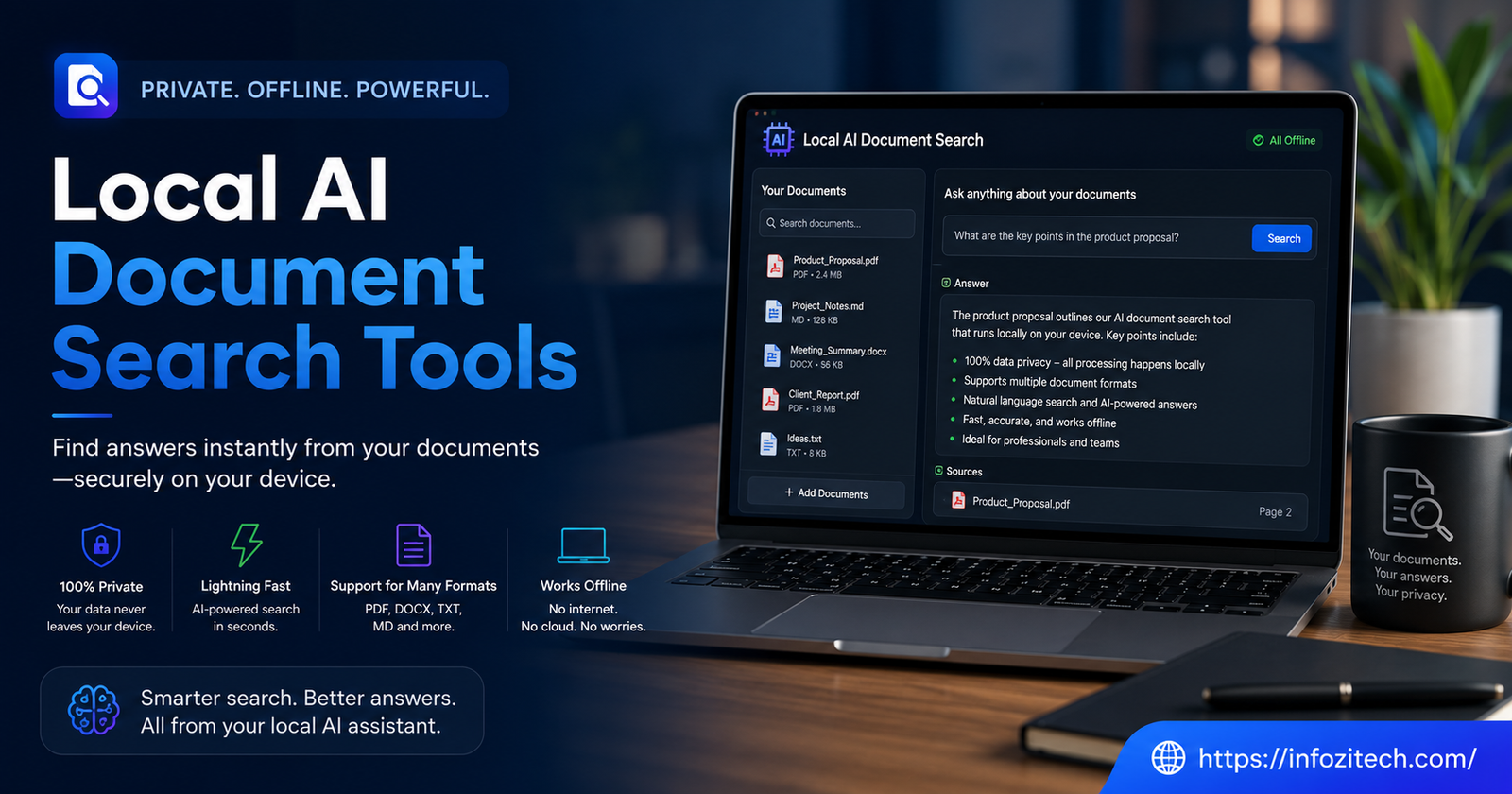
I lost about two hours once looking for a single PDF. Knew roughly what it said. Knew it had something to do with a contract renewal. Could not for the life of me remember the file name, and Windows search — bless it — kept surfacing everything except the one thing I actually needed. That’s the moment most people discover they have a document search problem, not a filing problem. You don’t need better folders. You need something that actually understands what’s inside the files, not just what they’re called.
Which is where local AI document search comes in. Not the cloud kind, where you upload your tax documents and client contracts to some company’s servers so their model can “index” them for you — the kind that runs right there on your laptop, sees your files, and never phones home.
So let’s actually get into it. What these tools do, why “local” matters more than most people realize until something goes wrong, and which ones are worth your time in 2026.
What Local AI Document Search Actually Means
It’s Not Just Ctrl+F With Extra Steps
Traditional file search matches text strings. You type “invoice,” it finds files with the word invoice literally typed inside them. Fine, until you’re searching for a concept instead of a keyword — “that email where the client complained about pricing” — and there’s no exact phrase to match against. Regular search just shrugs.
AI-powered search works differently. It builds an understanding of meaning, not just spelling. Ask for “the doc about vacation policy changes,” and it’ll find a file titled “HR_update_march_final_v3.docx” even though none of those words appear in your query. That’s the whole appeal, and it’s a genuinely big jump in usefulness once you’ve tried it.
Why “Local” Is the Part That Matters
Here’s the thing nobody explains clearly enough up front. A lot of “AI search” tools work by shipping your documents — or at least chunks of them — to a cloud API somewhere so a model can process them. That might be totally fine for a public blog draft. It’s a different story entirely for medical records, legal files, financial statements, anything with a client’s name attached to it.
Local tools keep the whole pipeline on your device. The indexing, the embedding generation, the actual search — none of it leaves your machine unless you tell it to. For a lot of professionals, that’s not a nice-to-have anymore. It’s the entire point.
How These Tools Actually Work Under the Hood
Embeddings, in Plain Language
Skip the math. What’s happening is your documents get converted into numerical representations — embeddings — that capture meaning rather than exact words. Similar ideas end up numerically close to each other, even if the wording’s completely different. When you search, your query gets converted the same way, and the tool finds documents whose embeddings sit nearest to yours.
None of this requires an internet connection if the model generating those embeddings runs locally, which is exactly what tools in this category are built around.
The Models Doing the Heavy Lifting
A few years back, running anything resembling a capable language model on a regular laptop was a joke. Not anymore, or at least not entirely. That shift is basically the reason this whole category exists in a usable form today. Three years ago it would’ve meant a fan-screaming, thirty-second wait per query. Now it’s mostly instant, assuming your machine isn’t ancient.
The Actual Tools Worth Knowing About
For People Who Just Want It to Work
Obsidian, paired with local plugins for semantic search, is where a lot of people start, mostly because they’re already using it for notes and stumble into the search capability almost by accident.
DocFetcher is older, less flashy, doesn’t do the fancy semantic-meaning thing out of the box, but it’s rock solid for pure local indexing across huge file dumps — old Word docs, scanned PDFs, whatever’s sitting in a folder from 2019.
For People Comfortable Getting Their Hands a Little Dirty
PrivateGPT is probably the name that comes up most in this space, and for good reason — it’s specifically built around the idea of chatting with your own documents without any of it leaving your machine. Point it at a folder, let it index, then ask it questions in plain English. It’s not always fast, and setup involves more terminal work than most casual users will want to deal with, but the privacy guarantee is real, not marketing.
LM Studio, combined with a local vector database like Chroma or LanceDB, gives you a build-it-yourself setup that’s more flexible but also, frankly, more work. You’re assembling the pieces rather than getting a finished product. Worth it if you want control over exactly which model handles your search and how your data’s chunked and stored. Not worth it if you just want to find a PDF without an afternoon of configuration first.
Khoj sits somewhere in between — open source, runs locally, has a decent interface, and handles both notes and documents reasonably well. Community’s smaller than some alternatives, so support can be spottier.
The Middle Ground: Hybrid Options
A few tools offer a local-first mode with an optional cloud fallback for heavier processing. Worth being cautious here — read exactly what stays local and what doesn’t, because “hybrid” sometimes just means “your data leaves eventually, just later than you thought.” If privacy’s the whole reason you’re looking at local tools in the first place, don’t let a hybrid mode quietly undo that.
Setting One Up Without Losing a Weekend to It
Hardware Reality Check
You don’t need a machine built for gaming, but you do need decent RAM — 16GB is a reasonable floor, 32GB makes things noticeably smoother if you’re indexing thousands of documents.
Getting Your Files Ready
Most of these tools handle PDFs, Word docs, and plain text without complaint. Scanned documents — actual images of text rather than selectable text — are trickier, and you’ll usually need an OCR step first, which some tools bundle in and others just… don’t, leaving you to sort it out separately.
The Indexing Wait
First-time indexing takes a while, depending on how many documents you’re throwing at it. Could be minutes, could be hours for a genuinely large archive. This is a one-time cost, mostly — after that, most tools only re-index new or changed files, so it’s not something you’re waiting through every single day.
Common Problems People Run Into
It Finds the Wrong Thing, Confidently
Semantic search isn’t perfect. Sometimes it’ll surface a document that’s conceptually adjacent to what you meant but not actually what you wanted, and it’ll do this with total unearned confidence.
Resource Hunger
Some of these tools, especially the ones running larger local models, will absolutely make your fan spin up and your laptop battery drain faster than usual. This is the tradeoff for keeping everything local instead of offloading the heavy computation to someone else’s servers. If you’re on an older machine, lean toward the lighter tools mentioned above rather than the full local-LLM setups.
The Learning Curve Nobody Mentions in the Marketing
A lot of these tools get marketed as “just works” simple, and then you open the setup guide, and it’s asking you to install Python dependencies and configure a vector store. That gap between the pitch and the reality trips people up constantly. Budget an actual afternoon for setup on anything beyond the note-taking-app-plus-plugin route, and you’ll be less frustrated going in.
Is Local Really Necessary, or Is Cloud Fine?
Depends entirely on what’s in your documents, honestly, and there’s no universally right answer here. If you’re indexing recipe collections or blog draft notes, cloud-based AI search tools are probably fine and a lot less hassle to set up.
There’s also the offline angle people forget about until they’re on a plane or somewhere with terrible wifi. Local tools don’t care whether you’re connected. That alone has saved me more than once, digging through old project files at an airport gate with no signal and a boarding call in fifteen minutes.
Wrapping This Up
Local AI document search isn’t as polished or effortless as the big cloud-based tools yet, and pretending otherwise would be dishonest. Setup takes real effort in most cases, some tools are rough around the edges, and you’ll hit configuration headaches that a slicker SaaS product would’ve hidden from you entirely Start small — index one folder, get comfortable with how the tool behaves, then expand from there. Don’t try to point it at your entire hard drive on day one; that’s how people give up before the thing even gets a fair shot.






2 thoughts on “Local AI Document Search Tools”