
QR Code Security Best Practices: A Complete Guide for 2026
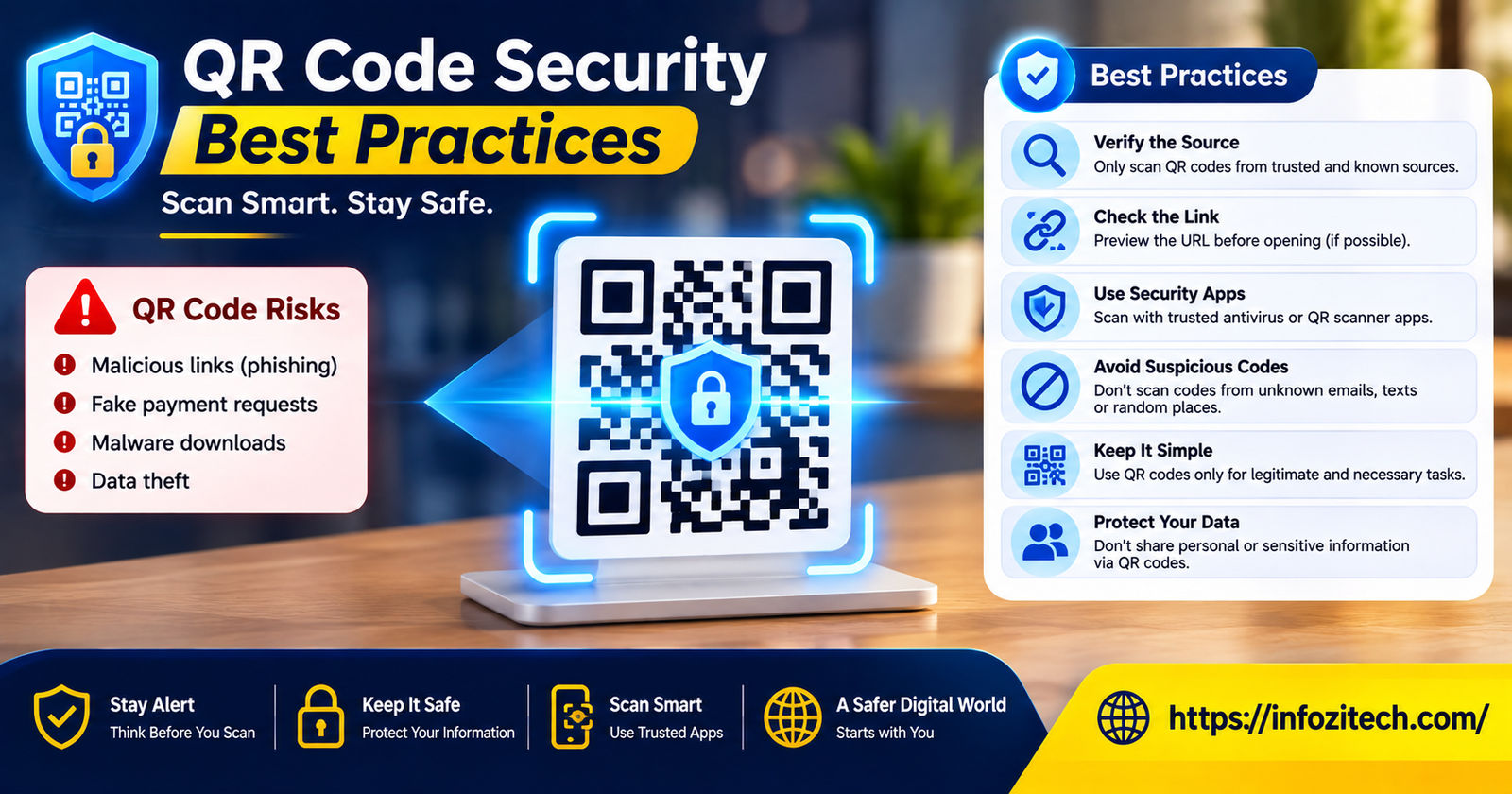
I scanned a fake parking QR code once. Didn’t even think twice about it — there was a sticker on the meter; it looked official enough. I was late for something and just wanted to pay and go. Typed in my card number before my brain caught up with what was happening. Nothing catastrophic came of it, thankfully; I caught it fast enough and cancelled the card that night, but it rattled me a little. Because here’s the thing. I work in this space. I write about scams. And I still fell for a sticker on a parking meter.
That’s kind of the whole point of this article, actually.
QR codes used to be a novelty. A thing on a cereal box, maybe a business card, you’d scan it once out of curiosity and never think about it again. Not anymore. They’re on parking meters now, restaurant tables, delivery boxes, event tickets, payment terminals at the farmers market. They’ve become one of the quiet, unremarkable ways we move from the physical world into the digital one — and criminals noticed that shift way before most consumers did.
A QR code, stripped down, is nothing more than a black-and-white pattern hiding a piece of data—usually a link. Your phone has no way of telling you where that link actually goes until after you’ve scanned it, and often not even then unless you’re paying attention. Attackers built an entire category of fraud around exactly this blind spot. There’s a name for it now — “quishing,” QR plus phishing, a cute little portmanteau for something that isn’t cute at all. Fake parking tickets. Counterfeit menus. Bogus delivery notices taped to your door. Rigged donation boxes at charity events, of all things. The scam works precisely because the code itself looks harmless. It’s just squares.
So let’s actually get into it. What makes these things risky, and what you can do about it — none of which requires any technical background, by the way, just a bit of suspicion and a habit or two.
Why QR Codes Are a Security Blind Spot
They Hide Where They’re Taking You
A regular link, you can hover over it, see the URL, decide if it smells wrong. A QR code strips that away entirely. It’s encoded, compressed into a pattern your eyes can’t parse. Unless your scanner shows you the destination before opening it — and a lot of them don’t, or bury it in tiny text — you’re clicking blind. Every time.
And People Trust Them Way More Than They Should
There’s something almost psychological going on here. A QR code printed on official-looking signage just feels legitimate in a way a random text message doesn’t. Phishing emails at least have tells sometimes — bad grammar, a weird sender address, that off feeling. A sticker on a coffee shop table doesn’t give you any of that. Somebody could’ve slapped it there an hour ago, and you’d have zero way of knowing.
They Cost Nothing to Fake
This part matters more than people realize. Generating a QR code takes ten seconds and costs literally nothing. Printing a sticker to cover up the real one — maybe a few cents, a home printer, done. That’s it. Low effort, low cost, high reward if even a small percentage of people scan it. Parking lots, transit stations, retail counters — anywhere with foot traffic and a printed code is a target.
Phones Just Aren’t as Cautious as Laptops
People tend to let their guard down more on mobile. I know I do. Mobile browsers sometimes truncate URLs, scanning apps don’t always show the full link, and there’s this general sense of “it’s just my phone, it’s fine” that doesn’t hold up. That combination — less scrutiny plus less visibility — makes phones the softer target here.
Common QR Code Scams Worth Knowing About
Before getting into the fixes, it’s worth actually seeing what these look like in the wild.
The Sticker Swap
Classic. Someone prints a fake code, sticks it directly over a real one — parking meter, notice board, restaurant table tent, doesn’t matter. You scan what looks completely normal and land somewhere you never meant to go.
“Confirm Your Delivery” Scams
A note shows up with your package, or supposedly does, asking you to scan a code to confirm delivery or reschedule a drop-off. It leads to a fake login page built to grab your credentials or your card details. Simple, and it works because it plays on urgency.
Codes Buried in Email Attachments
This one’s sneakier than it sounds. Instead of putting a suspicious link right in the email body — which spam filters are pretty good at catching now — attackers embed a QR code inside a PDF or an image. Slides right past text-based filters because there’s no text link to flag. Just a picture.
Fake “Free Wi-Fi” Codes
At conferences, airports, anywhere with a crowd — a QR code promising free Wi-Fi can connect you straight to a network the attacker controls. From there, they can watch your traffic. Not great.
Crypto Wallet Swaps
QR codes are the standard way to share crypto wallet addresses. So scammers swap the real one for their own, and funds meant for someone else land straight in the attacker’s pocket instead. There’s no undo button in crypto. That’s what makes this one particularly brutal.
Best Practices for Individuals
Actually Look at the Code Before You Scan It
Uneven edges. A slightly different paper texture. Alignment that’s just a little off from the surrounding design — these are the tells of a sticker slapped over something real. Takes two seconds to check, and it stops a huge chunk of these scams before they even start.
Read the URL Preview. Really Read It.
Most phone cameras show a preview before opening the link. Don’t just glance — actually read it. Misspellings of brand names, extra characters that don’t belong, weird domain endings you don’t recognize. If it doesn’t match what you’d expect, don’t tap through. Simple as that.
Don’t Type Anything Sensitive Right After Scanning
If the page asks for a password or a card number the second you land there, stop. Ask yourself if this is really how that business normally does things. When you’re not sure, close it out and go to their actual website directly instead of trusting whatever the code handed you.
Keep Your Phone Updated
Boring advice, I know, but it matters. Software updates patch the vulnerabilities attackers rely on. Doesn’t stop you from scanning something bad, but it can limit what that bad link is actually able to do to your device.
Use a Scanner That Shows the Full Link
Not all of them do — some truncate, some hide it behind a “continue” button with no preview at all. Find one that shows you the whole URL, plainly, before you go anywhere.
Be Suspicious of Any Download Prompt
A menu doesn’t need an app. Parking doesn’t need an app installed from outside your phone’s official store. If a scanned code is pushing you toward some sketchy download link, that’s a hard stop, not a maybe.
Question Codes That Just Show Up Out of Nowhere
Random text message. Unexpected email. A flyer under your windshield wiper for some reason. Legitimate companies rarely reach out cold asking you to scan something urgently — so treat unsolicited codes with extra suspicion, always.
Best Practices for Businesses
Use a Generator That Actually Tracks and Lets You Edit
Free tools aren’t inherently bad, but a lot of them lock you in — no editing, no monitoring, nothing if things go sideways later. Paying for one that lets you track scans and change the destination afterward gives you actual control when something goes wrong.
Dynamic Codes Beat Static Ones, Basically Every Time
Static codes are permanent, whatever’s baked in stays baked in. Dynamic codes route through a link you control, meaning you can update it, watch activity on it, kill it instantly if it’s ever compromised. Worth the small extra effort to set up.
Keep Physical Codes Checked and Protected
If your business has codes on signs, tables, packaging — check them. Regularly, not just once. Lamination that makes tampering obvious helps. So does using materials that are annoying to peel off cleanly.
Brand Your Codes
A logo or custom colors on a QR code makes it just a little harder to convincingly fake with a plain black-and-white sticker replacement. Not bulletproof. But it raises the bar, and raising the bar is most of what security actually is.
Tell People What the Code Should Do
A small note near the code — “this links only to our menu at [yourdomain.com]” — genuinely helps. Customers can’t spot a fake if they don’t know what the real thing was supposed to look like.
Keep Track of Where Your Codes Live
A record of every physical code your business has out in the world, checked periodically, especially anywhere with heavy foot traffic where tampering is easy to pull off and easy to miss.
HTTPS, Always, No Exceptions
Every destination behind a business QR code should sit on a secure, verified domain. Won’t block every scam out there, but it closes off one easy avenue, and it signals to anyone paying attention that you take this seriously.
If You’ve Already Scanned Something Bad
It happens. Even to people who know better — see: me, parking meter, above. Speed matters more than beating yourself up over it.
- Airplane mode, immediately, if you think something might be downloading in the background
- Change passwords for anything you logged into after scanning — email and banking first, everything else after
- Check financial accounts for anything unusual, even small charges
- Run a security scan, whatever your phone offers or a trusted app you already have
- Report it — to the business, the platform, wherever you encountered the code, because someone else is going to hit that same sticker next
- Keep checking your accounts for a few weeks afterward. Some of this stuff doesn’t show up right away
This Is a Habit, Not a Checklist You Do Once
Honestly, no single setting or app fixes this completely. What works is treating every QR code the way you’d treat a random link in an email — that little half-second pause before you act on it. Checking the preview. Noticing the sticker that looks a bit off. Wondering why on earth a menu code is asking for your password. That pause is, right now, genuinely the best defense there is. Not flashy. Just effective.
QR codes aren’t disappearing. They’re too cheap, too convenient, too baked into how businesses operate now for that to happen. But convenience and caution aren’t actually opposites — a few extra seconds before you scan doesn’t cost you anything real.
Final Thoughts
These codes are going to keep showing up in more places, not fewer, as businesses lean further into contactless everything. Which means the basic awareness — checking before you scan, questioning things that feel off — stops being optional and starts being just a normal part of moving through the world, same as double-checking a sender’s email address already is for most people.
Whether you’re trying to avoid getting burned on a parking meter or protecting customers who trust your business, the principle doesn’t change. Verify before you trust it. Don’t let being in a hurry override the two seconds it takes to look twice.








3 thoughts on “QR Code Security Best Practices: A Complete Guide for 2026”