
Travel Productivity Tech Setup: The Gear and Habits That Actually Hold Up
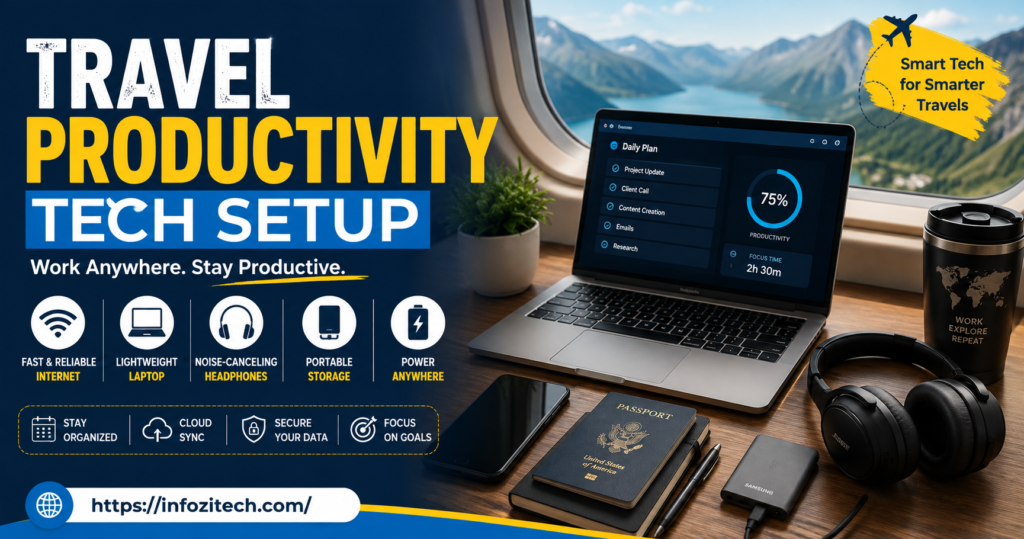
Tried working from a beach in Thailand once. Laptop on my knees, very Instagram, very stupid in hindsight. Twenty minutes in, there’s sand in my keyboard, the glare’s so bad I can’t even see what I’m typing, and my battery’s already at 40% even though I charged it that morning at the guesthouse — I still don’t know how that happened, honestly. None of it worked. Not one part. Took me way longer than it should have to realize “working while traveling” and “working from somewhere that looks nice in a photo” are just not the same activity, not even close, and only one of them gets anything done.
So this is the version of that lesson I wish someone had handed me earlier. Gear, apps, the small dumb habits, whatever actually lets you get real work done between flights, in a hostel with wifi that comes and goes, during those dead layover hours where you’re just sitting there. Not the aesthetic version. The one that works.
Why Travel Productivity Isn’t Just a Smaller Home Office
Working from your desk at home and working from a train seat look kind of similar from the outside — laptop, you, typing — but they’re not the same task at all. At home you’ve got a stable desk, power that just works, wifi that doesn’t vanish mid-download for no reason. On the road, none of that’s guaranteed. Some days literally none of it shows up, and you just have to deal with that.
Which means you can’t just bring a smaller version of your home setup and call it done. It has to be built assuming things go wrong from the start — batteries dying at the worst moment, connections dropping, your “desk” being your actual lap on a moving bus.
The Real Shift: You’re Planning for Chaos, Not Comfort
At home, you optimize for comfort, mostly, because the conditions barely change day to day. Traveling flips that completely. Now you’re thinking about what happens when the plug doesn’t fit, what happens when there’s no wifi for six straight hours — a totally different mental model, and it changes basically everything about what gear is actually worth carrying.
The Hardware That’s Actually Worth the Weight
Not everything you own needs to come. Some stuff earns its space in the bag, some doesn’t, and figuring out the difference saves both room and a lot of frustration later.
A Laptop Light Enough You Don’t Dread Pulling It Out
Doesn’t need to be some powerhouse machine. Needs to be light enough you’re not groaning every time you dig it out of your bag for the tenth time in a day, and it needs real battery life, because outlets are never guaranteed — especially on trains, and in those older hostels where somehow there’s one single outlet for an entire dorm room.
A Battery Pack. A Real One, Not a Toy
Not those tiny keychain ones that barely give your phone 20%. Get something that can actually charge a laptop, or at the very least top your phone off two or three full times. Genuinely, this one item alone has rescued more of my work sessions than almost everything else on this entire list combined.
Noise-Canceling Headphones — Not Optional, Really
Airports, cafes, trains, hostel common rooms full of people watching videos without headphones (you know the type). None of these places are quiet. Trying to focus without something blocking that noise out is exhausting in a way you don’t even notice until you finally get decent headphones and realize how much energy you’d been burning just tuning it all out.
One Universal Adapter That Covers Everywhere
Sounds obvious, and yet a surprising number of people bring the wrong one, or one that only covers half their route. Get one that actually works everywhere you’re going, with a few extra USB ports built in, because you will always need to charge more stuff than you thought.
A Portable Hotspot, or Just Grab a Local SIM
Betting everything on finding decent wifi wherever you land is a gamble, and it loses more often than people expect it to. A hotspot or a cheap local SIM from the airport gives you something that doesn’t depend on some cafe’s ancient router.
Software That Doesn’t Fall Apart When the Wifi Does
Hardware’s only half the battle here. The apps you rely on need to actually function without a connection, which is more of a design thing than most people think about until they’re stuck.
Notes Apps That Actually Work Offline
Whatever you’re using for notes or tasks, make sure it genuinely works without internet — not just showing you a stale cached screen, but letting you actually create and edit stuff, then syncing once you’re back online. This distinction matters way more than it sounds like it should.
Cloud Storage, With Offline Files Turned On Ahead of Time
Same idea. Mark your important working files for offline access before you need them, not while you’re sitting on a plane realizing you can’t open the one document you actually need right now. Most big cloud services support this. You just have to actually set it up in advance instead of assuming it happens on its own.
A Password Manager, Purely for Your Own Sanity
Bouncing between accounts on different devices — sometimes borrowed ones — turns into a mess fast without this. Also means you’re not manually typing sensitive passwords into public wifi over and over, which is a nice little security bonus on top.
A Calendar That Does the Time Zone Math for You
If you’re coordinating with anyone back home, or across a few zones at once, get a calendar that converts automatically. Saves you from that surprisingly common mistake of double-booking yourself at 3 am your time because you did the mental math wrong, again.
Making a Workspace Out of Basically Nothing
You will not always have a desk. Some days it’s a hostel bed, a plane tray table, a bench in a train station with someone’s luggage against your leg. The point is making any of those work reasonably okay.
A Laptop Stand That Folds Flat
Even a cheap one makes a real difference, both for your neck and for keeping your laptop from overheating. The ones that fold completely flat are worth the extra couple of dollars over the bulkier versions — bag space is always tight when you’re moving constantly.
A Small Mouse, Even Though It Feels Like Overkill
Trackpads are fine for scrolling around, not great for actual focused work, especially spreadsheets or anything design-related. A tiny mouse barely takes up any room and speeds up detail work more than you’d guess.
Blue Light Glasses, If You’re Staring at Screens for Hours
Not essential for everyone, but if you’re grinding through hours of screen time under weird lighting — fluorescents in some hostel common room, or harsh sun blasting through a train window — it genuinely helps with eye strain that creeps up faster than expected.
A Physical Notebook. Yes, Really
Feels a little old-fashioned next to everything else on this list, but a small notebook for quick notes when your laptop’s shut, or when you just need to think without a screen glowing at you, ends up getting used way more than people assume once they actually bring one along.
The Habits That Matter More Than Any of the Gear
Honestly, the equipment’s maybe half of this. The habits around how you use it count for just as much, sometimes more.
Batch Anything That Needs Internet
Whenever you do land on solid wifi, use that window — download files, send the emails with attachments, sync whatever you’ll need offline later. Don’t wait until you actually need something to realize you should’ve grabbed it an hour ago while the connection was good.
Build Buffer Time Into Your Schedule for Tech Breaking
Just assume something’s going to go wrong eventually. Dead battery, wifi outage, an app that refuses to sync. A little buffer built into your day means one hiccup doesn’t cascade into a missed deadline, which happens more than people like to admit.
Have a Low-Bandwidth Backup Plan
Keep something ready for the days the internet is truly unusable — reading, planning, drafting, whatever doesn’t need a live connection. That way a bad wifi day turns into a differently shaped day instead of a wasted one.
Charge Literally Everything, Every Single Night
Simple, and also the habit people skip constantly. Laptop, phone, headphones, battery pack — every night, whether or not you think you’ll need it tomorrow. You will need it. You always end up needing it, somehow, every time.
Mistakes That Keep Showing Up
A handful of patterns repeat constantly, worth naming directly.
Overpacking gear “just in case,” which mostly adds weight without actually adding reliability — fewer, more dependable items beat a bag stuffed with backups for your backups. Assuming decent wifi will just be there everywhere, which leaves you with zero offline prep and a lot of frustration the moment reality doesn’t cooperate. Skipping the real battery pack because it feels like an unnecessary extra thing to carry, right up until the exact day it would’ve saved your entire afternoon. And never testing new gear before the trip — new adapter, new app, new anything — so you find out it’s broken for the first time in the least convenient spot possible, somewhere you can’t just fix it.
Final Thoughts
None of this has to be complicated or expensive, not really. It’s mostly about building a setup that expects things to go a little wrong sometimes, instead of one that only functions when everything’s perfect, because on the road everything being perfect is the exception, not the rule, and it’s not close. A few solid pieces of gear, some apps that don’t fall apart offline, and habits that account for dead batteries and bad wifi — that’s basically the whole thing, that’s it. Get that right once, and you actually can work from a train seat, a hostel common room, or even a beach again, minus the sand in the keyboard this time, hopefully.









1 thought on “Travel Productivity Tech Setup: The Gear and Habits That Actually Hold Up”