
Small Business Workflow Software for Beginners: A Simple Starter Guide
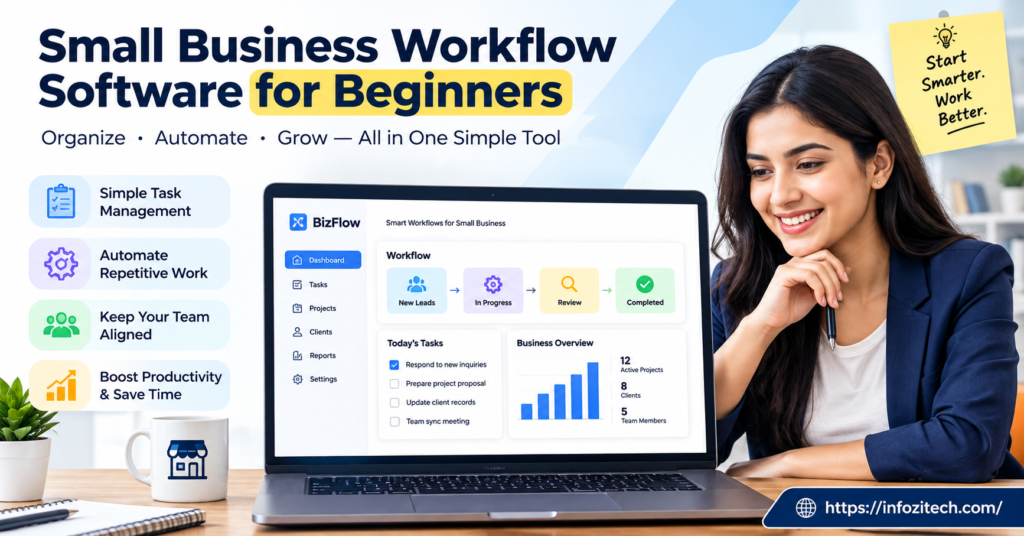
Okay, so picture your actual Tuesday. You’re running a small shop, or a five-person team doing whatever it is you do, and the whole operation is basically held together with sticky notes, a group chat nobody scrolls back through, and one spreadsheet that only makes sense inside your own head. That’s not a knock on you. Almost nobody sits down and designs a workflow before starting a business. You just start doing the work and the process grows up around it, kind of like ivy — uninvited, a little messy, and suddenly it’s everywhere.
For a while that’s totally fine. Then a client asks, “Hey, what’s the status on my order?” and you actually have to go dig for the answer, or you find out two people did the same task because neither knew the other had already started. And that’s usually the point where somebody says, out loud, “okay, maybe we need actual software for this.“
So that’s what this is about. What workflow software actually is. Why it matters even for a tiny team. And how you pick one — and get it running — without turning it into some giant six-month ordeal that eats your whole quarter.
What Is Workflow Software, Really?
Strip away the sales language, and it’s not complicated. Workflow software maps out the steps of a task and tracks it from start to finish. Instead of a job living in somebody’s head, or in an inbox that only they check, it lives somewhere everyone can see — who owns it right now, what stage it’s at, what happens next.
Take onboarding a new customer, since almost every business does some version of this. No system in place, and that might mean an email here, a text there, a spreadsheet three people update inconsistently, and one person just never touches. Add workflow software, and it becomes a sequence: welcome email goes out, documents get collected, kickoff call gets scheduled, an account manager is assigned, done. Every step has a name stuck to it.
People mix this up with project management software all the time; honestly, the line is blurry even to me some days.
- Project tools tend to handle one-off things. A launch. A redesign. Something with an actual finish line.
- Workflow tools are for the stuff that repeats. Invoicing every month. Hiring every quarter. Fulfilling orders literally every day.
Plenty of tools try to do both at once, which muddies things further. Don’t get hung up on the category label though — ask what’s actually broken in your business right now, and go shopping for that specific thing.
Why Beginners Shouldn’t Wait Too Long
There’s a trap a lot of owners fall into, waiting until things feel “big enough” to justify buying software. We’re only four people; why would we need this, right? Except workflow problems rarely announce themselves loudly until after they’ve already cost you something — a missed follow-up, a double-booked slot, an invoice that never got sent because everybody assumed somebody else handled it.
A few honest reasons to move sooner instead of later.
You stop depending on memory. If a process lives in a tool instead of one person’s head, the business doesn’t fall apart the moment that person’s out sick, or on vacation, or — worst case — gone for good.
You get visibility without hovering. Instead of asking “how’s it going” four times a day like a nervous parent, you glance at a board and just know.
Problems surface earlier. A bottleneck shows up as a pile of stuck tasks in one column. Not as an angry email from a customer three weeks later, which is a genuinely worse way to find out something went sideways.
And there’s room to grow. Manual systems hold together fine at a small scale, then fall apart loudly the second you add a few more clients or people. Software builds in some slack before you actually need it.
None of that means complicated, by the way. If anything, complexity is the enemy here, especially early on.
Common Types of Workflow Software, No Jargon
Every vendor invents its own name for this stuff, I swear. But really it breaks down into a handful of buckets.
Task and Project Boards
Visual, usually columns like To Do, In Progress, Done, and you drag cards along as work moves. People pick these up fast because they look like something physical — a whiteboard in a break room. Solid entry point if nobody on the team has ever touched business software.
Automation Platforms
These stitch different apps together so information moves without anyone pushing it. Someone fills out a form on your site, and suddenly they’re added to your list, your team gets a message, a follow-up task appears — nobody touched three separate apps to make that happen.
All-in-One Business Systems
These try to cram CRM, project tracking, invoicing, and messaging into one place. Can be genuinely powerful. Also comes with a real learning curve and usually a bigger price tag attached. Makes more sense once you’ve outgrown a patchwork of free tools than as your first purchase.
Industry-Specific Tools
Real estate, medical offices, contractors — a lot of fields already have workflow software basically pre-built around how that industry runs. Saves setup time. Less flexible if your business doesn’t fit the mold they had in mind when they built it.
You don’t need to master all four buckets. You need to know which one matches whatever’s currently annoying you the most.
How to Actually Choose the Right Tool
This is where people get stuck, and I get why — there are hundreds of options and every landing page insists it’s “the easiest tool for teams like yours.” Here’s a more grounded way through it.
Start With One Problem
Don’t try to digitize your whole business on day one. Pick the single process causing the most pain right now, onboarding maybe, or invoicing, or scheduling, whatever it is — find software that handles that one thing well, then expand once people are actually comfortable.
Simplicity Beats a Long Feature List
A tool with fifty features nobody touches isn’t worth more than one with five features your team uses daily. When comparing options, ask yourself honestly: could someone figure out the basics in fifteen minutes? If not, keep looking.
Check What It Connects To
If your team already lives inside a certain email platform or chat app or calendar, look for something that plugs into those rather than replacing them outright. Fewer app switches means fewer excuses for people to slide back into old habits.
Actually Run the Free Trial
Don’t just click around for five minutes and call it tested. Push one real task through it, beginning to end. That’s the only real way to know if it fits how your business works, instead of how the demo video made it look.
Think About Who Else Has to Use It
If you’re the only tech-comfortable person around, something obvious to you might feel like a wall to someone else. Loop in at least one other team member before deciding, especially whoever’s going to be living inside this thing daily.
Setting Up Your First Workflow Without Overdoing It
Once you’ve picked something, fight the urge to build the “perfect” system right out of the gate. Overbuilding early is probably the single biggest reason small teams abandon new software inside the first month.
A more realistic path looks something like this.
Map the process on paper before you even open the software. Keep it short, five to eight steps covers most small business processes just fine.
Recreate those same steps inside the tool. Don’t tack on extras “just in case.” Match it to the paper version as closely as you reasonably can.
Give every single step a clear owner. Shared responsibility, in practice, usually just means nobody’s actually responsible.
Run it on a real task, not a made-up test case. Your first genuine live customer or order. You’ll learn more from that one real run than ten hypothetical ones.
Adjust after a week, not after day one. Confusion on day one is normal and doesn’t mean you picked the wrong tool.
Mistakes Beginners Tend to Make
A handful of patterns show up over and over, worth knowing ahead of time.
Trying to automate everything immediately. Automation’s genuinely powerful, sure, but stack ten rules on top of a workflow your team barely understands yet and you’ll build something harder to untangle than the manual mess ever was.
Picking a tool because a competitor swears by it. Just because another business in your space loves a certain platform doesn’t mean it fits your team size, your budget, or how you actually operate.
Skipping training, even the informal fifteen-minute kind. That short walkthrough can save weeks of people quietly avoiding a tool because nobody bothered explaining it.
Forgetting mobile entirely. If anyone on your team is out and about, deliveries, site visits, in-person sales, check the phone experience before committing to anything.
Never revisiting the setup later. A workflow built for three employees might not hold up once you’ve got ten. Come back to it every few months and see what’s changed.
Bringing It All Together
Workflow software was never about turning your small business into some corporate machine overnight. It’s about giving your team one shared, visible way to handle stuff you’re already doing anyway, so none of it depends on memory or sticky notes or hoping somebody remembers to follow up.
Start small. Pick the one process actually causing friction, find something simple enough that your whole team can pick up fast, and give it a real trial before deciding it’s the right fit. The goal was never the fanciest system on the market. It’s the one that actually gets used, day after day, without anyone dreading it.
And once that first process is running smoothly? You’ll have a much clearer sense of what to tackle next, and a lot more confidence that growing this business won’t mean everything quietly falling apart behind the scenes.





