
Client Portal Software Without Monthly Fee: The Complete Guide
So a while back I sat down and actually added up every subscription my business was paying for. Bad idea, honestly, because I hadn’t done it in almost a year. Email tool. Invoicing tool. A project tracker I opened maybe twice a month. And a client portal that, on its own, cost more than my phone bill. That last one’s what sent me down this whole rabbit hole of looking for something — anything — I could just pay for once and stop thinking about.
If you’ve searched “client portal software without monthly fee,” you already know how this goes. Every result says “affordable,” you click through, and somehow it’s still $49 a month, sometimes $99, once you hit the actual pricing page. It’s a little maddening. But you don’t actually have to accept it — there are legit options out there. Self-hosted ones. One-time purchases. A few genuinely free plans, though those come with strings attached, which we’ll get to. This is going to walk through what those look like in practice, not just the marketing version.
What a Client Portal Actually Does — and Why the Pricing Model Matters So Much
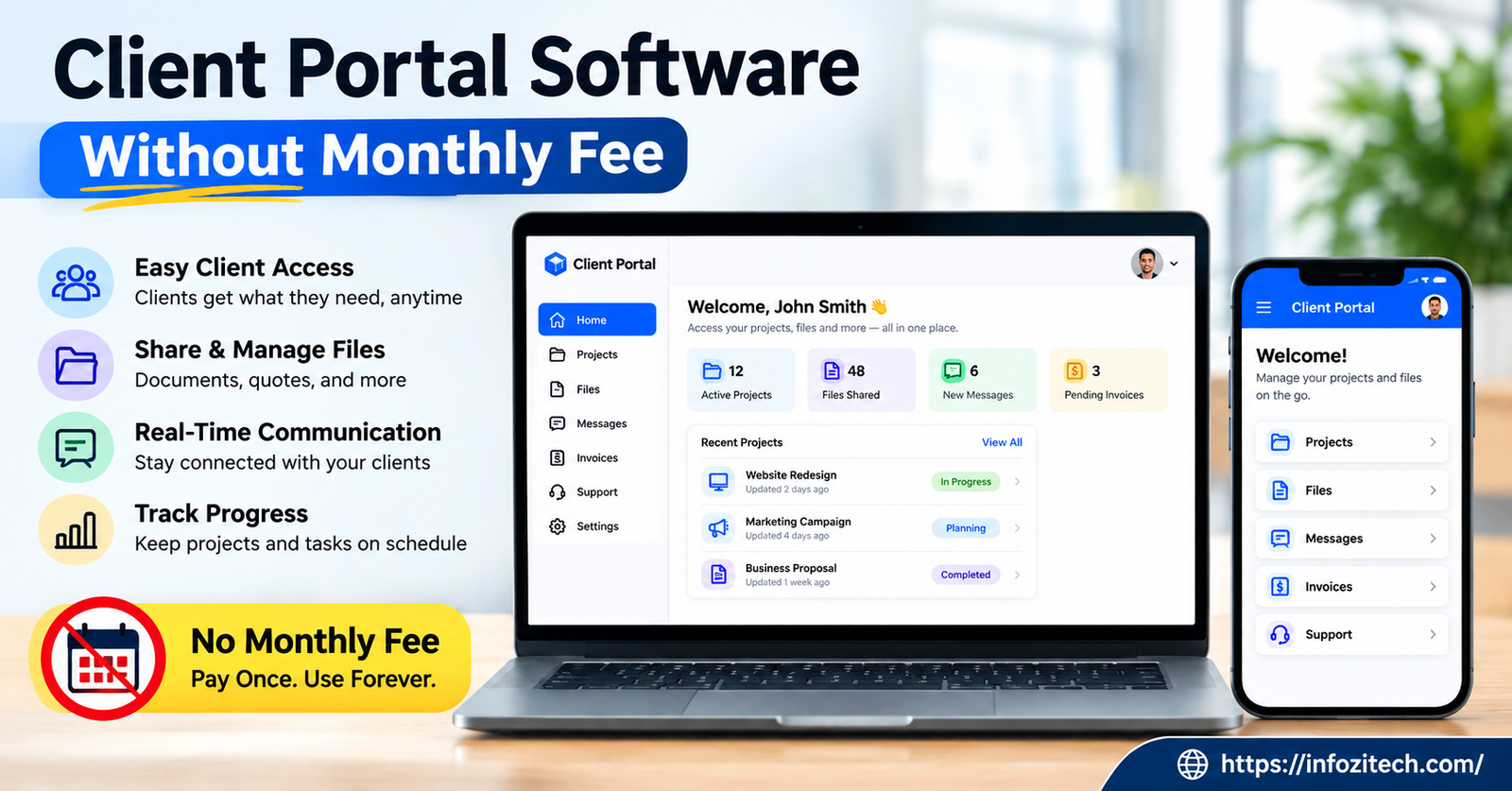
Strip it down and a client portal is just a private login page where clients can see files, check on a project, message you, maybe pay a bill. Instead of the usual mess of email threads and “did you get my last text,” it lives in one spot. Depending on what you pick, you might get file sharing, some help desk or messaging, invoicing, timelines, e-signatures, and your own branding on top of it. Not every tool has all of that. Some have way more than you’ll ever use.
Most of them sell themselves as SaaS, software as a service, which is really just a fancy way of saying you’re renting it. Monthly or yearly, you pay, and you get hosting and updates and support bundled in. Fine for a big agency pulling in real revenue. Not so fine if you’re a freelancer or running a three-person shop where every dollar actually matters. That’s the whole reason people end up hunting for alternatives — a one-time payment, or an actually-free plan, means you install it and it’s yours. Nobody emails you in eight months saying the price just jumped 30 percent because “market conditions.”
What Subscriptions Really Cost You Over Time
Do the math, because the monthly number always looks smaller than it is. Thirty dollars a month sounds like nothing, right? Except that’s $360 a year. Push it out three years — which is a pretty normal lifetime for small business software before you outgrow it or just get tired of it — and you’ve crossed $1,000. For one tool. One.
Now stack that against a one-time license running somewhere between $200 and $500. Even tossing in the occasional update fee, you come out way ahead, especially if you actually stick with the thing for a while instead of switching tools every year (which, let’s be honest, a lot of us do anyway). That’s the financial argument in a nutshell, and it’s exactly why freelancers and small agencies keep steering away from subscription portals.
The Different Flavors of No-Monthly-Fee Portals
There isn’t just one category here. Depending on how technical you are, and what your budget actually looks like, there are a few real paths to take.
Self-Hosted, Open-Source Portals
You download these, install them on your own server, and run them without paying a licensing fee at all. A lot are built on frameworks that already handle CRM-type stuff and file sharing, so you’re not building from nothing.
The catch — there’s always a catch — is setup. You need at least a little comfort with hosting, because you’re the one managing updates, backups, patching security holes, all of it. If you already run a website, or know a developer you can call when things break, this can end up basically free aside from hosting costs you’re probably already paying.
One-Time Purchase Software
Some developers just sell it outright. Pay once, get a download or an installer, and it’s yours, indefinitely, on your own server. This model’s gotten more popular lately, honestly, as people push back on subscription fatigue everywhere, not just with portals.
Worth flagging: the core package usually covers the basics, file sharing, logins, branding, but the fancier stuff, automated workflows, deep integrations, that’s often an add-on sold separately. Read what’s actually included before you hand over your card.
WordPress Plugin Portals
If your site already runs on WordPress, this is probably your fastest, cheapest route. Buy the plugin once — sometimes there’s a small yearly renewal for updates, sometimes there isn’t — and it just plugs into the dashboard you already log into every day. No new platform, no separate hosting bill.
Free Tiers With Limits
A handful of platforms genuinely offer a free plan, not a disguised trial that expires in two weeks. Usually capped on number of clients, or storage, or which features you get, but if you’re just starting out, or testing whether a portal even fits how you work, it might be enough. One warning, though: some “free forever” plans have a habit of quietly becoming paid plans the moment your client list crosses some invisible line. Read the terms. Actually read them, not just skim.
Features Worth Actually Caring About
Whatever pricing model you land on, a handful of things separate a genuinely useful portal from a glorified shared folder.
Security and Who Owns the Data
Portals handle sensitive stuff — contracts, files, sometimes payment details. Encryption and solid login security aren’t optional, full stop. And with self-hosted setups, you keep full ownership of the data, which matters a lot more if you’re in law, accounting, or anything with real compliance breathing down your neck.
Branding That Doesn’t Scream “Generic Tool”
Clients should feel like they’re logging into your business. Look for the ability to slap your logo on it, adjust the colors, maybe run it off your own domain instead of some throwaway subdomain nobody trusts.
Storage and File Limits
Check this one closely if you deal in big files — design work, video, high-res images. Some self-hosted tools are only limited by your own server space, which honestly works in your favor compared to some arbitrary cap a SaaS company picked.
Payments
If you’re collecting money through the portal, make sure it plays nice with whatever processor you already use. And here’s a sneaky one: some “no monthly fee” tools still take a cut of every transaction. That’s not really free. It’s just a different kind of fee wearing a disguise.
How Painful Is Setup, Actually
Self-hosted and open-source save you the most money but cost the most time. If server management sounds like a headache you’d rather avoid, either budget a small one-time fee to have someone set it up, or go with a plugin that installs itself in a few minutes.
Figuring Out Which One’s Right for You
Comes down to three questions, more or less.
How many clients are you actually juggling? Five active clients and fifty active clients are not the same problem. Small operations usually do fine on a free tier or a lightweight plugin. Bigger client lists benefit more from something self-hosted that scales without charging per client.
How technical are you, honestly, no ego about it? Be real with yourself about how much setup and ongoing maintenance you actually want. If backups and security patches sound like a chore you’ll ignore, spend a little more upfront on a plugin or a purchased tool with real support behind it.
What do you actually need it to do? Write a short list before comparing anything. It’s way too easy to get pulled in by a dashboard full of automation features you’ll never open. Focus on the essentials — secure files, clear communication, maybe payments — and treat the rest as a bonus.
Mistakes People Make Here (Made a couple myself)
Forgetting hosting isn’t free. A self-hosted tool costing nothing to license doesn’t mean running it costs nothing — cheap hosting can slow your portal to a crawl or knock it offline at the worst possible moment.
Skipping the update policy. Some one-time-purchase tools quietly stop shipping security updates after a year unless you pay again. “One-time” doesn’t always mean what you’d assume it means.
Forgetting what it looks like from the client’s side. A clunky interface makes your business look sloppy even if the backend is solid. Log in as a test client before you push it live to real ones.
No backup plan, ever. Whether it’s open source or something you bought, set up backups from day one. Losing client files to a server crash costs way more, in time and trust, than any subscription ever would’ve.
Where This Leaves You
Client portal software without a monthly fee isn’t some myth reserved for companies with a whole IT department. Between open-source platforms, one-time licenses, and a few legitimately free tiers, small businesses and freelancers have real options that keep things organized without piling on another recurring charge.
Which one’s right for you depends on how technical you are, how many clients you’ve got, and which features actually matter day to day — not which ones look good in a demo video. Test a couple before committing. Switching later means migrating all your client data, and that’s a much bigger headache than spending an extra hour comparing tools right now. Once you land on the right one, you get a portal that looks professional without watching another monthly charge quietly hit your account.






2 thoughts on “Client Portal Software Without Monthly Fee: The Complete Guide”