
AI Client Workflow Mapping Software: A Practical Guide for Service Teams
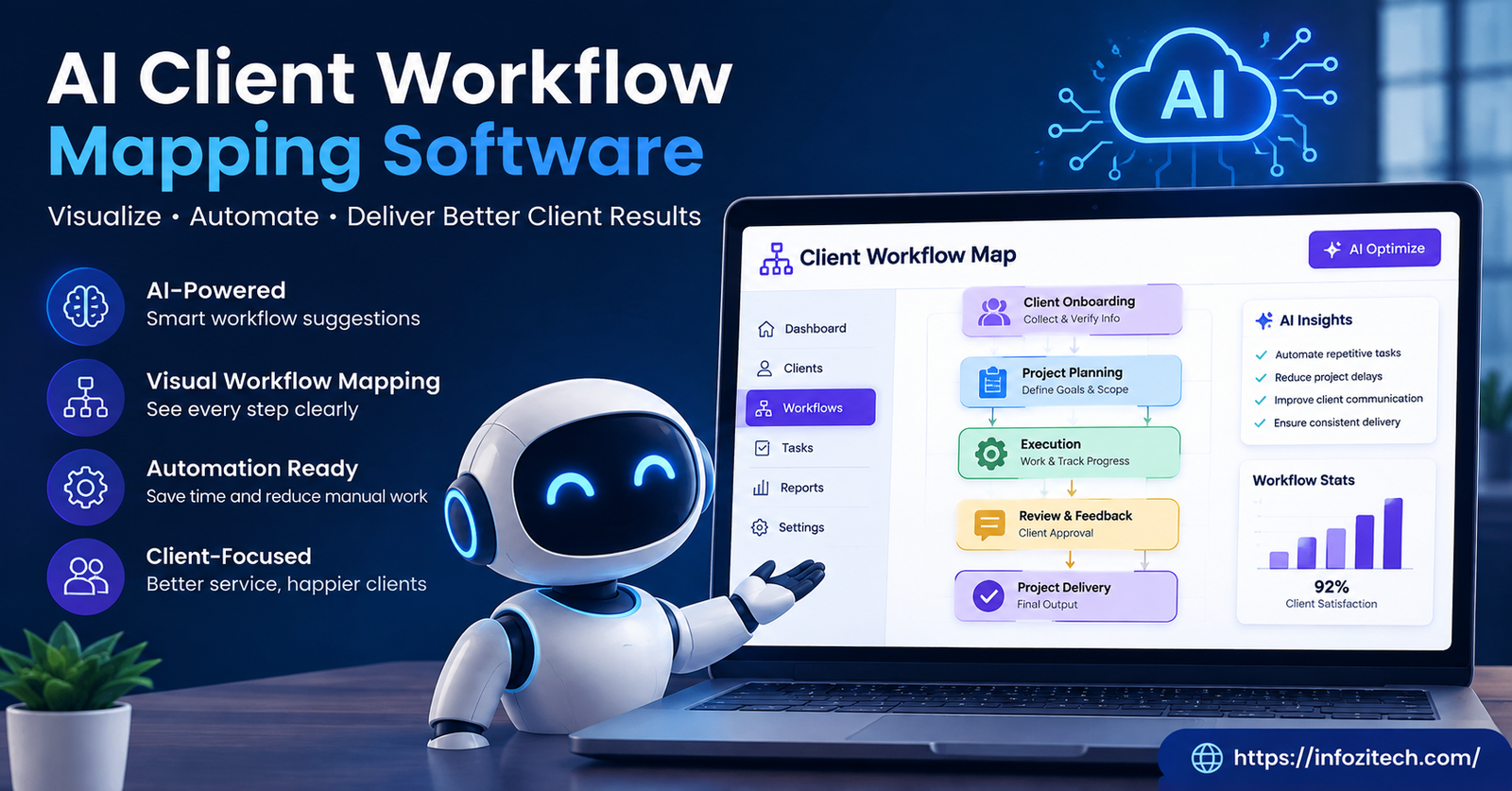
I once sat in a meeting where three people argued about who was supposed to send the client their onboarding packet. Turns out nobody was supposed to. It had fallen off a spreadsheet six months earlier, and nobody noticed until a client asked why they never got one. That’s the kind of thing this whole category of software exists to fix.
Client workflow mapping isn’t glamorous. Nobody gets excited about flowcharts. But when a business grows past a handful of clients, the informal stuff — who knows what, who remembers to follow up, who’s supposed to loop in legal before a contract goes out — starts breaking down. Fast. And that’s where AI-driven workflow mapping tools have started showing up, quietly, in a lot of agencies and consulting shops.
So what exactly is this software, and is it worth the switch from your current spreadsheets and sticky notes? Let’s get into it.
What Is AI Client Workflow Mapping Software, Really
Basic version first. Workflow mapping software lets you draw out a process — step one, step two, step three — usually with some kind of visual flowchart. People have done this on whiteboards forever. Nothing new there.
The AI part changes the starting point. Instead of staring at a blank canvas trying to remember every step in your intake process (and inevitably forgetting three of them), you describe it in plain language and the software drafts something for you to edit. It’s rougher than what a human would produce from scratch, sometimes weirdly literal, but it gets you moving instead of stuck.
Beyond the drafting, these tools tend to do a few other things:
Look for patterns across past projects — where did things slow down last time, and the time before that. Flag steps that seem redundant, or that contradict each other in a way a tired project manager might miss on a Friday afternoon. And in the better tools, suggest small automations. Like, hey, this step where someone manually emails a status update every Monday? That could just happen automatically.
None of this replaces a human deciding how the business should actually run. It just removes some of the grunt work of getting a first draft down.
Client Workflows Are Messier Than Internal Ones
Here’s a thing people don’t think about enough. Internal process mapping — hiring, expense approvals, whatever — only involves your own people. Client workflows drag in outsiders. The client. Sometimes the client’s vendors. Sometimes a subcontractor who works for you but answers to nobody on your team.
That means delays aren’t always your fault, and a good tool should let you tell the difference. If a project stalls because the client sat on an approval for two weeks, that’s not the same problem as your designer missing a deadline. Cheap mapping tools blur those two things together. Better ones don’t.
Why This Is Suddenly Everywhere
Flowcharts have existed since, what, the 1920s? Industrial engineers were drawing these things before most software existed at all. So why the sudden interest, why now, why AI-flavored versions specifically?
A few reasons, and honestly, they’re not that mysterious.
Nobody Maps a Process Until It’s Already Broken
This is just human nature. You don’t sit down and document how client onboarding works when it’s going fine. You document it after the third client complains, after someone quits and takes all the institutional knowledge with them out the door. By then you’re mapping under pressure, and the map you build is skewed toward whatever just went wrong instead of what actually happens most of the time.
AI lowers the bar to start earlier. You don’t need a free afternoon and a whiteboard marker anymore — you type a few sentences describing roughly how things go, and you’ve got something to argue with, which turns out to be easier than staring at nothing.
More Clients, Same Headcount
This one’s pretty blunt. A lot of service businesses are being asked to grow revenue without growing the team proportionally. That only works if the process doesn’t live entirely in one person’s head. If your best account manager gets sick for two weeks, does the business still run? For a lot of companies, honestly, no. Mapping software — especially the kind that can generate a reasonable starting draft — makes it more likely that a newer hire can pick up a client relationship without starting from zero.
Remote Work Killed the Hallway Conversation
This is the one I think gets underrated. When everyone worked in the same office, a huge amount of “how we do things” got transmitted informally. You’d overhear someone on a call. You’d watch a coworker handle an angry client email over their shoulder. That knowledge transfer basically disappeared with remote and hybrid teams, and nothing replaced it — except, maybe, a workflow map that’s actually kept up to date. Emphasis on actually.
What to Actually Look For
Vendors in this space describe their products in almost identical language. Everyone says “AI-powered,” everyone says “streamline your operations.” It’s mostly noise. Here’s what actually separates the tools people keep using from the ones that get abandoned three weeks after purchase.
A visual builder that doesn’t fight you. Drag and drop, branching logic for decision points (if the client approves here, go one way; if not, go another), and the ability to zoom into one stage without losing the whole picture. This sounds basic. A surprising number of tools get it wrong.
Plain-language input. You should be able to describe a process in a sentence or two and get something usable back, even if it needs editing. If you still have to build the whole thing manually box by box, the “AI” label is mostly marketing.
Bottleneck flagging. The good ones track how long steps actually take versus how long they’re supposed to take, and point out where things consistently jam up. This turns a static document into something you’d actually check every so often, instead of a PDF that gets built once and forgotten in a shared drive.
Something the client can see. Not the whole internal map — that’s usually too messy and too honest for outside eyes — but a simplified version. It cuts down on the “just checking in!” emails, and it gives clients a concrete sense of where they stand instead of vague reassurance.
Integration with what you already use. If the workflow map lives totally separate from your CRM or project management tool, it goes stale within a month. Nobody updates a tool they have to open separately.
A record of how the process changed. New hires ask “why do we do it this way” constantly, and half the time nobody remembers. Version history at least gives you a paper trail.
Actually Choosing One
I’d resist starting with a feature comparison spreadsheet. It’s tempting, but it tends to produce a decision based on whoever has the longest feature list rather than whoever solves your actual problem.
Better approach: write down, specifically, what’s going wrong right now. Are handoffs falling apart between sales and delivery? Do new hires take forever to get up to speed? Are clients constantly asking for status updates because they don’t trust your timelines? That answer should drive which features actually matter to you.
Then — and this part gets skipped constantly — test the software on your messiest workflow, not your cleanest one. It’s tempting to pilot on something simple because it’s low risk and looks good in a demo. But your simple process was never the problem. Pick something with client dependencies, exceptions, multiple departments involved, and see if the tool holds up under that.
Also, bring in the people who actually do the work. Not just managers. The person answering client emails at 4pm on a Friday knows about the extra step they quietly do that isn’t written down anywhere — the second check before a file goes out, the informal callback that nobody put in the manual. If you build the map without them, you’ll miss it, and the AI draft definitely won’t catch it either.
One more thing worth checking: how long does it take someone reasonably comfortable with software, not a power user, to build or edit a basic workflow? If the answer is “a multi-day training,” you’re going to have adoption problems no matter how good the underlying tech is.
Where Rollouts Go Wrong
Even solid software fails when it’s introduced badly, and I’ve watched this happen more than once.
Mistake one: trying to map every single process in the business in the first month. This burns people out and produces a pile of half-finished diagrams nobody maintains. Pick two or three workflows that actually matter, get those solid, expand later.
Mistake two: treating the map as a one-time deliverable. Build it, forget it, and six months later it’s describing a process that doesn’t exist anymore because half the team turned over or the tools changed. Put an actual recurring check on the calendar — quarterly, whatever — where someone confirms the map still matches reality.
Mistake three: ignoring what clients tell you, indirectly, through their confusion. If you’re sharing a simplified view with clients and they keep asking the same question at the same stage, that’s not them being difficult. That’s usually a sign the process itself, not just the explanation of it, needs adjusting.
Mistake four, and this one’s specific to the AI angle: publishing the AI-generated draft without anyone reviewing it. These drafts are a starting point. They miss context — industry regulations, quirks specific to your business, the weird exception that only applies to your biggest client. Somebody who actually understands the operation needs to look at it before it goes live, every time.
Where This Is Headed
More remote teams, more freelancers stitched into projects, more cross-functional work that used to happen face-to-face — all of that points toward needing processes that are written down somewhere instead of assumed. AI client workflow mapping software isn’t going to fix bad management or replace a team that communicates poorly. It’s not magic. But it does cut down on a lot of the guessing that used to eat hours every week.
The businesses getting real value out of these tools tend to treat them like any other operational investment — start small, get the actual staff involved, keep revisiting it instead of treating it as done. Handled that way, it stops being a compliance chore nobody wants to do and turns into something the team genuinely leans on.






1 thought on “AI Client Workflow Mapping Software: A Practical Guide for Service Teams”