
Local AI Computing Solutions: Why Running AI On-Site Makes Sense
A friend of mine runs a small physical therapy clinic, and about a year ago she got obsessed with using AI to transcribe patient notes. Great idea, saved her hours every week. Then her office manager asked a question nobody had really thought through: where exactly does that audio go once you hit “upload“? That question sat there for a few weeks, unanswered, until she finally looked into it and realized the answer was “a server she’d never seen, run by a company she couldn’t call.” That’s roughly how a lot of people stumble into local AI computing. Not through some grand strategic plan. Through a moment of “wait, hold on.“
This piece is going to walk through what local AI computing actually is, why more businesses (and honestly, regular people) are quietly switching over to it, and what you’d actually need if you wanted to try it yourself.
What Is Local AI Computing?
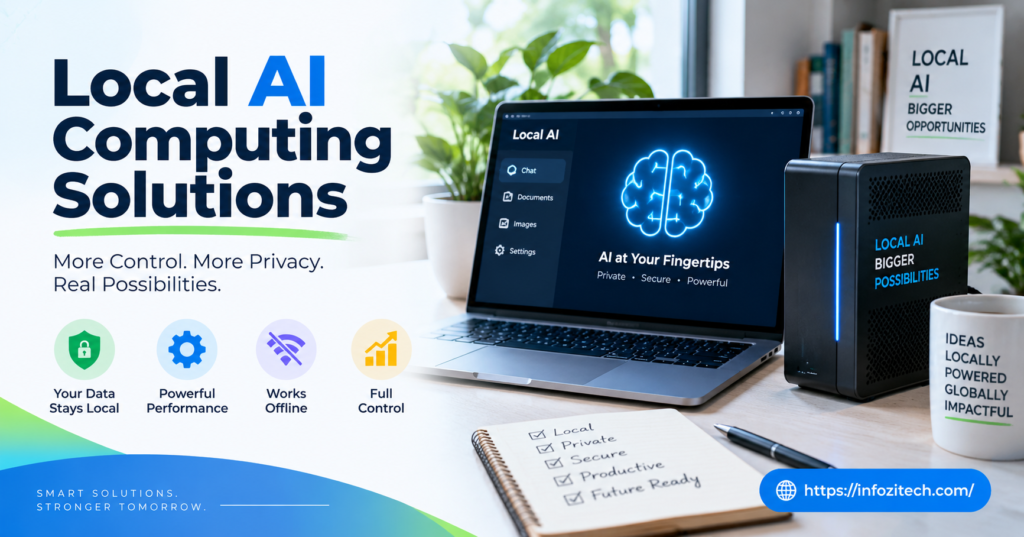
Local AI computing, at its core, just means the AI model runs on hardware you control. Your laptop. A server in a closet down the hall. Something physically near you, instead of a data center somewhere in Virginia or Oregon that you’ll never see. The data doesn’t travel anywhere. It stays put, gets processed, and the answer comes back without ever leaving the building.
I keep coming back to this comparison because it’s the one that actually clicked for people I’ve explained it to: cooking dinner yourself versus ordering it. Both feed you. But one means a stranger handled your food before it got to you, and honestly, most of the time that’s fine. Until it isn’t.
Cloud AI vs Local AI
Cloud AI is what basically everyone uses without thinking about it: ChatGPT in a browser tab, some API call buried in an app. It’s easy. No setup headache, no hardware to buy, and it scales up the second you need more of it. The tradeoff, and it’s a real one, is that you’re dependent on someone else’s servers, someone else’s uptime, and your data is making a trip somewhere before you get a response.
Local AI is the opposite trade. You own the box. You’re stuck maintaining it, upgrading it eventually, dealing with it when it breaks at 6 pm on a Friday. But nothing leaves your network unless you decide it should. For some people that tradeoff isn’t worth thinking about twice. For others it’s the whole ballgame.
Edge AI and Its Connection to Local Computing
Edge AI gets lumped in with local AI a lot, and they’re related but not identical, worth untangling for a second. Edge AI usually refers to smaller devices- cameras, sensors, that little scanner at a warehouse dock- running AI right where they sit rather than phoning home to a server. Local AI computing tends to describe a dedicated machine, something with real horsepower sitting in an office or server room. Different scale, same basic idea: keep the processing close to where the data actually is instead of shipping it off somewhere.
Why Businesses Are Turning to Local AI Solutions
Nobody wakes up excited about buying server hardware. So when businesses do it anyway, there’s usually a reason that isn’t “this sounded fun.“
Data Privacy and Security
This one’s not really optional for a lot of industries. Healthcare, legal, finance, if you’re handling records that fall under HIPAA or something similar, sending that data to a third-party cloud provider isn’t just risky; in some cases it’s flatly against the rules. Keep the AI local and the question of “where did this data go” basically disappears. It never left. Auditors like that answer a lot more than “trust us.”
Reduced Latency
Ever notice the little delay when a cloud AI tool is thinking? Usually not a big deal, a second or two, whatever. But stack that delay into something like a robotic arm on a factory line or a self-driving system making split-second calls, and suddenly a one-second lag isn’t an inconvenience; it’s a safety problem. Local processing skips the round trip entirely. The model’s right there. No network hop, no waiting on someone else’s server queue.
Lower Long-Term Costs
Here’s the part that surprises people. Cloud AI feels cheap at first because you’re not buying anything upfront; you just pay as you go. But usage-based pricing has a way of creeping. A company running thousands of queries a day can watch that bill balloon fast, and I mean fast. Local hardware costs more on day one, no way around that, but after a year or two of steady use it often ends up cheaper. Not always. Depends on the workload. But often.
Reliability Without Internet Dependency
If your internet goes down, cloud AI goes down with it. Simple as that. A local system doesn’t care. It keeps running whether the office wifi is having a bad day or not, which matters a lot more than people expect until the one time it actually happens. Manufacturing plants in rural areas, offices with spotty ISP coverage- anywhere the connection isn’t rock solid- this is the whole reason to go local in the first place sometimes.
Core Components of a Local AI Computing Setup
You can’t just throw AI onto whatever computer’s sitting around, not if you want it to actually work well. A few pieces need to come together.
Hardware Requirements
The GPU is really the heart of it. AI models lean hard on parallel processing, and that’s what GPUs are built for, so this is where most of your budget goes. Beyond that:
RAM matters more than people think, skimp here and you’ll be staring at a frozen screen wondering why the model won’t load. Storage should be fast, solid-state, not some old spinning drive from 2014. And cooling, don’t skip cooling. These setups run hot, especially if they’re working for hours at a stretch, and a system that overheats is a system that shuts itself down at the worst possible time.
How much power you actually need depends entirely on what you’re running. A lightweight chatbot might be totally fine on a mid-tier gaming GPU. A massive language model with billions of parameters, that’s a different conversation, that’s multiple high-end GPUs and probably a dedicated room for the noise and heat.
Software and Model Selection
Hardware’s only half of it, and honestly maybe not even the harder half. You still need the right model, and thankfully there are more and more open-source options built specifically to run locally without needing a supercomputer. Smaller footprint, still solid performance for most everyday tasks.
Go with tools that have an active community behind them. When something breaks, and something will break eventually, you want forums and GitHub issues and people who’ve hit the same wall you just hit.
Networking Within the Organization
Even without the internet in the picture, your internal network still has to be set up right. If five departments are all hitting the same local AI server at once, a sloppy network turns into a bottleneck real quick. Worth getting an IT person to actually plan this instead of winging it.
Common Use Cases for Local AI Computing
This isn’t a fits-everyone kind of technology. But in a handful of situations, it fits almost perfectly.
Healthcare Facilities
Patient records are about as sensitive as data gets. Hospitals using local AI for transcription or diagnostic image analysis keep that information from ever touching an outside server, which solves a compliance headache before it starts.
Manufacturing and Industrial Automation
Factory floors don’t always have great internet, and honestly, machinery doesn’t wait around for a server response anyway. Local AI handles predictive maintenance, quality checks, robotics control, all the stuff where a delay could mean a broken part or worse, a safety incident.
Financial Services
Banks live under a mountain of regulation. Running fraud detection or a customer service bot locally means they check the compliance box while still getting the benefit of the AI itself. Win-win, more or less.
Small Businesses and Independent Professionals
This part gets overlooked constantly. It’s not just hospitals and banks. Freelancers, consultants, small shops, more of them are setting up local AI on a personal workstation just to skip monthly subscription fees and stop wondering where their client notes are being stored. My physical therapist friend, mentioned earlier, ended up doing exactly this.
Challenges to Consider Before Going Local
None of this is free of downsides. Worth being honest about that.
Upfront Investment
Good hardware isn’t cheap, full stop. A capable GPU setup can run into serious money, and for a small business that’s a real barrier, not a small one.
Technical Expertise
Cloud providers handle the maintenance headaches for you. Local setups don’t come with that safety net. Someone on your team needs to know what they’re doing, or you’re hiring someone who does, and that’s its own cost.
Scalability Limitations
Cloud can scale in minutes. Local hardware can’t, you’re stuck with what you bought until you buy more, and that takes time, money, and usually more waiting than anyone wants.
Keeping Models Updated
AI moves fast. Cloud tools update themselves quietly in the background. A local system needs someone to actually go find the newer model, test it, and swap it in, which is easy to let slide until you’re two years behind without realizing it.
How to Get Started With Local AI Computing
Don’t buy anything yet. Seriously, figure out the problem first.
Step One: Define the Use Case
A customer service chatbot and an image recognition tool for a factory line need wildly different setups. Know which one you’re building before you spend a dollar.
Step Two: Choose the Right Hardware for the Job
Match the spend to the actual task. No reason to buy a four-GPU server for something a single decent card could handle fine.
Step Three: Select an Appropriate Model
Look specifically for models built with local deployment in mind. Plenty exist now that are small enough to run comfortably while still being genuinely useful.
Step Four: Test Before Full Deployment
Run a pilot. Small group, limited scope, work out the kinks before rolling it out to the whole team and discovering the problems the hard way.
Step Five: Plan for Maintenance
Somebody has to own this long-term. IT staff, an outside consultant, whoever, just make sure it’s an actual assigned job and not something everyone assumes someone else is handling.
The Future of Local AI Computing
Chips built specifically for AI workloads are getting smaller and cheaper, showing up in regular consumer devices now instead of just specialized servers. That trend isn’t slowing down. Running AI locally five years from now probably won’t require anywhere near the setup it does today.
And privacy concerns aren’t fading either, if anything they’re growing. More people asking harder questions about where their data actually goes. That alone is probably enough to keep pushing local AI computing from a niche technical choice into something a lot more ordinary.
Final Thoughts
Local AI computing isn’t the right call for everyone, and I don’t think it’s fair to pretend otherwise. The upfront cost is real, the technical lift is real. But for anyone dealing with sensitive data, tight response times, or just a general discomfort with not knowing where their information ends up, it’s worth a serious look. My friend at the clinic ended up going local for her transcription tool. Took her a few weeks to set up, cost more than she expected. She hasn’t looked back since.








1 thought on “Local AI Computing Solutions: Why Running AI On-Site Makes Sense”