
Digital Workspace Setup for Freelancers: The Complete Guide to Working Smarter, Not Harder
Here’s a thing nobody tells you before you go freelance. The work itself, the actual client deliverables, that’s rarely the hard part. It’s everything around it. The eleven browser tabs. The invoice you swore you sent but apparently didn’t. A contract sitting somewhere in a Downloads folder that has, at this point, over 400 files in it with names like “Untitled” and “Untitled (1).” You get the laptop, you get the clients, you get paid, sure, but somewhere between those three things is a mess that nobody warns you about.
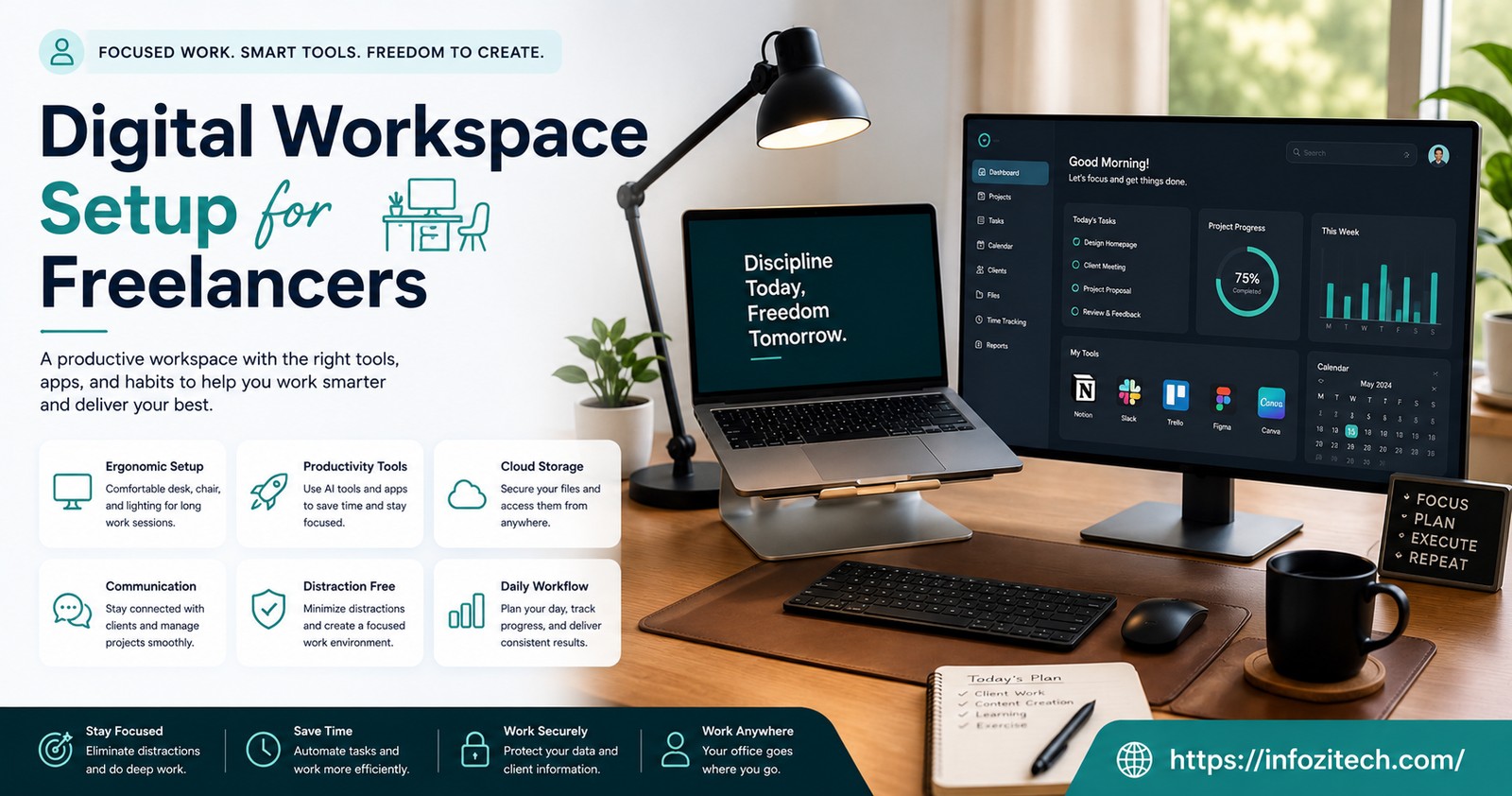
So a digital workspace. Not a fancy phrase for “buy nice gear,” and not a checklist of forty apps you’re supposed to download this weekend either. It’s really just about cutting friction wherever it shows up, so more of your week goes toward actual paid work and less of it goes toward hunting for a PDF you definitely saved somewhere. That’s what this whole guide is trying to get at.
Why Your Digital Workspace Matters More Than You Think
At a regular job, someone else deals with this stuff. IT sets up your machine, HR handles the paperwork, and if your hard drive dies on a Tuesday, there’s a person whose entire job is to care about that. Freelance, and it’s you. All of it. Nobody’s coming to fix the crash. Nobody’s backing up last month’s client files except, well, you, if you remembered to.
And a messy setup doesn’t just feel bad; it actually costs money, which is the part people underestimate. A file buried in the wrong folder means a missed deadline. A call that kept dropping mid-sentence means a client who quietly starts looking elsewhere. None of that ever shows up as a line item anywhere. It just erodes things slowly, in the background, while you’re busy blaming a bad week.
The Real Cost of a Messy Setup
I think most freelancers have had that exact moment, digging through old emails at 11 pm trying to find a brief a client sent three months ago, and there’s a very specific kind of dread that comes with it. It adds up. People who actually sit down for a weekend and sort their systems out tend to talk about it afterward like it fixed something bigger than file storage. Less scrambling. A clearer sense of what’s actually due this week versus what just feels urgent because it’s unfindable.
Choosing the Right Hardware Foundation
Everyone wants to talk about apps first. Hardware’s the boring part, so it gets skipped. But it’s the actual foundation, and a shaky one means everything built on top of it, no matter how well-organized, is going to feel a little off.
Laptop or Desktop: What Actually Fits Your Work
Depends entirely on what you do, honestly. Work out of cafes a lot, or bounce between a co-working space and your kitchen table? Battery life and weight matter way more than raw specs. But if you’re editing video, or rendering 3D stuff, or pushing around huge design files all day, you want power and a real screen, which usually means a desktop, or at least a laptop hooked up to an external monitor.
One thing worth saying: don’t just copy whatever setup some freelancer on YouTube recommends. A copywriter and a video editor are both technically “freelancers,” but their machines have almost nothing in common.
Internet Reliability Beats Internet Speed
People chase the fastest plan available, which, fine, more speed is nice. But reliability wins day to day, every time. A connection that’s a bit slower but never drops is so much less disruptive than one that’s blazing fast until it isn’t, right in the middle of a client call. If where you live has spotty service (and a lot of places do, even ones that shouldn’t), keep a mobile hotspot around as backup. One dropped call because of a router issue is enough to make you paranoid for months.
Peripherals That Actually Improve Your Day
A second monitor. A keyboard that doesn’t feel like typing on a brick. Headphones with a mic that actually picks up your voice clearly, not tinny and far away. None of this is indulgent; it’s the difference between ending your day wrecked and ending it with something left in the tank. And if calls are a regular part of your work, fix your audio before you worry about the camera. Clients remember bad sound. They rarely notice good video.
Building Your Core Software Stack
Hardware’s sorted, now the apps. And the goal isn’t collecting tools; weirdly, that’s the trap a lot of people fall into, downloading everything that looks useful. It’s the opposite. The fewest tools that actually cover what you need, nothing more.
Communication Tools
You’ll end up with some combination of email, a chat app, and video calls. That’s basically unavoidable. What matters more is picking one main channel per client and not letting the same conversation splinter across four platforms, because it will, if you let it. Saves you an absurd amount of mental energy just knowing exactly where to look when you need to find what someone said.
Project and Task Management
Doesn’t matter if it’s a fancy board with columns and automations or literally a plain list. What matters is whether you open it. Every single day. There’s a very common pattern where someone builds this elaborate task system, uses it religiously for two weeks, and then quietly slides back to sticky notes on the monitor, and honestly, the sticky notes might’ve been fine the whole time if that’s genuinely what gets used.
File Storage and Organization
This one’s not optional. Cloud storage, non-negotiable, because local-only files are one dead hard drive away from a very bad week, and client work shouldn’t live on a single machine, full stop. Build your folder structure before the files pile up, not after. Client name, then project, then deliverables, something like that. Sounds obvious written out, but the number of freelancers with a folder literally named “New Folder (14)” somewhere in their system is higher than you’d guess.
Invoicing and Financial Tools
Chasing money through email threads is such a waste of time, and it’s completely avoidable. Get software that tracks what’s been paid, what’s late, what’s coming up, so you’re not rebuilding a spreadsheet from scratch every month like it’s 2011. And a separate business bank account too, if your setup allows for it, because mixing personal and business money turns tax season into a genuine nightmare later.
Organizing Your Digital Files So You Can Actually Find Them
Tools are one thing. What actually flows through them, how you organize that, is the part almost nobody bothers with, and it’s exactly the part that causes real pain later, months down the line, when you least expect it.
Naming Conventions That Save You Time
Something like ClientName_ProjectName_Date_Version feels like overkill the first week you try it. It genuinely does. But fast forward six months, a client asks for “that draft, the one from around March I think,” and you find it in four seconds instead of scrolling past nine files all named some variation of “final.” final. final2. final_ACTUAL_final. We’ve all done it.
Version Control Without the Headache
No need for anything complicated here. A consistent naming habit plus cloud storage that quietly keeps version history in the background, that covers most people’s needs completely. Point is just never overwriting something you’ll need later, and never, ever sending a client yesterday’s draft by accident because two tabs looked the same.
Archiving Completed Projects
Wraps up, move it out. Into an archive folder, out of the active workspace, so your day-to-day view stays about what’s actually happening now. Doesn’t mean deleting it, obviously, you still want that stuff around in case an old client comes back or you need a sample for a pitch someday.
Security Basics Every Freelancer Should Have in Place
Client contracts, payment details, sometimes stuff that’s genuinely confidential, it all runs through your devices at some point, and treating security like an afterthought is a risk that’s honestly hard to justify once you think about what’s actually at stake.
Password Management
Reusing the same password everywhere, we’ve all been guilty of it at some point, it’s just such a common mistake. A password manager removes the whole “too much to remember” excuse entirely and just makes strong, unique passwords the default instead of the thing you meant to get around to eventually.
Two-Factor Authentication
Takes maybe five minutes to turn on for email, cloud storage, banking, whatever holds anything important. And it closes off one of the most common ways accounts get broken into in the first place. If a client’s project ever leaks because your account got compromised, that’s not really a “sorry, my bad” conversation, that’s a relationship over.
Backing Up Your Work
Cloud storage is good but it’s not the whole answer by itself. A real backup routine, automatic if you can set it up, manual to an external drive if you can’t, that’s what actually protects you. Redundancy’s the whole point. One system goes down, another one’s got your files, and the day just carries on like nothing happened.
Creating a Workflow That Actually Sticks
Tools and folders only get you so far, though. Without something tying it together day to day, it all just kind of sits there. This is exactly where good setups quietly fall apart, people build something genuinely solid and then just… stop using it, three weeks in, back to whatever they were doing before.
Setting Boundaries Between Tools
Every app needs one job, not five. Email’s for talking to clients, it’s not a task tracker, even though it’s so tempting to leave things flagged in your inbox forever. Task manager’s for deadlines, not a dumping ground for random notes. Once tools start overlapping, doing the same job as each other, information starts splitting between them, and you’re checking three places for the answer to one question. Annoying, and completely avoidable.
Building a Daily Startup Routine
Ten minutes, tops. Check the task list, clear whatever piled up overnight, confirm what’s actually due versus what just feels urgent. Doesn’t sound like much written down like that, but it’s the difference between starting the day focused and starting it reacting to whatever’s loudest in your inbox.
Reviewing and Adjusting Your Setup Regularly
Nothing here should be permanent, that’s kind of the point. What worked fine with two clients falls apart with eight, it just does, there’s no way around that. Every couple months, take a look at what you’re actually using versus what’s just sitting there unused, and cut the stuff that stopped earning its place a while ago.
Bringing It All Together
None of this is a one-weekend project, even though it can feel that way when you’re setting it up. It’s more of an ongoing thing, noticing where the friction is, fixing that one spot, keeping everything lean enough that it’s actually serving you instead of becoming one more thing you have to manage on top of the actual work. Start with the basics. Hardware you can rely on. A handful of tools instead of twenty. Files you can actually find. Passwords that aren’t the same one from 2015. Everything else gets figured out as you go.
Honestly, the freelancers who stick around long-term usually aren’t the most talented people in the room. They’re just the ones whose systems don’t fall apart every other week, the ones who built something boring and reliable instead of chasing whatever new app promised to fix everything. That’s most of it, really.








2 thoughts on “Digital Workspace Setup for Freelancers: The Complete Guide to Working Smarter, Not Harder”