
Digital Travel Folder Organization Tips: A Simple System That Works
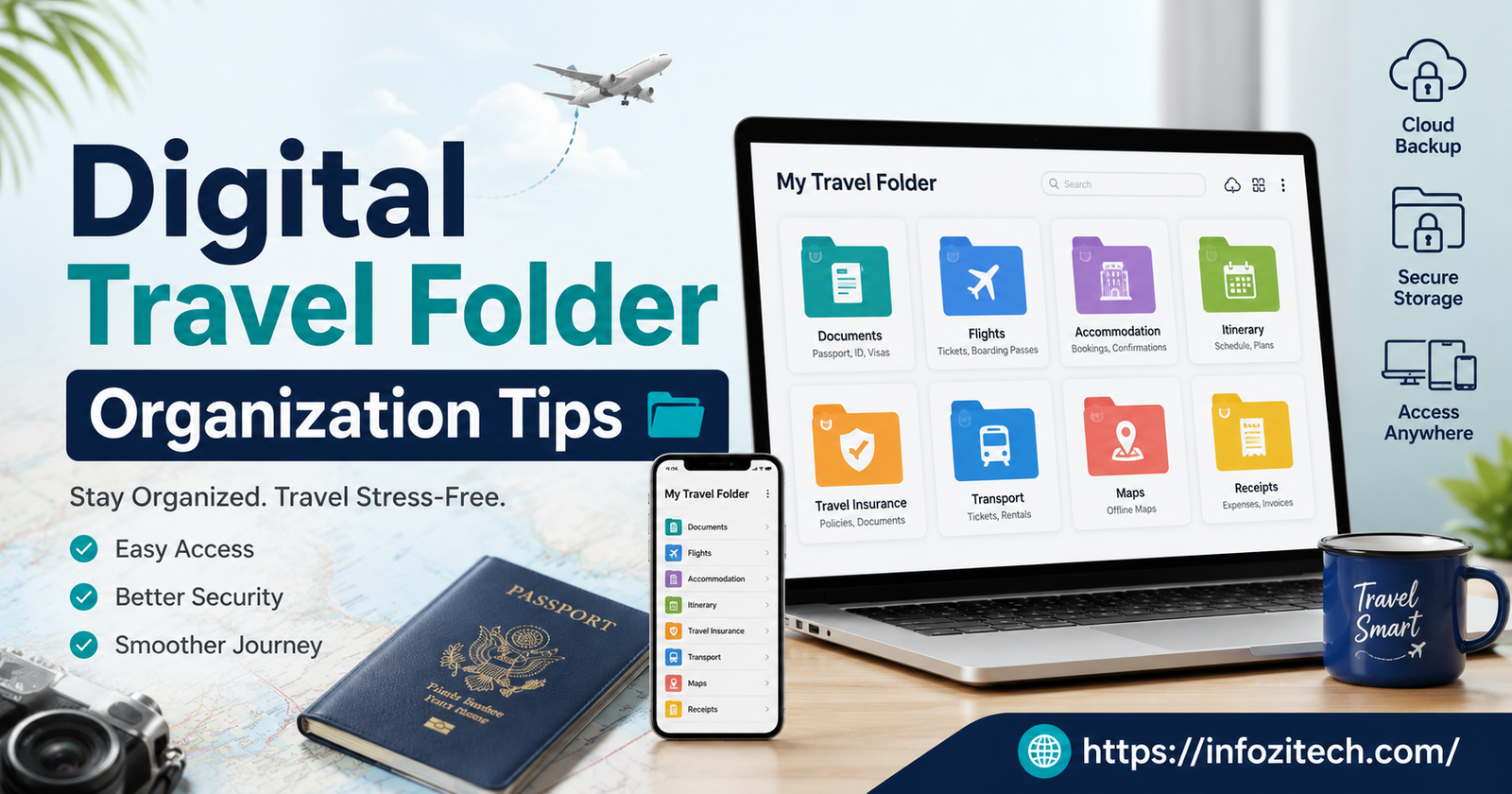
I lost a hotel confirmation once. Not lost as in deleted — lost as in I knew it existed somewhere in my email, I just couldn’t find it, and the front desk in Porto was politely waiting while I scrolled through eleven “Your Booking” emails from three different sites, none of which were the right one. That’s the moment I actually built a system. Before that, I just… didn’t. I figured I’d remember, or I’d search my inbox when I needed to, and honestly for short trips that mostly worked. It stopped working the second a trip got complicated.
So here’s what I do now, and what I’d tell anyone to do if they’re tired of that exact scramble. It’s not fancy. No app fixes this for you, no matter what the App Store reviews say. It’s mostly just picking one place to put things and actually putting things there.
Why Bother Organizing Travel Documents at All
You could argue most people get by fine without a system. Sure. Until the trip that isn’t simple — a connecting flight, a rental car, insurance paperwork because you’re going somewhere with a visa requirement, a hotel that changes on you two weeks before you leave. That’s when the folders each source sends you start piling up in totally unrelated corners of your digital life, and none of them talk to each other.
The thing nobody tells you is that it’s never one big disaster that ruins the trip. It’s small stuff. Standing at a rental counter re-downloading a PDF because roaming is off and you forgot. Your travel partner asking “wait, do we have the insurance number” and neither of you having it handy. None of it’s catastrophic. It’s just annoying, and it’s avoidable, and that’s kind of the whole pitch here.
The Actual Cost, Beyond Annoyance
I want to be honest that this isn’t life-or-death stuff, most of the time. But I did once miss a shuttle pickup because I couldn’t find the confirmation with the pickup time on it fast enough, and paid for a taxi instead, which cost more than the shuttle would have saved me in the first place. Little money, but still money, and still avoidable.
Where Should the Folder Actually Live
Before you build anything, pick one place. I mean it — one. Not Drive for flights and Dropbox because your work laptop already has it and Photos for random screenshots. Pick one.
Cloud vs. Local, and Why It’s Not Really a Choice
Cloud wins, basically every time, because your phone can get stolen or die or just do the thing where it randomly restarts during a border crossing (mine did this once, in Zurich, at the worst possible moment). If everything only lives on the device in your hand, you’ve got one point of failure. Google Drive, iCloud, Dropbox, whatever — doesn’t matter much which one, matters that you pick one and stick with it.
That said. Cloud alone isn’t enough either, and I learned this the hard way somewhere with no signal and a phone insisting it needed wifi to open a file it had definitely opened before. You need an offline copy too. More on that in a second.
Don’t Use Five Apps to Solve One Problem
I went through a phase of using a boarding pass app, a notes app, a photo album just for receipts, and my actual cloud folder. Four places. Every trip I’d forget which thing was in which app and end up checking all four anyway, which is somehow worse than checking one messy folder. Pick a main home for documents and maybe one secondary spot for stuff you need fast — that’s it, two places max.
Setting Up a Folder Structure You’ll Actually Use
People overthink this part constantly. You do not need color coding. You do not need a system with subfolders inside subfolders inside subfolders. You need something you can maintain at 11 pm after a full day of walking around a city, tired, slightly sunburned, not wanting to think hard about file names.
Organize by Trip, Not by Document Type
Here’s the mistake almost everyone makes at first (I made it too): sorting into “Flights,” “Hotels,” “Insurance” as top-level folders. Makes sense while you’re planning. Falls apart completely once you’re actually on the trip and need everything for this trip, right now, in one spot, not scattered across four category folders you have to open one at a time while a gate agent waits.
One folder per trip. Everything for that trip goes in it, regardless of type. “Lisbon Oct 2026” holds the flight, the hotel, the insurance, the dinner reservation you made three weeks in advance because apparently that place is popular. All of it. One folder.
A Naming Convention, Because Fifteen Files Called “Confirmation.pdf” Is Its Own Kind of Chaos
Inside the trip folder, name things so you can scan them without opening each one. I do date first, then what it is:
2026-10-14_Flight_LHR-LIS.pdf 2026-10-14_Hotel_Confirmation.pdf 2026-10-16_TravelInsurance.pdf
Date first means everything sorts itself chronologically, no extra effort. Doesn’t need to be more complicated than that.
Do You Need Subfolders? Depends
Short trip, weekend, one flight and one hotel — no, don’t bother, a flat folder is fine. Longer trip, multiple cities, several travelers, work days mixed with personal days — sure, split it into transport, lodging, health stuff, and a catch-all “everything else” for tickets and reservations. My rule: if I’m scrolling to find something, it’s time to split it up. If it all fits on one screen without scrolling, leave it alone.
What Actually Needs to Be in There
Beyond the obvious flight and hotel stuff, here’s what people forget until they urgently need it, usually at the worst time:
Passport scan — an actual photo of the document, not just typed-out numbers. Visa approval if that applies to where you’re going. Travel insurance policy, with the emergency number saved somewhere you’ll actually see it. Any prescription info if you’re carrying medication, especially if the name of the drug is different in the country you’re visiting (this trips people up more than you’d think). Emergency contacts — both people back home and local ones, like your embassy or your insurer. Loyalty numbers, so you’re not digging through your email at check-in. And an itinerary that has actual addresses, not just place names, because a hotel name means nothing to a taxi driver at midnight in a city you don’t know.
That address thing sounds small. It’s not. Learned that one in Bangkok.
Apps That Are Actually Worth Having
Not going to list ten apps here because you won’t use ten apps. A few, though.
Something That Pulls Your Itinerary Together
TripIt and Wanderlog both do this — they scan confirmation emails and build one timeline out of them automatically. If you book flights and hotels separately, which almost everyone does, this saves a genuinely annoying amount of manual copying and pasting.
Your Phone’s Wallet App, for Boarding Passes and Tickets
Apple Wallet or Google Wallet, whichever your phone has. A lot of hotels and train systems now support digital passes there too, not just airlines. One tap, works even with the screen locked, no digging through email needed.
A Plain Note for the Stuff You Need Fast
Confirmation numbers, addresses, emergency contacts — I keep these in a regular note app too, as a backup to the folder. It loads instantly and works with zero signal, which a PDF viewer sometimes doesn’t, depending on the app.
Getting Everything to Work Without Wifi
This is the step almost everyone skips and it’s the one that causes the most stress mid-trip, no question. Cloud storage only helps you when you actually have a connection, and the moments you need a document most — customs, some rural rental counter, a hotel with wifi that barely works — tend to be exactly when you don’t have one.
Download It Before You Leave, Not At The Gate
Ten minutes, the night before. Mark the trip folder for offline access in whatever app you’re using. Do it at home on your own wifi, not standing at the gate trying to download a dozen PDFs on airport wifi that fifty other people are also fighting for.
Have a Backup That Isn’t Your Phone
Phones die. Phones get stolen. Phones do the random-restart thing at the worst possible border crossing (see: Zurich, above). Print the critical stuff — passport copy, insurance policy, hotel confirmations — or save a copy to a second device. Not old-fashioned. Just sensible. Paper doesn’t need 40% battery to work.
If You’re Traveling With Other People
Group trips have their own specific version of this problem, which is basically everyone assuming someone else has the document. Every time.
Share the Folder, Not Copies of Files
Stop forwarding the same PDF into a group chat where it’ll get buried under seventeen photos of a sunset within an hour. Share the actual folder instead. Everyone can check it whenever, and if something changes — flight time shifts, hotel gets swapped — it updates for everyone automatically instead of you having to resend it to four people separately.
One Person Owns It
Full editing access for everyone sounds democratic but it means files get renamed or accidentally deleted by someone with good intentions and bad luck. One owner, everyone else on view-only. Keeps the structure from falling apart halfway through the trip.
A Word on Keeping It Secure
Your travel folder has passport numbers in it. ID scans. Sometimes payment info from bookings. That’s exactly the kind of thing you don’t want floating around unprotected. Two-factor authentication on your cloud account, not just a password. Don’t sync sensitive stuff on a shared hotel business center computer, ever, no matter how convenient it is in the moment. And if you’re sharing with a group, check that the link is set to specific people, not “anyone with the link” — that setting is easy to miss and easy to fix.
Mistakes I’ve Made, So You Don’t Have To
Starting the folder too late — the week before, instead of as bookings come in. Mixing old trips with the current one until the folder is a graveyard of past vacations and you can’t find this trip’s stuff in the clutter. Trusting email search instead of a real folder, which works right up until it really, really doesn’t. And forgetting to swap out a file after something changes — a rebooked flight sitting right next to the old, now-wrong one, both looking equally official.
So, Basically
None of this needs new software or some elaborate setup weekend. One cloud platform as your base. One folder per trip. File names that sort themselves. Download everything before you leave the house. Share access with whoever’s coming with you. Do it a couple times and it stops feeling like a chore — it just becomes the thing that makes the next trip a little less stressful than the last one.









1 thought on “Digital Travel Folder Organization Tips: A Simple System That Works”