
Business Automation Without Coding: A Real-World Guide
Priya ran a fifteen-person marketing agency. Every Friday, three hours gone — copying client data from a form into a spreadsheet, then into an invoicing tool, then into a project tracker. Three hours. Every week, for two years, because she assumed automating any of it meant hiring a developer she couldn’t afford. Never looked into it. Turned out when she finally sat down and tried, it took one afternoon. One tool, a free trial, and honestly a little bit of embarrassment that she hadn’t just tried this sooner.
Not a rare story. It’s basically the whole pitch behind no-code automation, and it’s worth actually understanding instead of just nodding along the next time someone mentions Zapier in a meeting like it’s obvious.
What Business Automation Without Coding Actually Means
Simplest version: visual tools, drag-and-drop builders, if-this-then-that logic, connectors that already exist between apps you’re already using — all of it lets software systems talk to each other and handle repetitive work without anyone writing a line of code. No Python. No hiring someone off a freelance site to build a custom script. Clicking, connecting, configuring. That’s the whole mechanism.
The tools themselves range wildly. Basic email autoresponder on one end. On the other, platforms routing approvals across a dozen departments, pulling data from six apps at once, triggering actions off conditions that genuinely would have needed real engineering work ten years ago. Same category. Wildly different depth, depending what you need.
Why “No Code” Doesn’t Mean “No Thinking”
People hear no-code and picture something mindless — five minutes, plug it in, done. Sometimes that’s true. But the automations that actually save real hours, instead of just shuffling the mess to a new location, still need you to sit down and think through what happens, in what order, and — this part especially — what should happen when something goes wrong. Skip that, and you get an automation that works great for six weeks until a customer fills out the form slightly wrong, and then it just quietly breaks. Nobody notices for a month. That’s usually how it goes.
Why This Matters More for Small Businesses
Big companies have IT departments. Budget for custom software. Sometimes entire internal tools are built for the sole purpose of moving data from point A to point B. Small businesses generally have none of that. What they have instead is a founder, or one overworked ops person, doing the same manual task for the third year running because building a “real” solution always felt out of reach — financially, or just in terms of who would even do it.
No-code rewrites that math. The choice stops being “$8,000 for a developer or keep doing it by hand forever” and becomes “spend a Tuesday afternoon on this myself.” Genuinely different decision. That’s why smaller companies have adopted this stuff faster than almost anyone predicted — the payoff on one afternoon is enormous when the alternative was years of manual grinding.
Nobody Actually Calculates the Cost of Manual Work
Funny thing about repetitive tasks — nobody does the math on what they actually cost. Three hours a week sounds small. Except it’s over 150 hours a year. On one task. For one person. Multiply that across five or six repetitive processes running quietly in a small company, and you’re talking about someone’s entire job, functionally, being eaten by copy-paste work a tool could have handled without anyone thinking about it.
Repetition Breeds Mistakes, Not the Other Way Around
People aren’t bad at repetitive tasks because they’re careless. They’re bad at them because boredom does that to anyone. A typo in an email address. A number copied into the wrong row. A step skipped at 4:45 on a Friday because everyone’s mentally already gone. Automated workflows don’t get tired and don’t cut corners — obvious when you say it out loud, but it’s genuinely one of the more underrated benefits of all this.
How No-Code Automation Actually Works
Worth understanding the mechanics a little, because “it just works like magic” isn’t really true. There’s simple logic underneath, and once you see it, the whole category stops feeling mysterious.
Triggers and Actions
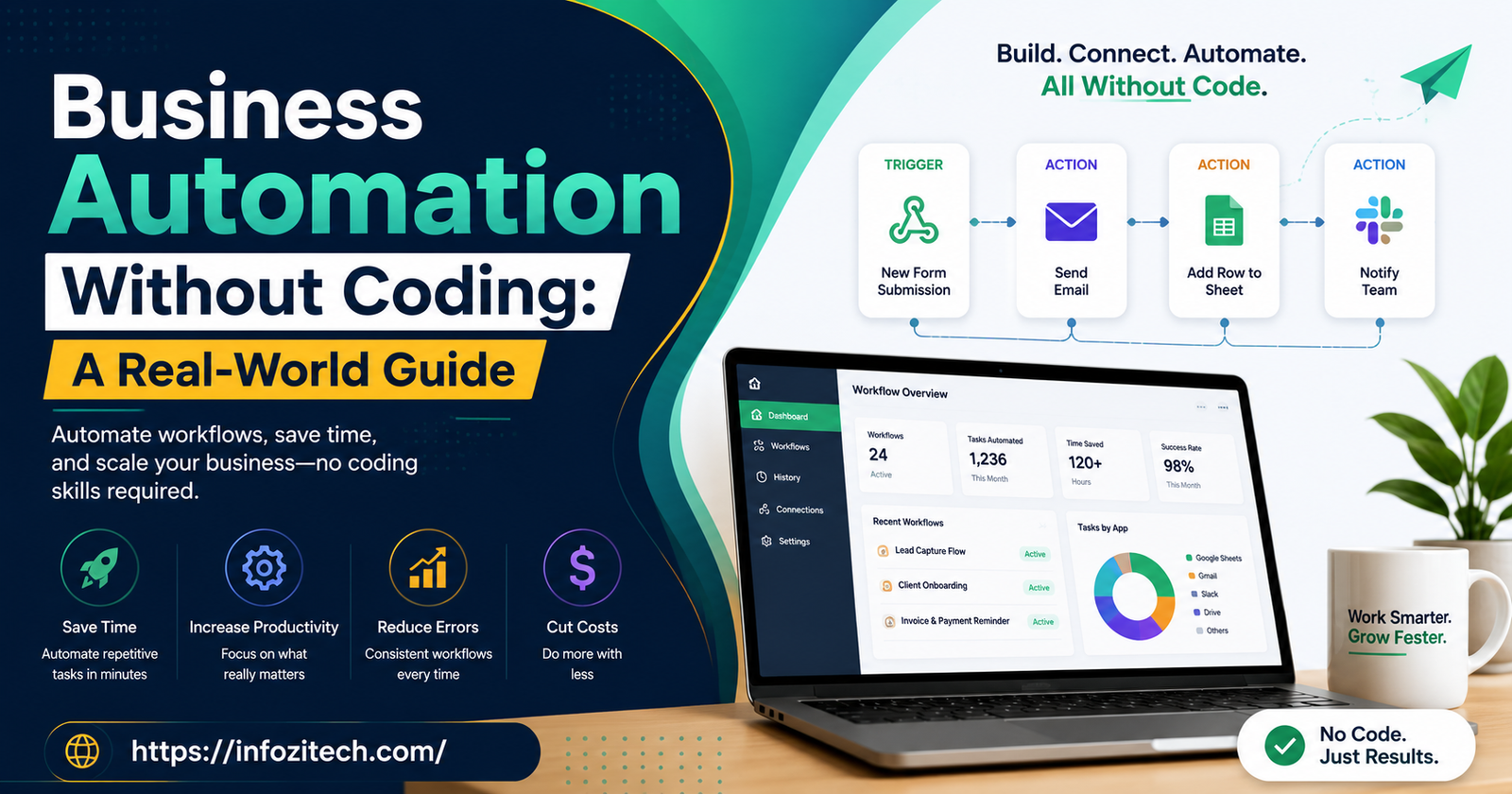
Nearly every platform runs on this: something happens — a trigger — and something else happens because of it — an action. Form gets submitted, that’s the trigger. A row gets added to a spreadsheet, a Slack message fires off, an email goes out — actions. String enough of these together and from the outside it looks like genuinely sophisticated software, even though underneath it’s just a chain of if-this-then-that.
Connectors Between Apps
Real power’s in how many apps are already pre-wired to talk to each other. CRMs, email tools, payment processors, project management software — most of the big names already have built-in connections inside Zapier, Make, n8n, whatever you’re using. You’re not building an integration from scratch. You’re picking your CRM out of a dropdown and telling it what to do the moment something changes there.
Conditional Logic
This is where it stops feeling like a toy and starts feeling like actual software. “If the deal’s over $10,000, send it to the sales director for approval. Under that, auto-approve.” That kind of branching used to be a real coding task. Now it’s a dropdown and a couple of conditions, not much different in spirit from an email filter rule — just doing a lot more work.
Databases and Internal Tools
Beyond app-to-app connections, plenty of no-code platforms let you build actual lightweight internal tools — databases, dashboards, forms feeding straight into a tracker. Airtable’s probably the name most people know here. You end up with something close to a custom app, and you never touched a programming language once.
Getting Started: A Practical Path
Jumping into the most powerful tool on the market first is the wrong instinct, even though it’s tempting. Start small.
Pick something repetitive, annoying, and low stakes if it breaks the first time. Don’t touch your invoicing system on day one. “New subscriber gets added to a welcome sequence” or “new form submission drops into a Slack channel” — small, quick, and you’ll actually learn how the tool thinks before trusting it with something that matters.
Map it out first, on paper or somewhere outside the tool itself. What triggers it, what happens next and in what order, what happens if a step fails. Feels like overkill for something small. It’s exactly the step people skip, and skipping it is how automations end up silently broken for weeks before anyone catches it.
Pick a tool based on your comfort level, not whichever one has the longest feature list. Zapier’s the beginner-friendly option, connects to almost everything, a reasonable place to start for most people. Make — used to be called Integromat — is more visual, more powerful once you’re past the learning curve, better if you want more control over the logic. Airtable fits when the goal isn’t connecting apps so much as building an actual little system to run part of the business from.
Build it. Then break it on purpose. Submit a test form with garbage data in it, see what happens. People skip this because it feels unnecessary — it’s exactly what saves you from discovering three months later that the whole thing quietly fails on any name with an apostrophe.
Write down what you built, even briefly. Not really for anyone else. For future-you, six months out, trying to remember why this workflow does the specific weird thing it does.
Mistakes People Keep Making
Automating a broken process is probably the most common one. If the underlying process is already a mess, automating it just makes the mess move faster. Worth fixing the actual workflow first — even roughly — before wiring anything up.
Over-automating too early is another. Trying to connect every tool in the business in month one usually leaves you with a tangle nobody fully understands anymore, including whoever built it. Slow beats ambitious-and-messy here.
Ignoring failure states is a big one. APIs go down sometimes. Forms get submitted with fields missing. A tool changes its data format overnight without telling anyone. Good automations have some kind of fallback built in — an alert, a manual check, anything — instead of failing silently until a client complains and you find out that way.
And the quiet one: not revisiting old automations. Something built two years ago for a process that’s since changed is probably still running, still doing something, just maybe not the right thing anymore. Old workflows need check-ins the same way old software needs updates. Easy to forget because they’re invisible when they’re working.
Choosing a Tool Without Overthinking It
Crowded market, and everyone claims to do everything. Realistically, it comes down to a few honest questions. How technical is the actual person building this — genuinely new to it, or fine with slightly more complex logic? How many apps need to talk to each other, and does the tool you’re eyeing already connect to the specific ones you use, not just the popular ones in general? And is this about moving data between tools that already exist, or building something closer to a small internal app from scratch?
No shame in starting with the simplest tool available and outgrowing it later. Most businesses don’t need the most powerful platform on the market on day one. They need whichever one gets a useful automation live by Friday — not the one that could theoretically do everything, six months from now, once someone finally learns every feature it has.
Where This Is Heading
The trend isn’t subtle. Automation that used to need a developer, a budget, and a multi-week timeline now takes an afternoon and a free trial. That’s genuinely changing what small teams and solo operators can pull off without hiring anyone at all. The businesses getting the most out of it aren’t the ones with the fanciest stack — they’re the ones who actually sat down, picked one annoying task, and fixed it instead of complaining about it again in Friday’s status meeting.
Priya still works Fridays, for what it’s worth. She just doesn’t spend them copying data between three tools anymore. That time went somewhere else — client calls, actual strategy, the stuff only she can do. Which is really the whole point of automating without code. Not replacing people. Just handing them their time back for the part of the job that actually needed a human in the first place.








2 thoughts on “Business Automation Without Coding: A Real-World Guide”