
Browser-Based File Approval Software: Why Teams Are Ditching Email for Sign-Offs
So a marketing manager I know, she once burned close to an hour digging through eleven separate email threads just trying to figure out whether a client had approved the final ad creative or an earlier draft that looked almost, but not quite, the same. Eleven threads. Half of them “Re: Re: Re:” something-or-other. One attachment literally named final_v3_ACTUALFINAL.pdf — and I mean, come on. She found the approval eventually. Buried in a reply-all from three weeks back. By the time she dug it up, the campaign had already gone live. Wrong version.
That’s not some rare horror story either. It’s Tuesday, basically, for a lot of teams still running approvals through email and shared drives.
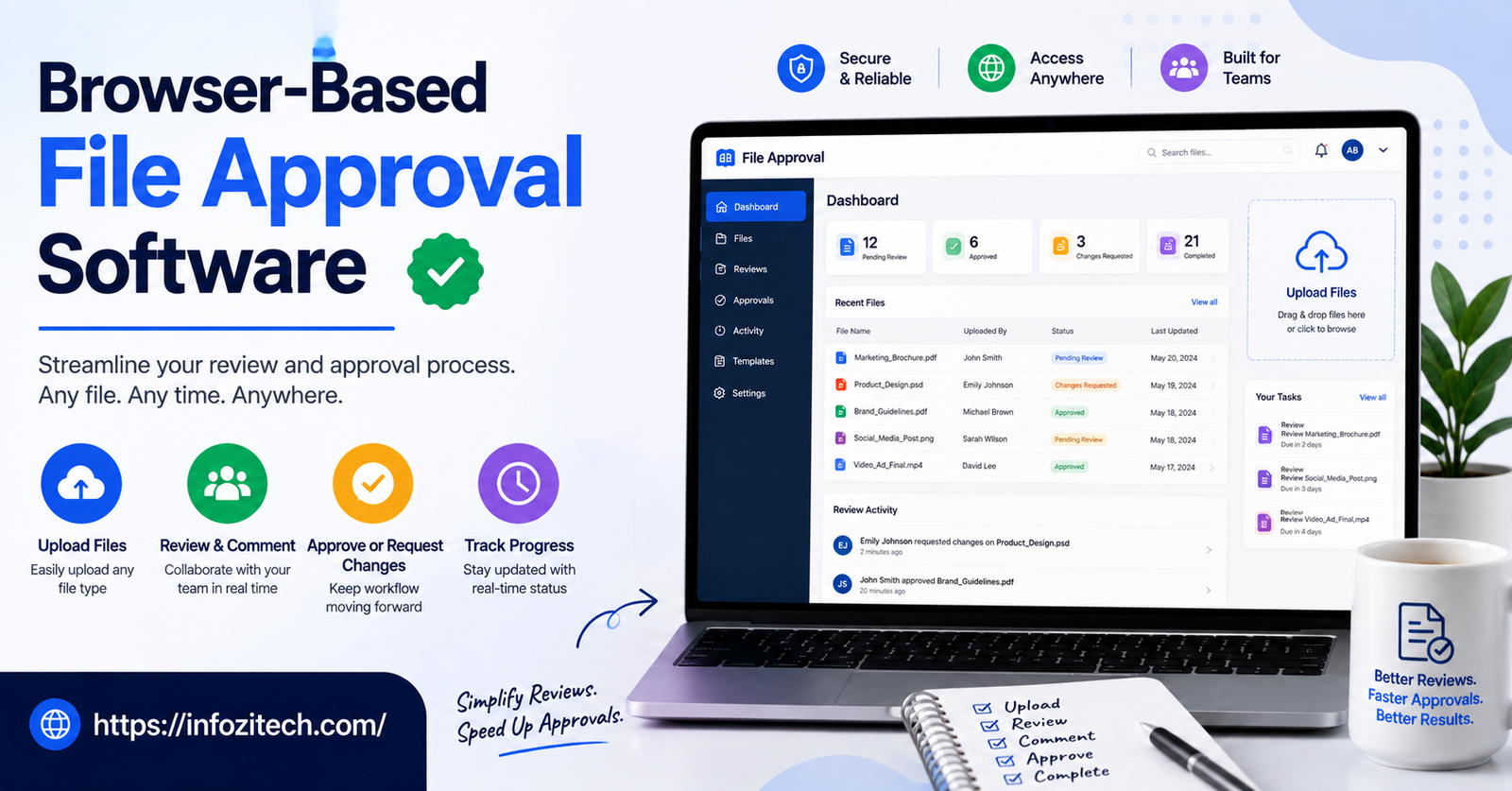
Browser-based file approval software exists to make that particular flavor of mess a lot less likely. Instead of chasing “yes I approved that” through a dozen inboxes, the file, the comments, the actual sign-off — it all lives in one spot, and anyone holding the link can open it. No installing anything. No plug-in you forgot to update six months ago. Just a tab in your browser.
This is about why the old approval process breaks down once a team gets past a certain size, what browser tools actually fix (and, to be fair, what they don’t), and how to get one adopted without it turning into yet another app people quietly stop opening after week three.
Why Traditional File Approval Falls Apart
Email and shared folders are fine, genuinely fine, when it’s three people in one room who already know what’s going on. Add headcount, add files, add rounds of back-and-forth, and the whole thing starts to buckle. Faster than you’d think.
Version Confusion Is the Norm, Not the Exception
Anyone who’s worked on a creative project has lived this. final.docx becomes final_v2.docx. Then final_v2_JOHN_EDITS.docx shows up. Then, somehow, final_v2_JOHN_EDITS_useTHISone.docx. Everyone’s pretty confident they’re looking at the right one. Confidence isn’t the same as certainty, though. And when a client fires back “yes, approved” on some email chain, there’s genuinely no reliable way to know which attachment they meant — not without someone going back to check, and people rarely do that until it’s already a problem.
Approvals Get Lost in the Noise
One project, a few weeks, can generate hundreds of emails without much effort at all. Somewhere in that pile sits the single message where a person actually typed “approved, go ahead.” Finding it again later means scrolling, searching, hoping the subject line hasn’t drifted too far from where it started. Real hours get eaten by this. And sometimes — I’ll be honest — people just guess rather than dig back through everything, because digging feels like more trouble than it’s worth in the moment. Which, fair, it kind of is.
No Clear Record of Who Approved What, or When
Something ships wrong. Wrong logo, outdated pricing, a typo that somehow made it all the way to print before anyone caught it. First question, every time: who signed off on this? With email, that answer usually takes forwarding chains, screenshots, some finger-pointing, before anyone gets a straight answer. Rarely is there one clean thing — timestamped, attached to a name — that somebody can just point at and say, there, that’s it.
What Browser-Based Approval Software Actually Changes
Not really about fancier features if I’m honest. It’s more that a scattered process gets collapsed into one place that just… behaves the same way every time.
One Link, One Source of Truth
A file gets uploaded once, a link gets shared, instead of the file itself getting emailed around to six different people who all download their own copy. Everyone opening that link sees the same version. Every time. No more wondering whether the PDF on your screen matches the one that actually got signed off on. One file. It’s the one in the browser. Done.
Comments Stay Attached to the File Itself
Feedback lands right on the document itself — a page, a frame in a video, a cell in a spreadsheet — rather than floating loose inside an email body, totally disconnected from whatever it’s actually referring to. Cuts down a huge amount of the “wait, which part are you even talking about” back-and-forth that otherwise eats up review time for no real reason.
Approval Becomes a Real Action, Not a Vague Reply
Rather than “looks good, approved!” typed casually into an email — which, depending who’s reading it, could mean five slightly different things — browser tools generally have an actual approve button, a formal sign-off step of some kind. That action gets logged. Timestamped. Tied to a specific version of the file. Not really open to reinterpretation three weeks later when memory’s gotten fuzzy about what exactly was meant.
Everyone Sees the Same Status
A shared status view means nobody has to ping “hey did the client approve this yet?” into Slack and then just sit there, waiting, refreshing. The status is just visible. Pending, approved, rejected, whatever it is. Right there. No chasing.
Key Features Worth Looking For
Not every browser-based approval tool is built the same, and honestly a lot of them lean hard toward one file type over another. Worth being specific here rather than vague.
Support for the File Types You Actually Use
Some tools are built mainly around images and video — nice frame-by-frame commenting, that kind of thing. Others lean more toward documents and PDFs. A handful try to do everything at once, reasonably well, without really excelling at any one thing. Figure out what your team mostly reviews day to day — video, design files, contracts, spreadsheets, whatever it is — and pick something that handles that format cleanly. A tool that’s just okay across the board tends to disappoint everyone a little.
Real Version Control
The tool has to track every version automatically and make it genuinely easy to see what changed between version 2 and version 3. If figuring that out requires manual digging on your end, the software isn’t actually solving the version-confusion problem. It’s just relocating it somewhere else. Same headache, different address.
Flexible Approval Chains
Some files only need one person’s sign-off. Others need three — a designer, then a creative director, then finally the client, in that order, no skipping steps. Decent software lets you build that chain once and reuse it, instead of manually chasing each person down by hand every single time a new file needs review.
Access Without Friction, Guest Access Included
Clients and outside collaborators shouldn’t have to create an account or remember another password just to look at one file and hit approve. Better tools send a link that opens straight into the browser, no login wall standing in the way, while still keeping the actual file reasonably locked down behind the scenes.
Notifications That Don’t Get Ignored
Automated reminders matter more than they sound like they should on paper. Someone forgets to open a file, three days go by, a deadline slips — and it’s not really anyone’s fault exactly; the process just had no safety net built into it. A tool that nudges people once something’s sat untouched too long removes a surprising amount of friction from the whole thing.
An Audit Trail You Can Actually Trust
Every approval, every comment, every version change should get logged automatically, timestamped, name attached. Sounds like a small detail until the day it isn’t — a dispute, an audit, a client swearing up and down they never approved something that clearly has their name and the date sitting right there in the record.
Rolling It Out Without Losing the Team
Even genuinely solid software can flop if it just gets dropped on people with no plan behind it whatsoever. A few things tend to separate real adoption from a tool that quietly dies by month two.
Start With One Team, Not the Whole Company
Pick one team first — marketing or creative, usually, since they feel this pain the sharpest — and run the new process with just them for a few weeks before pushing it wider across the org. Working the kinks out on a smaller group beats trying to fix everything at once on an entire company that’s already a little annoyed about learning yet another new tool.
Bring Clients and Vendors Along Early
If clients sit inside the approval loop — and they usually do — they need a heads-up too, not a surprise link one random morning. A short note explaining what’s changing and why it actually helps them, not just the internal team, goes a long way toward buy-in instead of quiet resistance, or worse, people just emailing files the old way anyway out of habit.
Keep the Old Process Alive for a Short Overlap
Don’t kill email approvals cold turkey on day one. Run both side by side for a couple weeks so people get comfortable with the new tool without feeling like the safety net got yanked out from under a live project. That breeds resentment fast, and resentment kills adoption faster than any bug ever could.
Set Simple Rules for What Counts as Approved
Decide clearly, ahead of time, that only an approval logged inside the actual tool counts as real. A “yeah, looks good” muttered in the hallway or a thumbs-up emoji in Slack doesn’t cut it anymore. Say this out loud. More than once, probably, because people slide back into old habits within two weeks otherwise. Guaranteed, pretty much.
Watch Where People Get Stuck
First month in, pay attention to where people hesitate or ask the same question twice. If several different people trip over the same step, that’s usually telling you the workflow needs adjusting — not that people need more training. Good software bends around how a team actually works. Not the other way around, no matter how the vendor pitched it.
Final Thoughts
File approvals feel small, almost boring, right up until they cause an actual problem. Wrong version goes out. Nobody can find who approved what. A client insists they never signed off on something that clearly went out under their name, timestamp and all, sitting right there. Email and shared drives were never really built to handle any of this cleanly, and it shows more the bigger a team gets and the more projects pile up at once.
Browser-based approval software fixes the core issue by putting the file, the feedback, and the actual sign-off in one place everyone can see — no installs, no guessing about which version is real. What matters most, in the end, is solid version tracking, approval chains flexible enough to match how the project actually needs to move, painless access for clients who shouldn’t have to jump through hoops just to say yes, and an audit trail nobody has to reconstruct by hand after something’s already gone wrong. Roll it out with one team first. Loop clients in early. Set a hard rule about what actually counts as approved. Do that, and a genuinely small process fix ends up saving a surprising number of headaches down the road.






2 thoughts on “Browser-Based File Approval Software: Why Teams Are Ditching Email for Sign-Offs”