
Private AI Knowledge Assistant: A Practical Guide for Businesses
A guy I know runs a small engineering firm, maybe fifteen people, and last year he pasted a chunk of a client contract into one of the big public chatbots just to get a quick summary. Nothing crazy, he thought. Then his ops manager found out and had a heart attack. Client data. Out there. Sitting on someone else’s server- who even knows.
That’s basically the moment a lot of businesses start looking into private AI knowledge assistants. Not because they read some trend report. Because something almost went wrong, or actually did, and they realized the convenient AI tool everyone’s been using at work was never really built with their company’s secrets in mind.
So let’s talk about what these things are, why they’re different from the ChatGPT tab open in everyone’s browser, and how a smaller company could actually get one running.
What Is a Private AI Knowledge Assistant
Basic definition first, then I’ll get into why it matters.
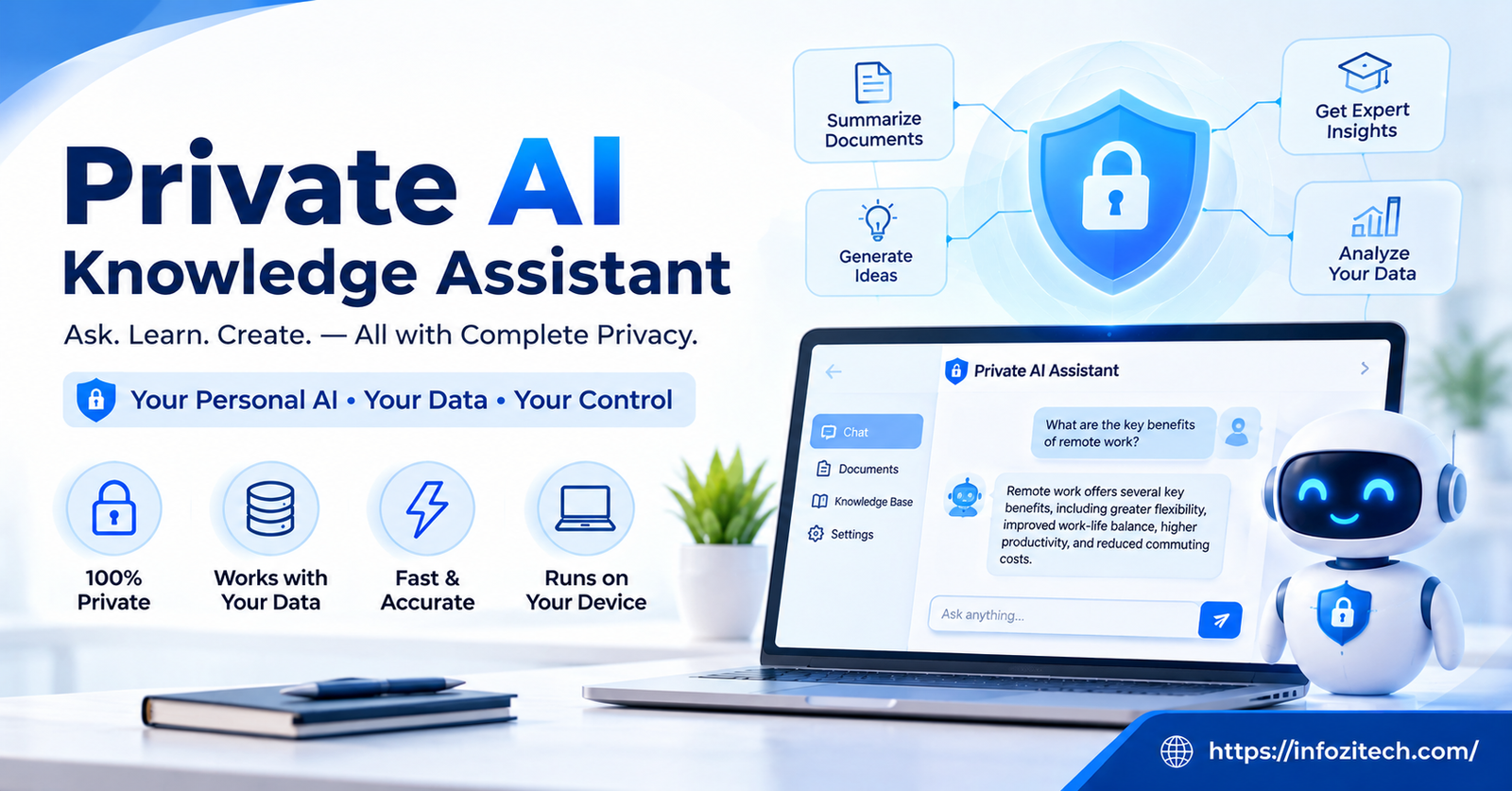
A private AI knowledge assistant is an AI tool trained on, or connected to, your own company’s documents, policies, past emails, wikis, whatever internal stuff you feed it — and it runs in an environment you control. Not a public chatbot where your questions and documents might get logged, stored, or used to train some other company’s model somewhere down the line.
Ask it “what’s our refund policy for enterprise clients,” and it answers using your actual policy doc, not a generic guess pulled from the internet. Ask a public AI tool the same question, and it either has no clue or makes something up that sounds confident and is completely wrong.
Public AI vs Private AI: The Real Difference
People use “AI assistant” and “ChatGPT” interchangeably now, which honestly causes half the confusion here.
A public AI assistant is trained on the general internet. It knows a huge amount about the world and basically nothing about your business specifically, unless you type it in yourself, which — see the contract story above — is exactly the problem.
A private AI assistant flips that. It knows your business because you gave it access to your business. And depending on how it’s set up, none of that information ever leaves your own systems. Some companies run these fully on their own servers. Others use a private, isolated version of a cloud AI service where their data isn’t shared, stored long-term, or used for training anyone else’s model.
Why Businesses Are Actually Switching
It’s not just paranoia. There are real, boring, practical reasons this keeps coming up in meetings.
Nobody Wants to Be the Contract Guy
Every company has sensitive stuff. Contracts, HR records, financial numbers, product roadmaps not ready for anyone outside the building. Once employees start pasting that into public AI tools — and they will, because it’s faster than searching through a shared drive — you’ve basically lost control of where that information ends up. A private assistant keeps that same convenience without the leak risk.
Answers That Are Actually Right
Public AI tools guess. They’re good guessers, sure, but they’re still guessing when you ask about internal stuff. A private assistant pulls from your actual documents, so if your vacation policy changed in March, it knows that. It’s not still working off whatever it happened to learn two years ago.
It Saves an Absurd Amount of Time
Think about how much time gets burned every week with someone asking, “Hey, does anyone know where the Q3 pricing sheet is?” in a Slack channel, followed by three people scrolling through folders. A decent internal assistant just answers that. Pulls the file, or the number, or the paragraph, right then.
Compliance People Actually Sleep Better
In healthcare, finance, legal — anywhere with real regulatory teeth — sending client or patient data through a public AI tool can be a genuine violation, not just a bad look. A private, controlled assistant gives compliance teams something they can actually sign off on, because the data path is known and contained instead of a black box somewhere on the internet.
What This Looks Like Day to Day
Enough theory. Here’s where this actually shows up once it’s running.
Answering the Same Ten Questions So Humans Don’t Have To
Every company has a set of questions that get asked constantly — how do I submit an expense report, what’s our brand color code, who approves vendor contracts over five grand? A private assistant trained on the employee handbook and internal wikis just handles these. Frees up whoever used to be the unofficial human FAQ.
Digging Through Old Project Files
Ever spend forty minutes trying to remember which client the “phase two redesign” doc belonged to? A private assistant with access to your file system, or at least indexed metadata, can find that in seconds because it actually understands what’s in the documents, not just their filenames.
Legal and Contract Review, Sped Up
Law firms and legal teams are starting to use private assistants to summarize contracts, flag unusual clauses, or compare a new agreement against a standard template — all without the document ever touching a public server. Doesn’t replace a lawyer’s judgment. Does save someone from reading forty pages just to find the termination clause.
Customer Support, Behind the Scenes
Some companies use a private assistant internally, feeding support reps quick answers pulled from past tickets and product docs, so the rep sounds knowledgeable instantly instead of digging around mid-call. The customer never sees the tool. They just notice the answer came fast.
Onboarding New Hires Faster
A new employee has a hundred questions in their first week, and most of them are things like “where’s the style guide” or “who do I ask about laptop setup.” A private assistant trained on onboarding materials answers those instantly, so the person who’d normally field those questions can actually get work done.
The Concerns People Bring Up (Fair Ones, Mostly)
Not going to pretend this is all upside. Some hesitation here is legitimate.
“This sounds expensive”
It can be, if you go straight for a fully custom, self-hosted, enterprise-grade setup. But that’s not the only option anymore. There are smaller, private-tier products built specifically for companies that don’t have a dozen engineers on staff — the pricing has come down a lot as more vendors compete for this exact customer.
“We don’t have anyone technical enough to run this”
Depends which version you go with. Fully self-hosted, yeah, you probably need some technical help getting it set up right. But a lot of the newer private assistant products are built to be configured by a regular office manager type — upload the documents, set some permissions, done. You don’t need a server room in the basement anymore.
“What if it gives a wrong answer anyway?”
It can, especially early on before it’s properly connected to good source documents. That’s why most setups are worth treating as a work in progress at first — start with a narrow set of documents, check the answers against reality for a few weeks, then expand what it has access to once you trust it.
How To Actually Set One Up
If you’re thinking about trying this, here’s a reasonable path instead of jumping straight to a huge rollout.
Start with one department, not the whole company. HR is a common starting point, or IT support, since both fields have a ton of repetitive questions that are easy to document and easy to check for accuracy.
Feed it documents you already trust. Don’t start by connecting every random file on the shared drive. Start with your actual handbook, your actual policy docs, stuff that’s already accurate and up to date.
Pick a vendor that’s upfront about where your data goes. Ask directly — is our data used to train anything, is it stored, for how long, who can see it? If the answer’s vague, that’s a real answer too.
Test it like you don’t trust it yet. Ask it the questions you already know the answers to. See if it gets them right. Fix the gaps before you roll it out wider.
Expand slowly, department by department, once it’s actually proven useful somewhere first.
Why This Matters More Than It Might Seem Right Now
A few years ago, “keep company data private” mostly meant locking down file permissions and hoping nobody emailed the wrong attachment. Now employees have a genuinely tempting shortcut sitting in a browser tab, and it’s incredibly easy to use without thinking twice about where the information actually goes.
Private AI knowledge assistants aren’t really about chasing a trend. They’re about giving employees the same convenience they’d get from a public chatbot, minus the part where company secrets end up sitting on someone else’s server indefinitely. As more regulation shows up around data and AI, having a controlled, internal system instead of a scattered mess of public-tool usage is probably going to stop being optional for a lot of businesses, not just the big ones with legal departments watching closely.
Final Thoughts
You don’t need a massive IT department or an unlimited budget to get a private AI assistant running. What you actually need is a clear idea of the problem it’s solving — too much time spent searching for information, too much risk from employees using public tools with sensitive data, too many repetitive questions eating into someone’s day.
Start small. One department, one set of trusted documents, one honest look at whether it’s actually helping after a few weeks. The businesses getting real value out of this aren’t the ones rushing to plug in every file they own on day one. They’re the ones treating it like any other new tool — test it, trust it a little more each time it proves itself, and build out from there.






3 thoughts on “Private AI Knowledge Assistant: A Practical Guide for Businesses”