
AI File Organizer for Personal Documents: The Complete Guide to Finally Getting Your Files in Order
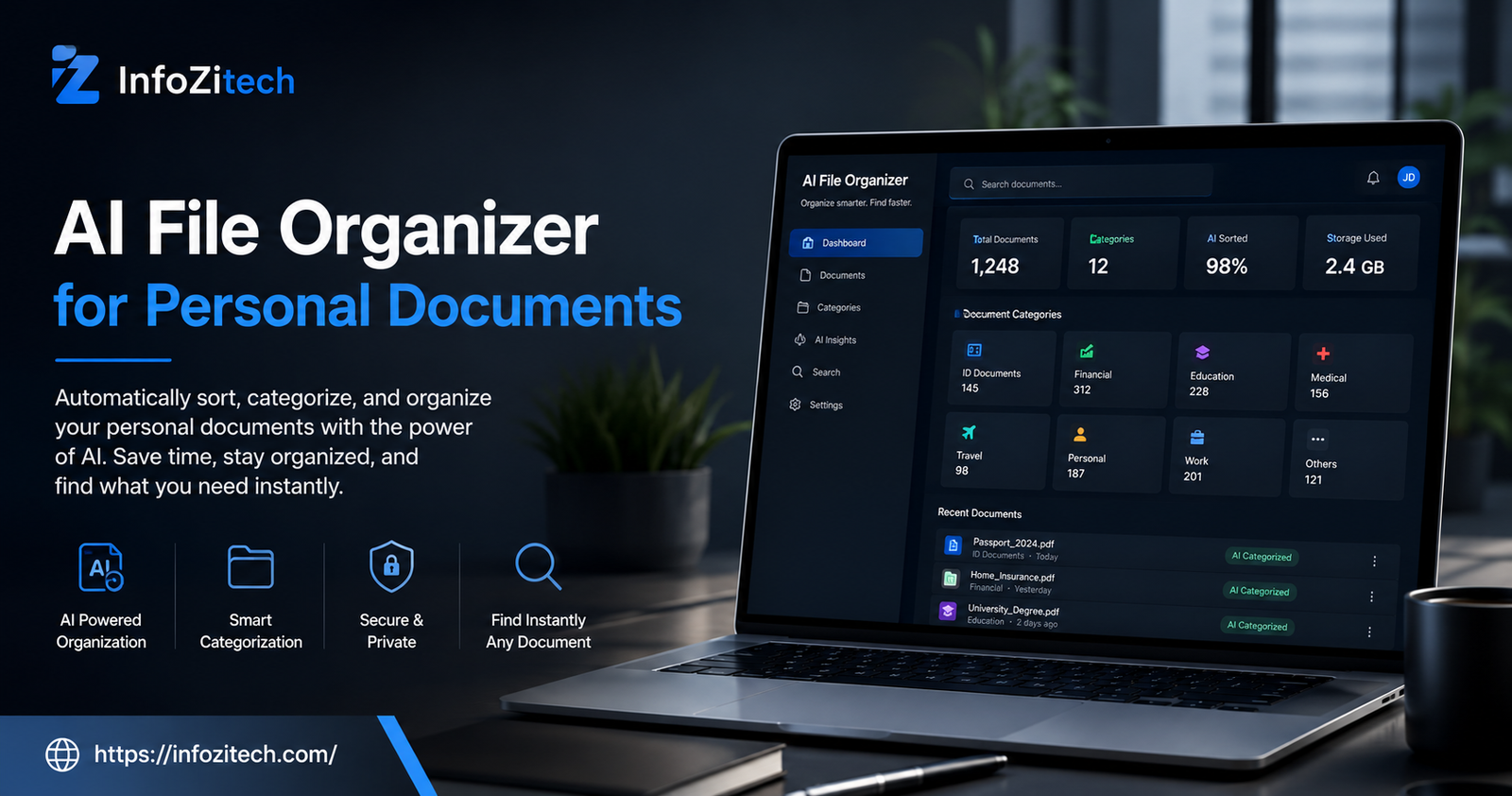
Somewhere on your laptop right now there’s a folder called “New Folder (3).” Maybe it has a different name. Doesn’t matter. You know the one. A tax form from two years back, a screenshot of some receipt you’ll never need again probably, a scanned passport, a PDF you saved “just in case” and then forgot existed the second you closed the tab.
Here’s the thing though — most of us aren’t actually disorganized people. We just don’t have time to sort files by hand, and honestly, the whole folder-and-subfolder system was never designed for how much paperwork a normal life throws at you now. Insurance renewals, school forms, a vet bill, some warranty card you photographed instead of filing properly. It adds up fast. This is basically where an AI file organizer for personal documents earns its keep. Not a gimmick. A real fix for something almost everybody deals with quietly and never talks about.
So let’s get into it. What these tools actually do, why they’re not just for offices and businesses, and how you set one up without burning an entire Saturday.
The Problem With Personal Document Chaos
Think about everything that lands on your phone or computer in a single month. Insurance statements. A lease renewal you skimmed once. Kids’ school forms. A vet bill. That warranty card thing again. None of it feels important enough to deal with right now, so it just sits — Downloads folder, some email attachment, a cloud folder you forgot you even made.
And the cost of that shows up later, usually at the worst possible moment. Your kid needs a vaccination record for school enrollment, and you’ve got twenty minutes to find it. Bank wants three years of statements for a loan application, and they’re scattered across two email accounts plus your phone gallery somewhere. Digital clutter doesn’t feel urgent. Until suddenly, it really is.
Manual folders were supposed to fix this. Problem is they only work if you sort things the second they arrive, every single time, forever, no exceptions. Most people hold that discipline for maybe two weeks. Then it falls apart.
What Is an AI File Organizer, Really?
Put simply — it’s software that looks at your documents, actually understands what’s inside them, and files them without you dragging a single icon anywhere. Instead of going off a filename or whatever folder you happened to drop something into, it reads the content itself. Dates, names, document type, who sent it, keywords buried in the text. Then it files accordingly.
How It Differs From Manual Folder Systems
A regular folder system is basically a filing cabinet. You pick the categories, you decide where things go, and if you slack off for a week, everything just piles up in one messy heap. An AI system works more like an assistant who already knows your habits, weirdly. It notices a bill from your utility company and tags it as a bill. It sees a PDF with a photo and birthdate and figures — probably an ID document. A file called “IMG_4821.jpg” that’s actually a printed receipt? That goes in Expenses, not Photos, even though nothing in the filename suggested that.
The real difference isn’t convenience, not really — it’s consistency. The AI doesn’t get tired. Doesn’t put things off. Doesn’t forget where it filed something three months ago, unlike, well, most of us.
The Core Technology Behind It
Underneath the nice interface, there are a few technologies stitched together, doing the actual work. Optical character recognition — OCR — pulls readable text out of scanned images and PDFs. Natural language processing figures out what that text actually means. Is this a medical bill? A rental agreement? Just a school newsletter nobody needs to keep? Machine learning models get sharper over time by watching the corrections you make, so the longer you use the thing, the less it screws up. Some tools also lean on metadata — creation dates, sender addresses, whatever’s embedded in the document properties — for an extra layer of accuracy.
Why Your Personal Documents Need Smarter Organization
Easy to assume this stuff is really built for offices. In practice? Personal documents are often messier than business ones. There’s no shared system forcing structure on anybody. It’s just you, alone, against an ever-growing pile.
Tax Papers, IDs, and the Stuff You Can’t Afford to Lose
Some documents matter more than others, obviously. Passports. Social security cards. Property deeds. Insurance policies. Tax filings. These are the ones that cause real panic when they go missing. Most AI organizers flag this category automatically and keep it separate from everyday clutter — and a lot of them will nudge you to back the stuff up or encrypt it, which, fair.
Photos, Receipts, and the Everyday Clutter
Then there’s the other 90 percent. Screenshots. Forwarded PDFs. Phone photos of random paperwork. Downloaded statements nobody asked to keep but somehow did. None of it feels worth sorting one item at a time, but together it buries the stuff that actually matters. A decent AI system pulls receipts apart from random screenshots, groups similar files together, and quietly stops your “important documents” folder from turning into yet another junk drawer.
Key Features to Look For
Not every tool in this space works the same way — and the feature list matters a lot more than whatever the marketing page says. Here’s what actually moves the needle, from what I’ve seen.
Automatic Categorization
The baseline. Sorting into logical buckets — Finance, Health, Legal, Education, Personal — without you lifting a finger. Look for something that lets you rename or merge those categories too, because everyone’s version of “organized” is a little different.
Smart Search and OCR
An organizer is only as good as its search bar, honestly. You should be able to type “car insurance 2024” and pull up the right file even if it’s literally named “scan0032.pdf.” That only happens if OCR is actually built in and the tool is indexing the text inside your files, not just skimming filenames.
Duplicate Detection
Almost everybody has three copies of the same file saved in three different places with three slightly different names — don’t ask me how, it just happens. A good AI organizer catches near-duplicates, not just exact matches, and either merges them or flags them so you can decide. Alone, this can shrink a cluttered drive by a surprising amount.
Privacy and Local Storage Options
Because personal documents get sensitive fast, check whether the tool processes files locally on your own device or ships everything up to the cloud. Some people don’t mind cloud processing at all. Others would rather keep passport scans and medical records off someone else’s server, period. Look for clear answers on encryption, how long data gets retained, and whether local-only processing is even an option.
How AI File Organizers Actually Work Behind the Scenes
When you drop a file in, a few things happen almost instantly, one after another. First the software checks the file type and pulls out any readable text using OCR, assuming it’s an image or a scanned PDF. Then that text runs through a classification model trained to spot common document types — tax forms, medical records, receipts, contracts, and so on. The model compares patterns it’s already learned against your new file and spits out a category, along with a confidence score.
High confidence? File gets sorted automatically, done. Uncertain? Most tools will just ask you a quick yes-or-no instead of guessing blindly, and that’s exactly how the system learns your specific documents over time. Fewer questions the longer you stick with it, because it starts recognizing recurring senders, formats, habits — your habits, specifically.
Popular Use Cases for Everyday People
This isn’t just for tech-obsessed people who like a tidy desktop icon layout. It solves genuinely different problems depending on who’s using it.
Freelancers and Small Business Owners
If you’re invoicing clients and tracking expenses without an accounting team backing you up, an AI organizer can split business receipts from personal ones automatically, tag invoices by client, and make tax season a whole lot less miserable because everything’s already grouped by category and date before you even open a spreadsheet.
Families Managing Shared Records
Households deal with a shocking amount of paper, even in 2026. School forms, medical records for multiple people, insurance documents, home maintenance receipts. An organizer that lets you tag files by family member turns a shared mess into something anyone in the house can actually search through and find.
Students and Researchers
Between course materials, research papers, and endless administrative forms, students rack up PDFs at an alarming rate. Automatic sorting by subject or course — plus searchable text inside scanned notes — saves real time during exam season, or whenever you’re scrambling to pull together a bibliography at 1am.
Setting Up Your First AI-Organized Filing System
You don’t need a total overhaul in one sitting. Honestly, trying to do it all at once is how most people give up by day three. A gradual approach works better.
Step 1 – Audit What You Already Have
Before importing anything at all, take a rough inventory. Where’s stuff currently scattered — Downloads, email attachments, phone gallery, some old external drive gathering dust in a drawer? You don’t need to sort a single thing yet. Just know what’s out there so nothing gets left behind later.
Step 2 – Choose the Right Tool
Match the tool to what you actually care about. Privacy your main worry? Go local processing. Got years of paper to digitize? Prioritize strong OCR and mobile scanning. Managing a household? Multi-user tagging matters more than anything else on the feature list. There’s no single “best” tool out there — there’s just the best one for your specific pile of chaos.
Step 3 – Let It Learn Your Patterns
Resist reorganizing everything by hand the first week, even though the urge will be strong. Give it real usage. Correct it when it’s wrong, confirm when it’s right, let the categorization improve on its own. Most systems get noticeably sharper after the first few dozen documents you process together — give it that runway.
Common Concerns and How to Handle Them
Fair to have questions before handing years of personal paperwork over to some algorithm.
Is My Data Safe?
Depends entirely on the tool and how you’ve got it configured. Reputable ones offer encryption at rest and in transit, and plenty now offer local-only processing specifically for sensitive stuff like IDs and financial records. Read the privacy policy before uploading anything you truly can’t replace, and if you’re unsure, just keep your most sensitive documents in a separate encrypted spot regardless of what the organizer recommends.
What If the AI Miscategorizes Something?
It will, occasionally, especially early on. Usually a single click fixes it, and most tools remember that correction so it doesn’t repeat the mistake. Treat month one as a training period rather than expecting perfection out of the gate — it’s not going to be perfect, and that’s fine.
Final Thoughts
An AI file organizer for personal documents isn’t about chasing some impossible standard of digital minimalism. It’s about not burning twenty minutes hunting for a file you know for a fact you saved somewhere, and not getting that little jolt of dread whenever someone asks for a document you’re not sure you can even locate. The tech’s matured enough now that it genuinely handles the boring, repetitive part of organizing — freeing you up for literally anything else.
Start small. Pick a tool that matches how much you care about privacy versus convenience, and give it a few weeks to actually learn your habits. The payoff isn’t flashy, but it’s real — one day you’ll need something in a hurry, search for it, and actually find it in seconds. Instead of scrolling through “New Folder (3)” for the hundredth time.






2 thoughts on “AI File Organizer for Personal Documents: The Complete Guide to Finally Getting Your Files in Order”