
Client Reporting Templates for Agencies: What Actually Works
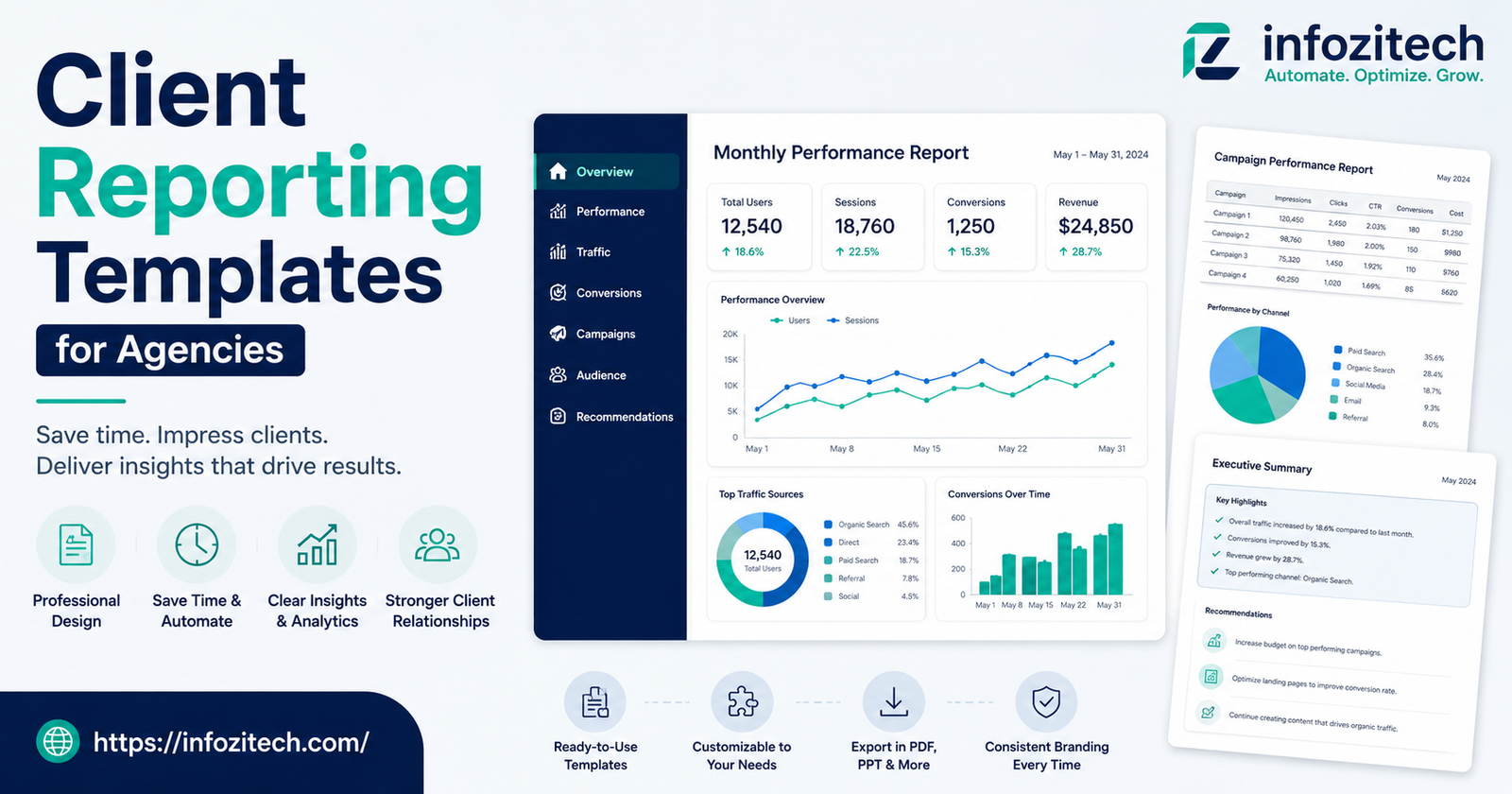
There’s a moment near the end of every month at most agencies where somebody — usually whoever’s newest, let’s be honest — opens up last month’s report, copies it, and starts hunting for updated numbers. Takes an hour if you’re lucky, three if you’re not, and half of that time isn’t even spent analyzing anything. It’s just formatting. Moving a chart two pixels to the left because the client’s brand colors clash with the default template. That’s the actual problem client reporting templates are supposed to solve, and most agencies never quite get there.
I’ve watched account managers build reports from a blank Google Slides deck every single cycle, as they’d never done this before, like there wasn’t a report almost identical to it sitting in a folder from last month. It’s wasteful.
Why Agencies Struggle With Reporting More Than They Should
Reporting sounds simple on paper. Pull the numbers, explain what happened, send it off. In practice, it becomes this recurring source of dread for account teams, and there are a few reasons for that.
For one, every client thinks their situation is a special case. And sometimes it is! Somewhere along the way, “custom” became the default instead of the exception, and now nobody has a repeatable process.
There’s also the tool sprawl issue. Pulling all of that into one coherent story takes real effort every time if there’s no system for it.
The Cost Nobody Puts a Number On
Ask an agency owner how much reporting costs them, and most will shrug — they don’t really know, because it’s spread across a dozen people doing it a little differently each month. But add it up. Even at a modest agency, reporting can eat ten, fifteen hours a week across the team. That’s not a small line item.
What Actually Belongs in a Reporting Template
Before building anything, it helps to figure out what a report is even for. Not what it contains — what it’s for. Clients aren’t paying for pretty charts. They’re paying to know two things, basically: is this working, and what happens next.
Lead With the Story, Not the Spreadsheet
The instinct at a lot of agencies is to open with a wall of numbers — impressions, clicks, conversions, in that order, every time, no exceptions. A better structure puts the takeaway first. One or two sentences at the top of the report saying, plainly, what happened and why it matters. Then the data backs it up underneath.
Keep the Metrics Section Flexible, Not Rigid
This is where a lot of templates fall apart. Build one section too rigidly, and it breaks the moment a client’s goals shift, which they will, constantly, because that’s how business works. A better approach is a modular metrics block — a handful of core numbers that show up in every report regardless of client, plus a flexible zone for whatever’s specific to that account this month. Doesn’t need to be complicated. A simple table with room to add or remove rows does the job fine.
Always Include a “What’s Next” Section
Reports that end after the data leave clients with nothing to do but ask questions, which then land back in the account manager’s inbox anyway, undoing whatever time the template saved in the first place. Ending with clear next steps — what the agency’s doing, what (if anything) is needed from the client — closes that loop before it opens.
Building the Template Itself
Okay, so, the actual building part. This is where people either overthink it or don’t think about it enough, and both extremes cause problems down the line.
Start With the Client Type, Not the Individual Client
Rather than building fifty custom templates for fifty clients, group clients by what they actually need. A small local business client probably doesn’t need the same depth of analysis as an enterprise account running six-figure ad spend monthly. Three or four base templates — say, a lightweight one, a standard one, and a deep-dive version for the bigger accounts — cover most agencies without turning into a maintenance nightmare.
Design for the Slowest Reader in the Room
Not everyone reading the report is fluent in marketing jargon. Some clients are the CEO glancing at it for thirty seconds between meetings. Others are the marketing coordinator who lives in this data all day. Design the template so both can get something from it — big numbers and plain language up top, more granular detail further down for whoever wants to dig in.
Build in Automation Where You Can
Manually pulling numbers every single month is exactly the kind of repetitive task that eats agency hours for no good reason. Tools that pull live data directly into the report — whether that’s a dashboard tool, a connected spreadsheet, or a reporting platform built for agencies — remove most of the copy-paste grind. This doesn’t mean the report writes itself; someone still needs to interpret what the numbers mean. But at least the raw pulling and formatting stops being a monthly fire drill.
Leave Room for the Human Part
Templates can go too far the other direction too — so rigid and automated that every client gets the exact same generic paragraph with their name swapped in. Clients notice that. It reads as lazy even when the underlying work was solid. Leave a section, even a short one, for genuine commentary specific to that account. Something only a human who’s actually been paying attention could write.
Common Mistakes Agencies Make With Reporting Templates
A few patterns show up again and again, across agencies of pretty different sizes, which suggests they’re not random mistakes — they’re structural ones baked into how reporting gets treated.
Treating the Template as “Set and Forget”
A template built once and never revisited slowly drifts out of sync with what clients actually care about. Metrics that mattered a year ago might be irrelevant now. Revisit templates every few months, not because they’re broken, but because client priorities move even when the template doesn’t.
Overloading the Report With Every Available Metric
More data isn’t more helpful. It’s just more scrolling. Agencies sometimes cram in every metric available because it feels thorough, but a report with forty data points buries the three that actually matter. Restraint is harder than it sounds, but it’s usually the difference between a report clients actually read and one they skim past.
Skipping the “So What”
Numbers without interpretation put the burden of understanding back on the client, which isn’t really their job — it’s the agency’s. A chart showing traffic up 12% means very little without a sentence explaining whether that’s good, expected, tied to a specific campaign, or honestly kind of a fluke.
Ignoring Client Feedback on the Format Itself
Agencies get feedback on strategy constantly but rarely ask clients directly whether the report itself is useful. A short check-in every so often — does this format work for you, is there anything you never actually look at — can reshape a template in ways internal assumptions never would.
Keeping the Template Alive Without It Becoming a Burden
Building the template is honestly the easy part, relatively speaking. Keeping it useful over time, across dozens of clients and a rotating cast of account managers, is where things quietly fall apart if nobody owns it.
Assign Ownership
Someone needs to actually own the reporting templates — not just use them, own them. Otherwise every account manager tweaks their copy slightly differently until, a year later, there isn’t really one template anymore, there’s fifteen loosely related ones. A single owner keeps things consistent without needing to police every report personally.
Document the “Why” Behind Each Section
New hires inherit a template with no context for why it’s structured the way it is, and they end up changing things that were actually solved problems from two years back. A short internal doc explaining the reasoning behind each section — why this metric’s here, why that section comes before the other one — saves a lot of re-litigating decisions that already got made.
Review Templates Against Actual Usage
Every so often, actually look at how much of the report clients engage with. If there’s a section nobody ever asks about, comments on, or references in a call, it might not be earning its place. Trimming based on real usage, not just gut feeling, keeps templates lean instead of accumulating cruft the way most documents tend to over time.
Final Thoughts
Client reporting templates aren’t glamorous. Nobody’s excited to build one, and clients rarely comment on how good the formatting is — they just notice when it’s confusing or when it’s not there at all. But the agencies that get this right free up a genuinely surprising amount of time, time that goes back into actual strategy instead of moving charts around in a slide deck at 11pm the night before a call.
Build for clarity over completeness. Leave room for a human voice even inside something templated. And don’t treat the template as finished the day it’s built — the best ones keep getting quietly adjusted, month after month, by whoever’s actually paying attention to what clients respond to.









1 thought on “Client Reporting Templates for Agencies: What Actually Works”