
WhatsApp Order Management for Retail: A Practical Guide
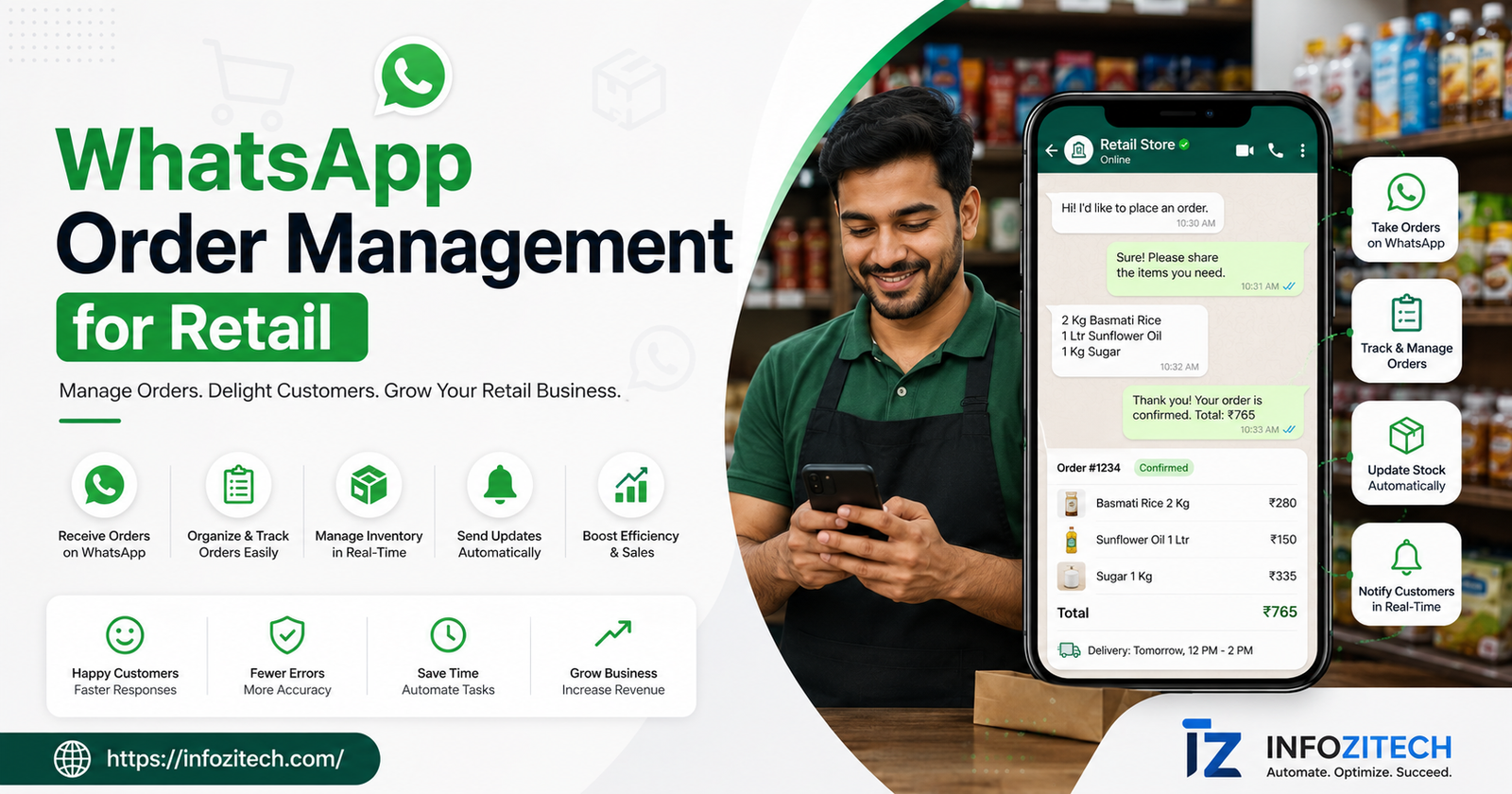
A friend of mine runs a small home goods shop, with a physical storefront, but a decent chunk of her sales come through people just messaging her directly. For years, and I mean years, she ran all of it through her regular personal WhatsApp. Orders, payment screenshots, delivery addresses, all of it mixed right in with messages from her mom and some group chat about her kid’s football schedule. Worked, sort of, until it really didn’t anymore. She lost an entire order once because it got buried under forty unrelated messages, and the customer was furious about it, rightfully so, honestly. That’s the moment she actually looked into real WhatsApp order management tools instead of just muddling through with the regular app like she’d been doing.
Why WhatsApp Became a Retail Order Channel to Begin With
Nobody planned this; it just happened over time. Customers started messaging shops the way they’d message a friend — asking if something’s in stock, sending a photo of what they want, negotiating a little on price sometimes, the whole casual thing. Fast, familiar, and for a lot of people it feels way less formal and intimidating than an actual ecommerce checkout, especially for smaller purchases or in places where WhatsApp is just how everyone talks to everyone anyway.
Problem is, WhatsApp in its basic form was never built to be an order system. It’s a messaging app. Great at messaging. Not great at tracking which of forty open conversations has a confirmed order, which one’s stuck waiting on payment, which one you promised to follow up on three days ago and then completely forgot about because life happened. Cross a certain volume of orders coming through chat and the regular app just starts falling apart. That’s the exact gap these tools exist to fill.
What WhatsApp Order Management Actually Involves
At its core, it’s about turning WhatsApp from a pure chat tool into something closer to a lightweight order and customer system, without losing the conversational feel that made customers want to order this way in the first place.
Tracking Orders With Status Labels
More advanced tools, usually running on the WhatsApp Business API rather than the free consumer app, let you tag conversations by status. New inquiry. Payment pending. Confirmed. Shipped. Whatever stages actually matter for how you run things. Instead of scrolling back through a chat trying to remember where a conversation left off, you just glance and know what needs attention right now versus what’s already handled and done.
Automated Replies for the Same Questions Over and Over
A huge chunk of retail messages are the same five questions on repeat. In stock? Price? Delivery? Hours? Automated quick replies handle these instantly, any hour of the day, which frees up actual human attention for the messages that need real judgment — a custom order, a complaint that needs careful handling, that kind of thing.
Payment Confirmation, In Writing
Some tools plug directly into payment links, or let you send a confirmation the moment a screenshot comes in and gets manually checked. Sounds minor, isn’t. It genuinely cuts down disputes later about whether someone actually paid or not. Clear trail, right in the chat, saves a lot of “I definitely sent that already” arguments down the road.
Setting This Up Without Turning It Into a Whole Project
Start With the Free App, Seriously
Before jumping into a paid API setup, most small retailers should just start with the free WhatsApp Business app. Already has catalogs, quick replies, labels for organizing chats, basic away messages built right in. Costs nothing to try, which matters.
Move to the API Once You’ve Actually Outgrown the Basics
Once you’re handling enough volume that one person genuinely can’t keep up manually, or you need multiple people answering from the same number without stepping on each other, the Business API starts being worth a look.
Hook It Up to Your Inventory
Whichever path you take, the real payoff shows up once WhatsApp orders don’t have to get manually cross-checked against your inventory spreadsheet or point-of-sale system by hand, every single time, forever. Some tools sync directly, updating stock counts automatically as orders confirm through chat, which matters a lot once you’re selling the same stuff through WhatsApp, a physical store, and maybe an online shop too, all pulling from the same limited stock pile.
What This Actually Fixes for a Retail Business
Fewer Orders That Just Vanish
The single biggest problem with running orders off a personal WhatsApp is exactly what happened to my friend — orders buried, forgotten, lost somewhere in a wall of unrelated messages.
Faster Replies, Basically Expected Now
Customers messaging a retail business over WhatsApp expect a fast answer, faster than email, closer to texting a friend, honestly. Automated replies for the common stuff, plus some system for triaging what needs a human right now versus what can wait an hour or two, keeps response times down without needing someone glued to their phone every waking minute of the day.
Better Paper Trail for Disputes and Returns
Order details, payment confirmation, delivery address, all sitting in one traceable thread makes handling a dispute or a return way less painful than piecing together what happened across a dozen scattered messages sent over several different days.
Feels More Professional Without Losing the Personal Bit
A catalog people can actually browse, consistent quick replies, clear confirmations, add up to a business that feels organized and trustworthy, even while still fundamentally being a small operation run out of someone’s back office or spare room somewhere.
Concerns People Actually Bring Up
“Won’t It Feel Less Personal?”
Comes up constantly, fair concern too, since the personal conversational feel is exactly why customers like this in the first place. Trick is using automation only for the repetitive stuff, stock checks, hours, basic pricing, while keeping real human replies for anything needing actual judgment or a bit of back-and-forth. Done right, customers barely notice the automation part. They just notice faster answers to the boring questions.
“Is Setup Going to Be a Headache?”
The free app’s genuinely simple, most retailers have the basics running inside an hour, sometimes way less.
“What About Customers Who Don’t Use WhatsApp At All?”
Doesn’t have to replace your other channels. It just handles the chunk of customers who already prefer messaging.
“Is My Customer Data Even Safe Here?”
Worth checking directly with whatever tool you’re eyeing, since this genuinely varies a lot. Look at how payment confirmations and personal details actually get stored, and whether there’s a clear policy on data handling instead of some vague reassurance buried three paragraphs deep in a terms of service page nobody’s ever actually read.
Final Thoughts
WhatsApp order management was never about turning a familiar, conversational sales channel into something cold and over-automated.









2 thoughts on “WhatsApp Order Management for Retail: A Practical Guide”