
Edge AI Devices for Small Businesses: What’s Actually Worth Buying
A guy who runs a small hardware store near me spent about eight hundred dollars on a “smart” inventory camera last year because a sales rep cornered him at a trade show and made it sound like the store would basically run itself. It didn’t. The camera worked fine, technically, but it needed a cloud subscription he didn’t fully understand, a network setup his one laptop couldn’t really support, and about three weeks of his time to configure. He still uses it. He just wishes someone had explained what he was actually buying before he bought it.
That’s kind of the whole problem with edge AI for small businesses right now — the tech is genuinely useful, but the marketing around it is loud and vague at the same time, which is a bad combination. So let’s cut through it. What edge AI actually is, what it’s good for, and which devices are worth a small business owner’s time and money in 2026.
What Edge AI Actually Means (Without the Jargon)
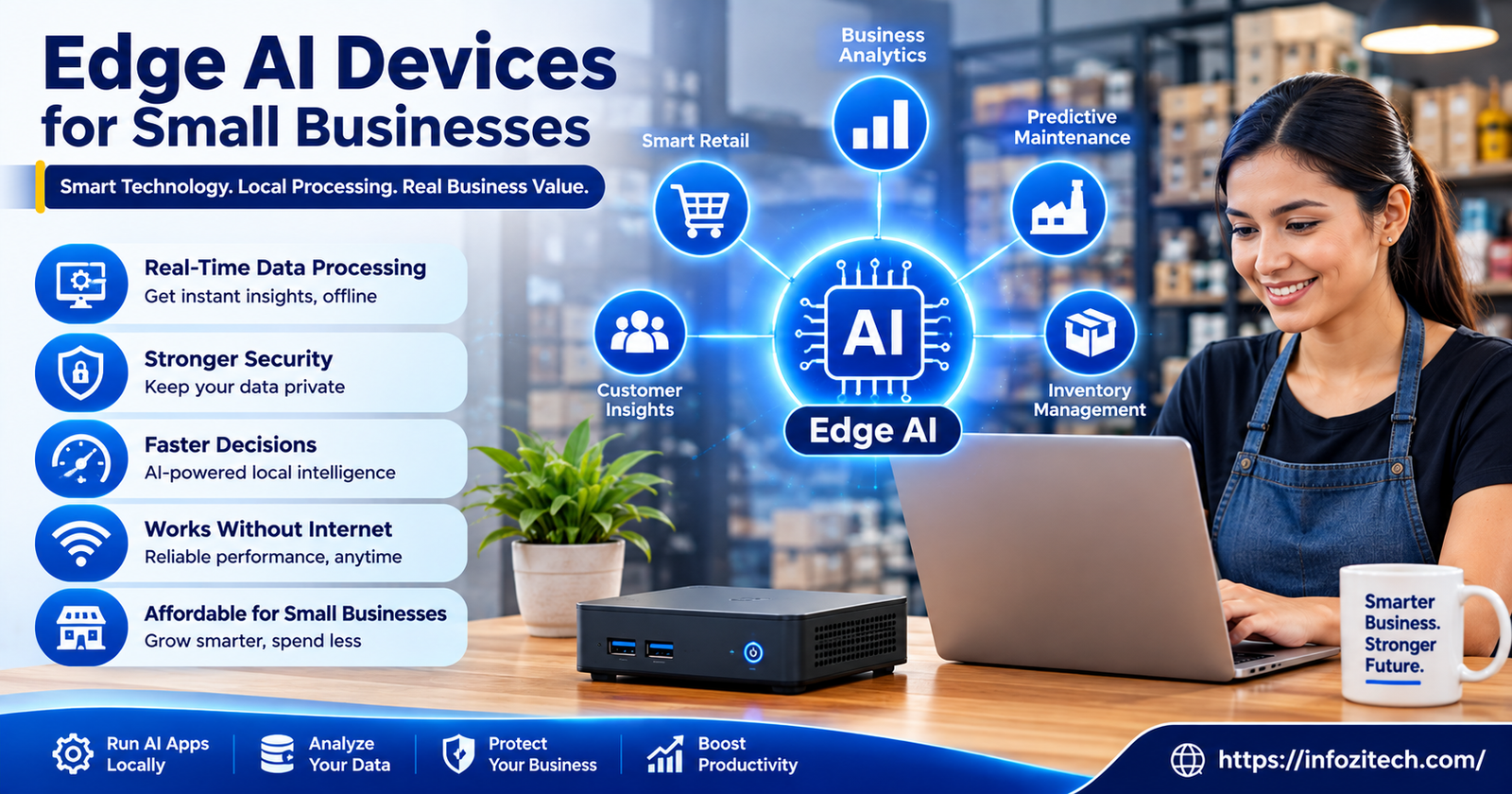
Edge AI just means the AI processing happens on the device itself — a camera, a sensor, a little box sitting in the back office — instead of sending everything to a data center somewhere and waiting for an answer to come back. That’s basically it. Everything else is detail.
Edge vs. Cloud AI, in Plain Terms
Cloud AI sends your data out, processes it on someone else’s servers, and sends a result back. That takes bandwidth, it takes time (usually a second or two, sometimes more), and it means your data is, well, somewhere else. Edge AI keeps the processing local. Faster response, less bandwidth eaten up, and your footage or sensor data doesn’t necessarily have to leave the building. There are tradeoffs — edge devices are generally less powerful than a data center, so they handle narrower tasks — but for a lot of small business use cases, narrow is exactly what you need.
Why This Matters More for Small Businesses Than People Realize
A big retail chain can afford enterprise cloud contracts and IT staff to babysit them. A five-person boutique cannot. Edge devices tend to be cheaper up front, don’t require constant internet bandwidth to function, and — this is the part that gets undersold — they keep working during an internet outage. If your point-of-sale AI needs the cloud to function and your internet goes down during a Saturday rush, that’s a real problem. Edge devices mostly don’t care.
Smart Cameras and Security Systems
This is probably the most mature edge AI category for small businesses right now, and it’s where most owners start.
Loss Prevention and People-Counting Cameras
Cameras that can distinguish “customer walking by” from “customer picking something up and putting it in a bag” without sending footage anywhere — that’s edge AI doing real work. Brands like Verkada and Rhombus lean heavily into this, and honestly, the accuracy has gotten pretty good over the last couple of years. People-counting cameras, similarly, can tell you foot traffic patterns without anyone manually clicking a counter by the door, which sounds small until you’ve actually tried to staff a store around guesswork.
What to Actually Look For
Skip anything that requires a cloud subscription just to view basic footage — that defeats half the point of going edge in the first place. Look for local storage options, on-device processing (the spec sheet should say this explicitly, not just imply it), and clear documentation on how much bandwidth it eats even when it’s not sending raw video out. Some of these devices claim to be “edge” and then quietly upload everything anyway. Read the fine print, or honestly just ask the sales rep directly and see if they hesitate.
A Word on Cost
Expect anywhere from $150 to $600 per camera depending on resolution and AI features, plus sometimes a modest monthly fee for advanced analytics even on edge-processed systems. It adds up if you’re outfitting a whole storefront, so start with entry points and high-traffic areas rather than trying to cover everything on day one.
Point-of-Sale and Inventory Devices
This is where the hardware store guy I mentioned earlier got tripped up, and it’s a category worth being careful with.
Smart Inventory Scanners
Handheld scanners with built-in object recognition can now identify products without a barcode in some cases — useful for produce, bulk goods, anything without a clean UPC. They’re not magic. Accuracy drops with lighting changes and product variation, so test one on your actual inventory before committing to a fleet of them.
AI-Enhanced POS Terminals
Square, Clover, and a handful of newer entrants now bake some edge processing into their terminals — fraud pattern detection, receipt analysis, that kind of thing, running locally rather than round-tripping to a server every transaction. The upside is speed. The downside, and this one’s easy to miss, is that not every “AI feature” advertised on these terminals actually runs on-device. Some quietly phone home. Worth asking directly, again, rather than assuming.
Shelf and Stock Monitoring
Small cameras or weight sensors that flag when a shelf’s running low, without a human doing a manual count — this one’s newer, less mature as a category, and honestly still a bit hit-or-miss depending on the vendor. If you’re a business with fast-moving inventory, it might be worth a pilot. If your stock turns over slowly, probably not worth the investment yet.
Voice and Language Devices for Customer Service
On-Device Voice Assistants
Some newer countertop devices handle basic customer queries — hours, directions, simple FAQs — entirely on-device, no cloud round-trip needed. Useful for a business with repetitive customer questions eating up staff time. Less useful, honestly kind of pointless, for a business where every customer interaction is different and needs a real person anyway.
Real-Time Translation Hardware
Handheld translation devices with on-device processing have gotten noticeably better the last year or two — genuinely useful if you serve a multilingual customer base and don’t have staff who speak every relevant language. Pocketalk and a few competitors fall into this bucket. Just don’t expect flawless translation for anything beyond straightforward, transactional conversation. It’s good, not perfect.
Predictive Maintenance Sensors
This category flies under the radar for small businesses, which is a shame because it’s genuinely practical for anyone running physical equipment.
What These Actually Do
Small sensors attach to equipment — a walk-in cooler, an HVAC unit, a piece of manufacturing machinery — and monitor vibration, temperature, and sound patterns locally, flagging anomalies before something actually breaks. No cloud dependency needed for the core function, which means it keeps working even if your internet doesn’t.
Who This Makes Sense For
Restaurants with refrigeration units. Small manufacturers with machinery that’s expensive to replace on short notice. Anyone running equipment where a surprise failure means real financial pain, not just an inconvenience. If your business doesn’t really depend on physical equipment staying operational, this category probably isn’t worth your time or money right now.
How to Actually Choose the Right Device
Start With the Problem, Not the Device
This sounds obvious written out like this, but it’s the single biggest mistake small business owners make — buying a device because it sounds impressive rather than because it solves something they’re actually dealing with. Figure out the actual bottleneck first. Foot traffic you can’t track? Inventory counts eating hours every week? Equipment failures that blindside you? Start there, then go looking for a device.
Check What Happens Offline
Ask directly: does this device still function if the internet goes down? A lot of vendors will say “yes, it’s edge AI” and then it turns out only some features work offline while the useful ones need connectivity anyway. Get this in writing if you can, not just a verbal assurance from a sales call.
Factor in the Real Total Cost
The device price is rarely the whole story. Subscription fees, setup time, sometimes a service contract — all of that adds up, and small business owners get burned pretty often by an appealing sticker price that turns into a monthly bill nobody budgeted for. Ask for the full cost breakdown before signing anything, not after.
Pilot Before You Commit
Buy one camera, one sensor, one terminal — not a fleet — and actually run it for a month before scaling up. It’s tempting to go all-in once you’ve decided something’s worth it, but a small pilot catches problems (bad lighting angles, weak Wi-Fi in a back corner, whatever) way cheaper than discovering them after outfitting an entire store.
Final Thoughts
Edge AI for small businesses is genuinely useful — not hype, not vaporware, actually useful in a lot of the categories above. But the industry around it is still kind of messy, with vendors overselling “edge” labels on products that quietly need the cloud anyway, and small business owners paying enterprise-adjacent prices for features they didn’t need. Start small. Solve one real problem first. Ask the annoying, direct questions about offline functionality and total cost before you buy anything. That’s really the difference between ending up like the hardware store guy with an $800 camera he half-understands, and ending up with a device that actually earns its keep






3 thoughts on “Edge AI Devices for Small Businesses: What’s Actually Worth Buying”