
Smart Digital Workspace Security: Protecting Modern Hybrid Teams in 2026
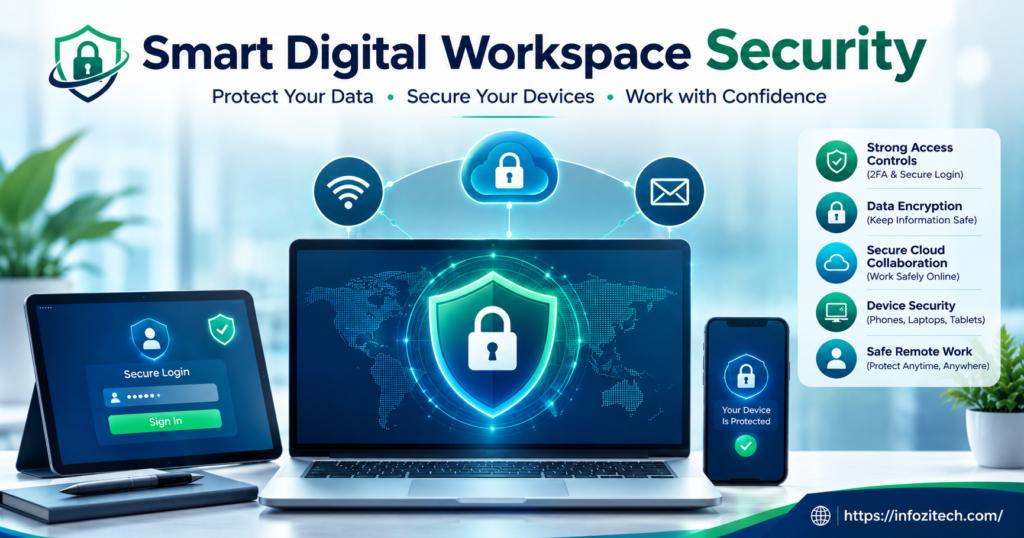
I was talking to a friend who runs IT for a mid-size logistics company last month, and he said something that stuck with me — he doesn’t even know how many “offices” his company has anymore, because there isn’t one. There’s a kitchen table in one city, a co-working desk in another, a guy who does his best work at 11 pm from his couch for reasons nobody’s asked about. That’s just… the job now. And the old way of thinking about security- lock the building, wrap a firewall around it, call it a day— that doesn’t map onto a company with no real building to lock.
So what replaces it? Something smarter, and I mean that in the actual sense, not the way vendors slap “smart” on a product label to justify the price tag. Smart digital workspace security is less a thing you purchase and more a way of operating — layered, watching context, adjusting itself. It’s not one tool. It’s closer to a habit a whole organization has to build together.
What Is a Smart Digital Workspace, Really?
Okay, backing up. A digital workspace is just all the stuff people actually use to get work done — email, Slack, whatever cloud drive got picked, video calls, some project tool that got adopted after the last one everybody hated. Put it all together, and the workspace follows the employee, rather than the employee showing up to it.
The “smart” part is where things get genuinely useful, honestly. Usually it means quiet automation running underneath everything — flagging a login that looks off, tightening access when someone connects from a weird location, giving IT something closer to a live feed instead of a report that shows up a month too late to matter.
Why This Matters More Than Ever
Go back maybe ten, fifteen years, and most of the sensitive stuff — financial records, HR files, contracts — sat on a server, physically, somewhere with a lock on the door. Now? Scattered. Cloud accounts, someone’s personal phone, an app a new hire signed up for without telling anyone. Every one of those is technically a door into the company. More doors, more chances somebody who shouldn’t get in does.
The Core Risks Facing Modern Workspaces
You can’t fix what you haven’t named, so here’s the rundown, though calling it “short” would be lying.
Phishing and Social Engineering
Everybody’s sat through the training video. Everybody clicks the bad link anyway sometimes — I’ve almost done it myself, and I write about this stuff. The good phishing emails don’t look like scams anymore. They look like a boss asking for a favor, or an invoice that’s off by just enough that you’d need to squint to catch it. And now attackers are using AI to write these messages, which means the broken grammar that used to be the giveaway is basically gone.
Weak or Reused Passwords
People reuse passwords, obviously. Remembering fifteen unique ones is miserable, and nobody actually wants to do it. The problem is, some random forum you joined back in 2019 gets breached, and suddenly your work login is sitting in the same leaked file as your embarrassing old username.
Unsecured Personal Devices
Bring-your-own-device sounds great in a pitch meeting. Cheaper, flexible, people like using their own stuff. In practice, it also means company files parked on a phone with no passcode set, or a laptop running software that hasn’t been updated since — I don’t know, spring, maybe longer. Personal and work life blur, and so does the question of whose job it even is to keep any of it locked down.
Shadow IT
Nobody sets out to cause a problem here. Someone just wants to move faster, so they sign up for a note app or a file-sharing tool without running it past IT first. Multiply that across two hundred employees, and you get dozens of these tiny blind spots, none of them huge on their own, all of them stacking up into something nobody’s actually watching.
Insider Threats
Not everything comes from outside. Sometimes it’s just a laptop left open at a coffee shop while someone grabs a refill. Sometimes an email goes to the wrong person, no bad intent at all, just a rough Tuesday. And once in a while — rarely, but it happens — it’s someone who’s upset and knows exactly where the sensitive stuff lives. Those are the hardest to catch, because on paper, the access was always legitimate.
Core Pillars of Smart Digital Workspace Security
Alright. Risks are out on the table. Now the parts that actually hold things together.
Identity and Access Management
It all comes back to one question, really: who should be allowed to see what? Identity and access management, IAM for short if you’re into acronyms, handles that by verifying who someone is and lining it up against what their role actually requires.
Single Sign-On (SSO)
One login, several approved apps, no retyping a password every twenty minutes. Feels like it should be less secure, having a single key open that many doors — but it’s actually the reverse, because fewer passwords floating around means fewer things worth stealing.
Multi-Factor Authentication (MFA)
A text code. An authenticator app. A fingerprint, maybe. Doesn’t much matter which one — that extra step after the password makes a stolen password nearly worthless by itself. Honestly, this might be the single cheapest, easiest upgrade a company can make, and it’s wild it isn’t standard everywhere yet.
Zero Trust Architecture
The old assumption: get inside the network, you’re trusted, done. Zero trust just throws that out. Getting through the door once doesn’t earn you a free pass forever.
Fits hybrid work almost too well, if I’m honest, since “inside the network” doesn’t mean much when half the team logs in from a different place every day of the week.
Endpoint Protection
Every laptop, tablet, phone that touches company data is what security folks call an endpoint. Each one needs its own layer watching it — software checking for odd behavior, blocking malware, and in a worst-case scenario, able to wipe the thing remotely if it gets lost or stolen.
Data Encryption
Encryption just scrambles data so it’s meaningless without the right key. Good workspaces encrypt things sitting still and things moving between systems, because a breach in one spot shouldn’t mean everything else is exposed too.
Cloud Security Configuration
Here’s the thing nobody talks about enough: cloud platforms are only as safe as whoever set them up. A shared folder accidentally left open to “anyone with the link” has caused more leaks than people want to admit. It’s dull, unglamorous work checking these settings regularly, but skipping it is exactly how a company ends up as a headline for the wrong reason.
AI-Driven Threat Detection
This is where “smart” actually earns its place in the phrase. Machine learning watches what normal looks like over time, then flags whatever breaks the pattern — a login from a country nobody’s ever connected from, a sudden download of hundreds of files at three in the morning, that sort of thing.
It’s not a replacement for a human analyst. Think more like a tireless assistant that never blinks, catching stuff a tired human might miss until it’s already too late.
Building a Security-First Culture
None of the tech matters much if people aren’t on board too. People are still the front line here, and often the weak point as well — not because anyone’s being careless on purpose, but because training rarely keeps up with how fast these tactics shift.
Regular Training That Actually Sticks
A once-a-year slideshow nobody remembers by lunch isn’t training, it’s a formality everyone forgets by the elevator. What actually works: shorter sessions, spread out over time, real examples people recognize from their own inbox. Fake phishing tests help too — getting fooled in a low-stakes drill teaches the lesson minus the actual damage.
Clear Policies for Remote Work
Employees need it spelled out plainly: which apps are fine to use, what to do with sensitive files, who to call the moment a laptop goes missing. Vague policies create hesitation, and hesitation is the last thing you want in the exact moment it matters.
Encouraging Reporting Without Blame
If someone clicks something bad and hides it out of embarrassment, that’s about the worst outcome available. A culture that rewards fast reporting instead of shaming the mistake catches problems early — before something small turns into a mess involving the whole company.
Choosing the Right Tools for Your Organization
A five-person startup and a company with a thousand employees aren’t fighting the same fight, even if the headlines make it sound like one-size-fits-all is a real thing.
Start With a Risk Assessment
Figure out what data actually matters most, where it lives, who’s touching it day to day. Not glamorous work, but it keeps decisions grounded instead of chasing whatever tool is trending in security news this particular month.
Prioritize Integration Over Quantity
A pile of disconnected tools can create more confusion than protection — separate dashboards, separate alerts, half of them going unchecked. Fewer tools that actually talk to each other beats a stack of shiny standalone products nobody has time to babysit.
Plan for Scalability
Whatever gets chosen now needs room to grow without a painful rebuild in two years. Switching platforms later on is expensive and disruptive, and frankly, kind of miserable for whoever’s stuck doing the migration.
The Future of Digital Workspace Security
Passwordless login is coming, and it can’t get here soon enough if you ask me — biometrics, device-based checks, anything that takes human memory out of being the weakest link in the whole chain. AI keeps expanding its role too, moving past just catching threats and into predicting them before they fully take shape, based on patterns buried in more activity data than any person could ever sift through by hand.
Meanwhile privacy regulations keep tightening worldwide, which is nudging companies to stop treating security like a line item bolted onto the IT budget and start treating it as something baked into how the whole business actually runs.
Final Thoughts
Nobody’s building an impenetrable fortress here. That was never really on the table, whatever the vendor slide decks promise. The real goal is stacking enough thoughtful, layered defenses that problems get caught early, damage stays contained, and people can keep working with some real confidence, wherever they happen to be sitting that particular day.
Companies that actually get this right stop treating security like a wall standing between employees and their work. They treat it more like scaffolding — quietly holding everything up so people can move fast without constantly glancing over their shoulder.








2 thoughts on “Smart Digital Workspace Security: Protecting Modern Hybrid Teams in 2026”